
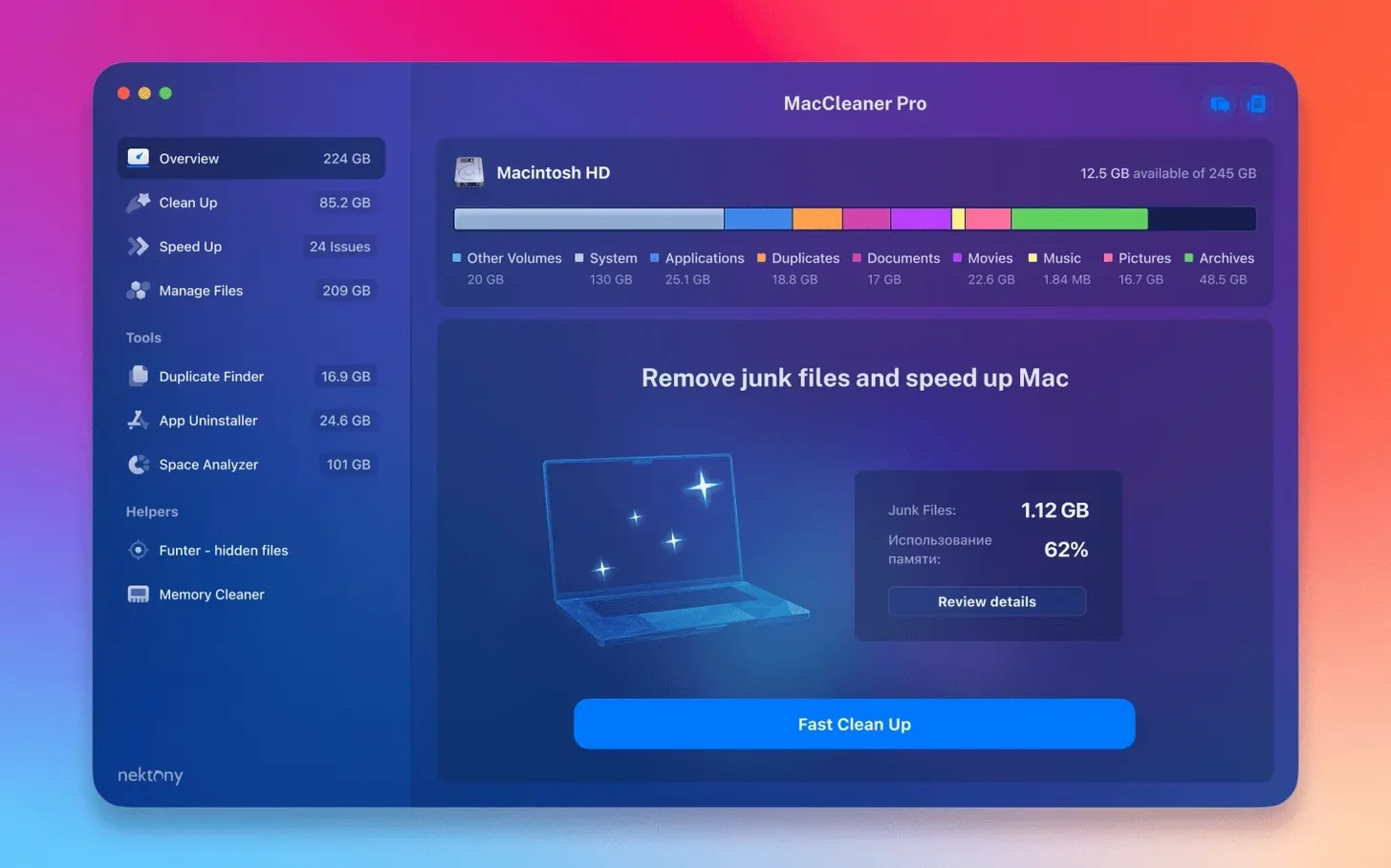
The Funter tool is where I start, because finding files the Finder pretends don't exist is half the battle on a cluttered Mac. The maccleaner pro license key unlocks a six-piece bundle from Nektony, and while the surface pitch is disk cleaning and speed, the collection earns its keep in the corners an experienced user will actually live in. App Cleaner & Uninstaller PRO handles removal right down to orphaned extensions and leftover daemons. Disk Space Analyzer PRO maps storage as a treemap so you can spot a rogue 40-gigabyte cache without squinting at folder sizes. Duplicate File Finder catches the media copies and old project backups that eat terabytes quietly.
Memory pressure and the quiet background drain
Memory Cleaner sits in the menu bar and graphs pressure in real time. It is not magic — unused RAM is wasted RAM, as the saying goes — but when a video render or a bloated browser tab cluster locks up inactive memory, forcing a purge gets you back to responsiveness without a restart. Version 4.0.2 tightened the app’s awareness of files stored in iCloud folders and custom Home directory paths, so scans no longer skip what you moved off the boot drive. The interface fixes in this release are minor but welcome; the English-localized windows feel less like a translation layer now.
Hidden files, surfaced on your terms
Back to Funter. It integrates into the menu bar and reveals invisible items with a toggle, which means you can check what a recent installer buried in ~/Library without opening Terminal. For anyone who has hunted down a stray plist or a cache that Disk Utility’s first aid missed, that visibility is the bundle’s most practical daily tool. The disk analyzer and duplicate finder handle the big sweeps, but Funter and Memory Cleaner are the pieces you reach for between projects, when something simply feels slow and you want to see why.
iCloud files no longer hide from duplicate scans
The iCloud detection improvement sounds like a footnote until you run a duplicate scan on a Mac that offloads files to Apple's servers. Before 4.0.2, items stored in iCloud but not currently downloaded could slip past the analyzer, leaving you with an incomplete picture of what was actually eating your space. Now the scan accounts for them, and the treemap in Disk Space Analyzer PRO reflects the real storage pressure, not just the local footprint. The custom Home folder enhancement matters if you moved your user directory to an external drive or a non-standard path — the bundle used to miss those locations, and now it does not. Together, these fixes turn what was a blind spot into reliable coverage, and the interface polish makes the English text read less like a hasty port and more like an app built for the language from the start.
Sunday coffee and a memory purge that silences the wheeze
I sit down on a Sunday morning with coffee and a Mac that has been wheezing through exports. The menu bar shows Memory Cleaner sitting at orange pressure, so I click it first — a quick purge drops the graph to green and the fans quiet down. That buys me a responsive desktop while I open the main bundle. I launch Disk Space Analyzer PRO and let it scan the boot drive; the treemap renders in under a minute and a bright red block shows an old Final Cut render folder I forgot to delete after delivering a cut. I drag it to the trash from right inside the analyzer window.
Next, Duplicate File Finder. I narrow the scan to my project drives and it surfaces three copies of the same 12-gigabyte sound library, saved across different backup folders over the years. I select the oldest two and remove them. Then App Cleaner & Uninstaller PRO — I have been meaning to strip out a video converter I tried once and discarded. The uninstaller finds the main binary, a launch agent, and a leftover preference pane. I let it remove everything in one pass. Finally, I toggle Funter from the menu bar and check ~/Library for anything recent; a chat app left behind a 600-megabyte cache folder. Deleted. The whole session takes about fifteen minutes and recovers over fifty gigabytes.
Study the treemap first, delete nothing
Start with Disk Space Analyzer PRO and let it scan every connected drive. Do not delete anything yet — just study the treemap and note the three largest blocks. Those are your immediate wins. Run Duplicate File Finder next, but on your home folder only; widening the scope to every drive at once can return an overwhelming list, and you want to build momentum with a clean first pass. Enable Memory Cleaner's menu bar graph and ignore it for a day — just observe when pressure spikes. It will teach you which apps are the real memory hogs on *your* machine, not some generic list. With App Cleaner & Uninstaller PRO, resist the urge to go on a removal spree. Target one app you genuinely no longer use, watch how many leftover files it surfaces, and then decide if you trust the tool enough to widen the net. Finally, leave Funter's menu bar icon visible for a week. The habit of toggling hidden files before you empty the trash or clean out a project folder will save you from the "where did that config file go" panic later.
A photographer's scenario
A wedding photographer I know keeps two external SSDs daisy-chained to an iMac, each holding Lightroom catalogs and raw files going back several seasons. Her startup disk kept throwing the "disk full" warning, and she could not figure out why — the catalogs lived on externals. She ran Disk Space Analyzer PRO and found that Lightroom's camera raw cache had ballooned to 80 gigabytes on the boot drive, a folder she never thought to check because the software settings pointed elsewhere. Duplicate File Finder then uncovered three complete copies of a client gallery she had dragged between drives while reorganizing folder structures. App Cleaner & Uninstaller PRO removed an old tethering utility that had left launch daemons running for two years. After the cleanup, she set Memory Cleaner to sit in the menu bar permanently — Lightroom and Photoshop together push memory pressure into the red during a heavy cull, and a quick purge between editing passes keeps the machine from crawling. The bundle did not change her workflow, but it removed the friction that had built up around it.
- macOS 10.13 or later
- Apple Silicon or Intel 64-bit
Questions from the booth
It bundles App Cleaner & Uninstaller PRO, Disk Space Analyzer PRO, Duplicate File Finder, Memory Cleaner, and Funter.