
Keeping a growing library of notes, drafts, and published articles in sync across a personal site and multiple platforms usually means stitching together several tools. MWeb Pro approaches this by making the same Markdown document the source for local reference, a static website, and posts to services like WordPress or Ghost.
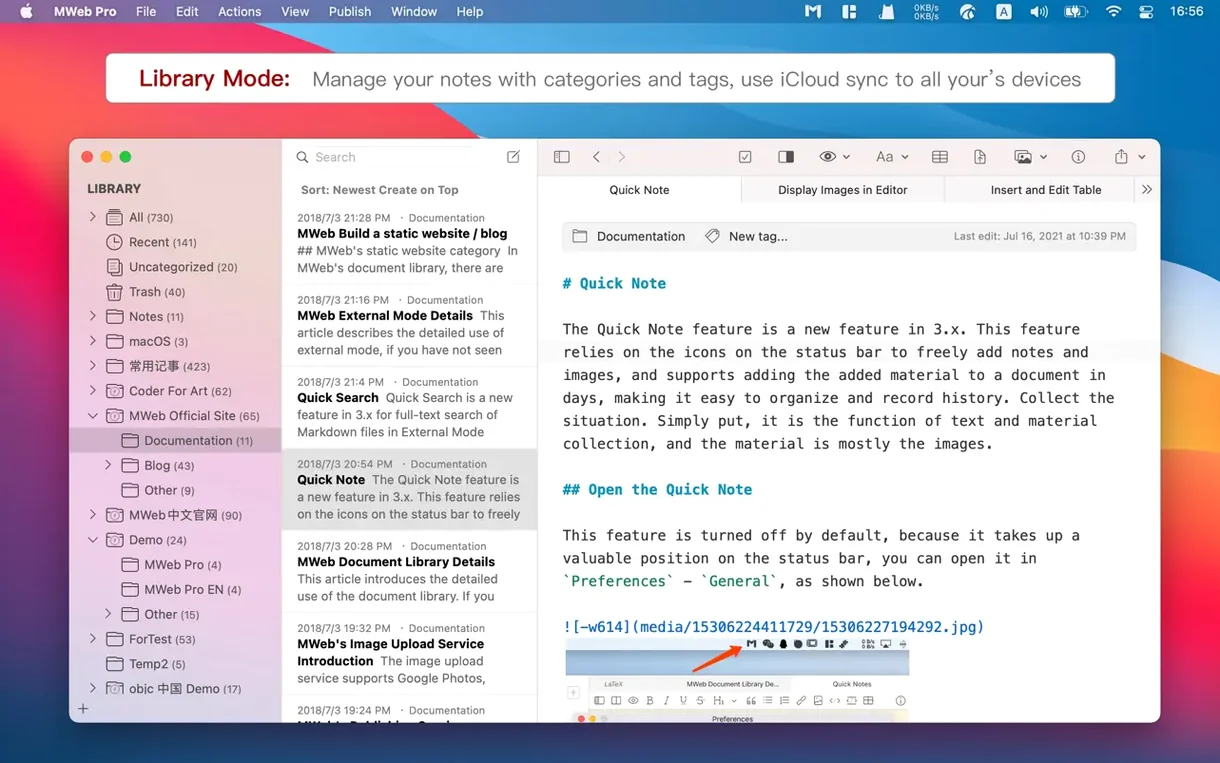
- Organize everything in a tree-structured library with tags — the left panel works as a fast, searchable home for long-term projects.
- Compose in GitHub Flavored Markdown with live preview, adding tables, LaTeX, or diagrams coded in mermaid, PlantUML, and ECharts directly in the text.
- Generate a complete static site from a folder of documents, with support for GitBook, Jekyll, and Hexo output.
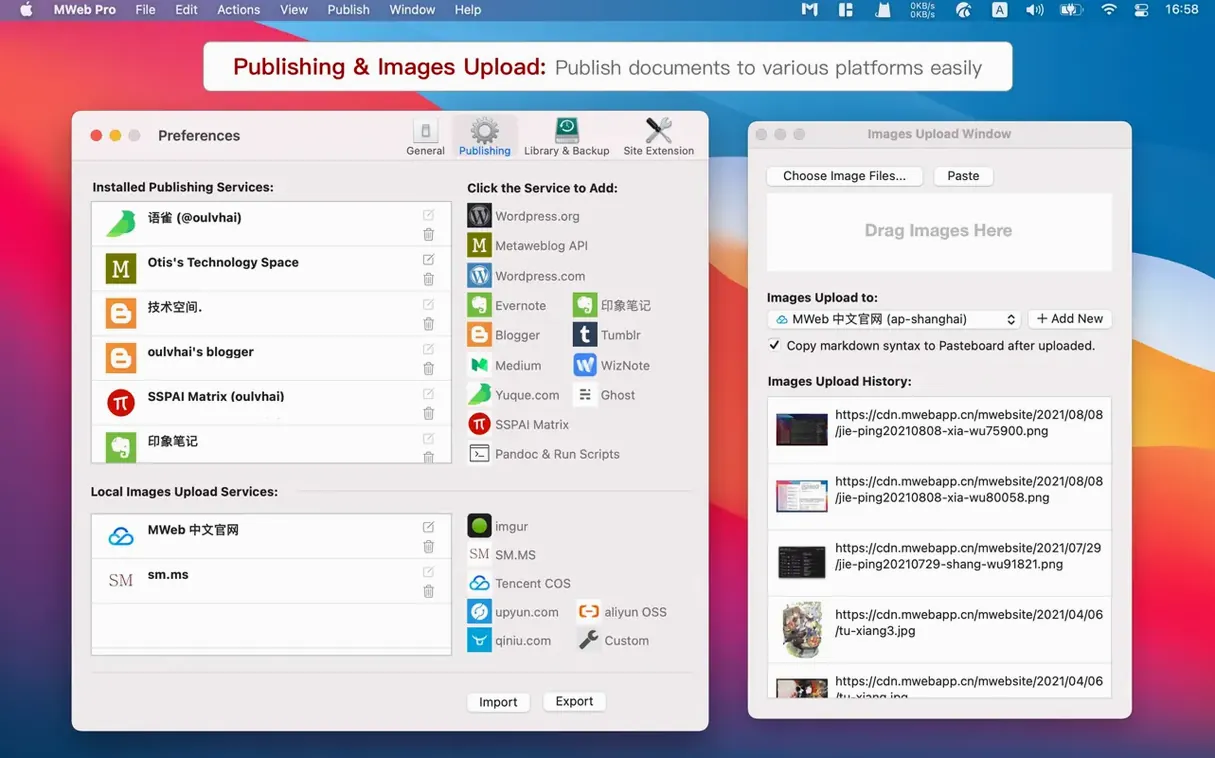
- Publish a single piece or a batch to WordPress, Medium, Blogger, Ghost, Tumblr, or Evernote with one click.
- Speed up image handling with upload services like Imgur and s.ee, or use the new Paste button in Multiple Images into One to drop in a screenshot via Command+V.
The 4.8.2 update makes opening documents heavy with images feel immediate, and PDF exports can now pull their style from any custom theme you’ve built. When publishing to WordPress, an optional summary field lets you control the excerpt separately from the body text. It’s a quiet but practical rhythm: write once in a plain-text library, then shape the same words into a blog post, a static page, or a Latex-noted research log without leaving the app.
How MWeb Pro sits among similar Mac writing tools
Put MWeb Pro next to iA Writer and the differences surface quickly. iA Writer treats every document as a standalone file and leans hard into focus — one window, one thought. That’s liberating for short-form work, but it offers no library structure and no publishing pipelines. If you blog to three platforms from a single draft, iA Writer won’t help you route the piece to each one. MWeb Pro gives you a tree of categories, tags, and a static site generator tucked behind the same sidebar, so the organisational layer is already there when you need it.
Ulysses feels closer in ambition. Its unified library, writing goals, and WordPress posting cover similar ground. The split emerges around diagrams, math, and external folder handling. MWeb Pro renders mermaid, PlantUML, and LaTeX live inside the preview, and its external mode reads existing Markdown folders without importing them into a proprietary database — a detail that matters if your notes already live in a Git-tracked vault or a Jekyll project. Ulysses asks you to commit to its library; MWeb Pro can work both ways.
Bear is the other comparison that comes up, mostly for its tagging elegance. Bear’s search is quick and its editor feels light, but it stops at note-taking. There’s no static site output, no multi-platform publishing, and no diagram rendering beyond attached images. People who try MWeb Pro for Mac cracked often arrive from Bear wanting exactly that bridge from a private note to a published post without exporting and re-importing into another tool.
Publishing one draft to a static site, Ghost, and Medium
Mac users who maintain a personal site alongside a newsletter or a couple of blogs get the clearest return. Writing a long Markdown piece once, then pushing it to a static site, a Ghost blog, and a Medium mirror from the same library removes the friction that makes cross-posting feel like administration. Researchers and technical writers who embed LaTeX equations or sequence diagrams in their notes also benefit: the live preview respects notation that simpler editors strip out or ignore.
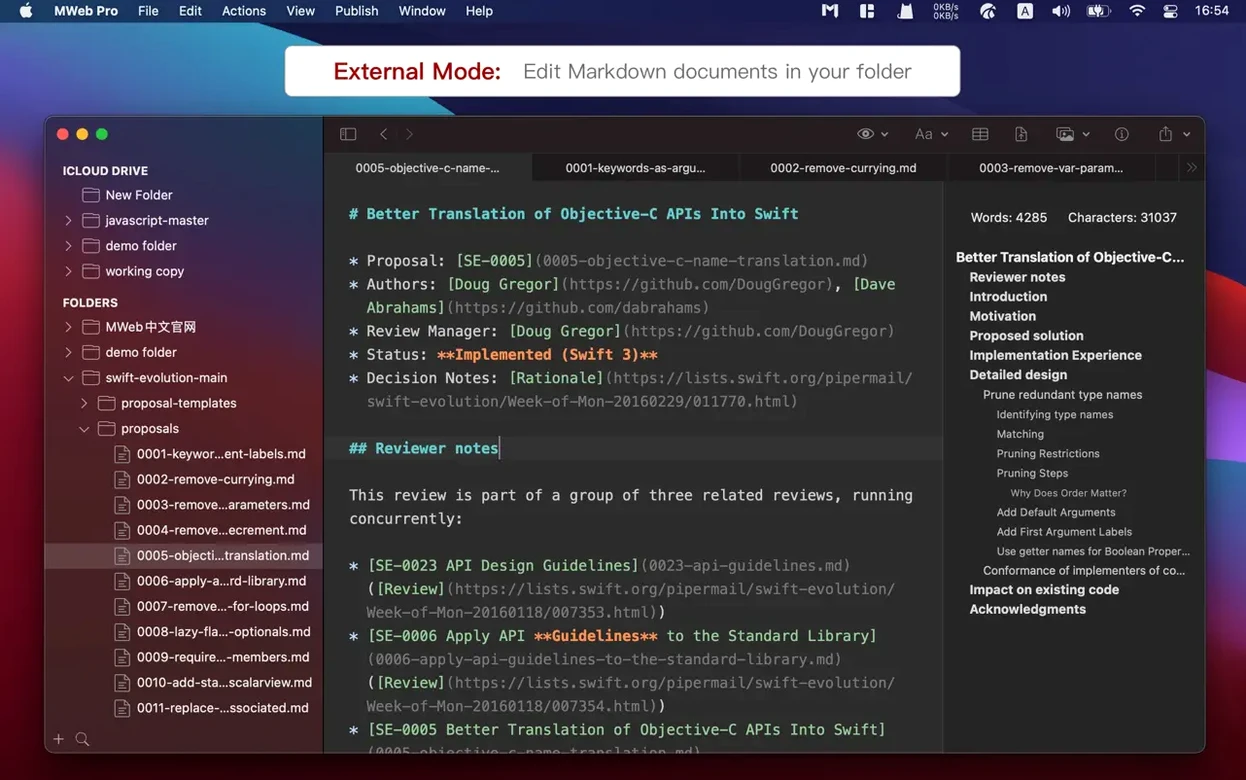
People who already keep a folder of Markdown files — say, a Jekyll site or a collection of dev logs — can point MWeb Pro at it in external mode and pick up right where they left off. The library doesn’t demand a migration, and the publishing panel will still send any file to a configured service. It’s the overlap of local-first writing, diagram support, and delivery that makes the tool click for someone whose words need to live in more than one place.
- macOS 10.13 or later
- Apple Silicon or Intel 64-bit
Questions from the booth
Yes, it can publish articles to self-hosted WordPress sites, WordPress.com, and other services like Medium, Ghost, and Blogger via the Metaweblog API.
It renders mermaid, Graphviz, ECharts, PlantUML, js-sequence-diagrams, and flowchart.js diagrams right inside the Markdown preview.
Absolutely — it can process and export content formatted for GitBook, Jekyll, and Hexo, and also generates static websites directly from your library.