
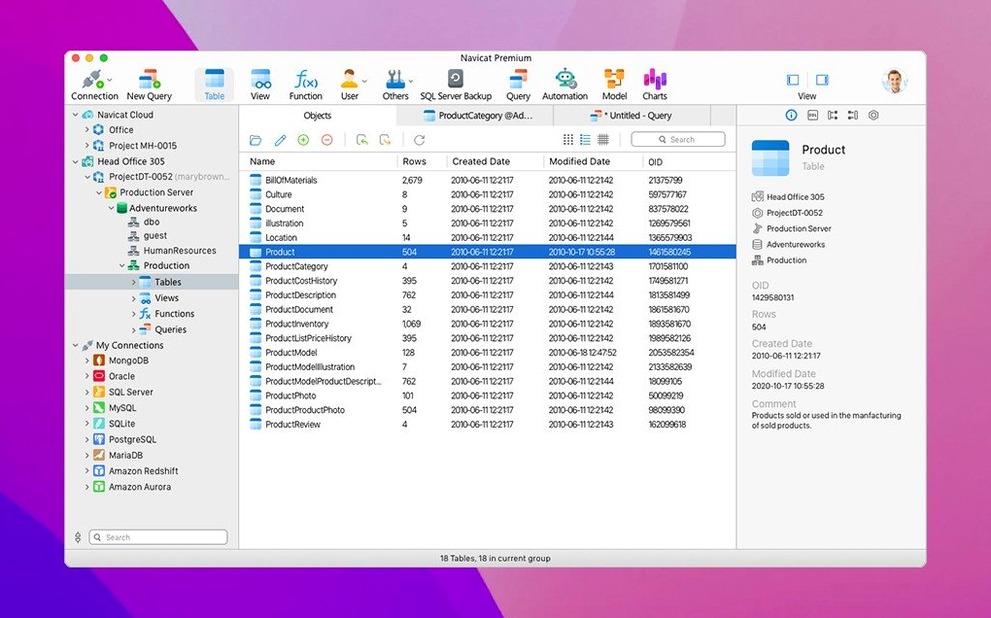
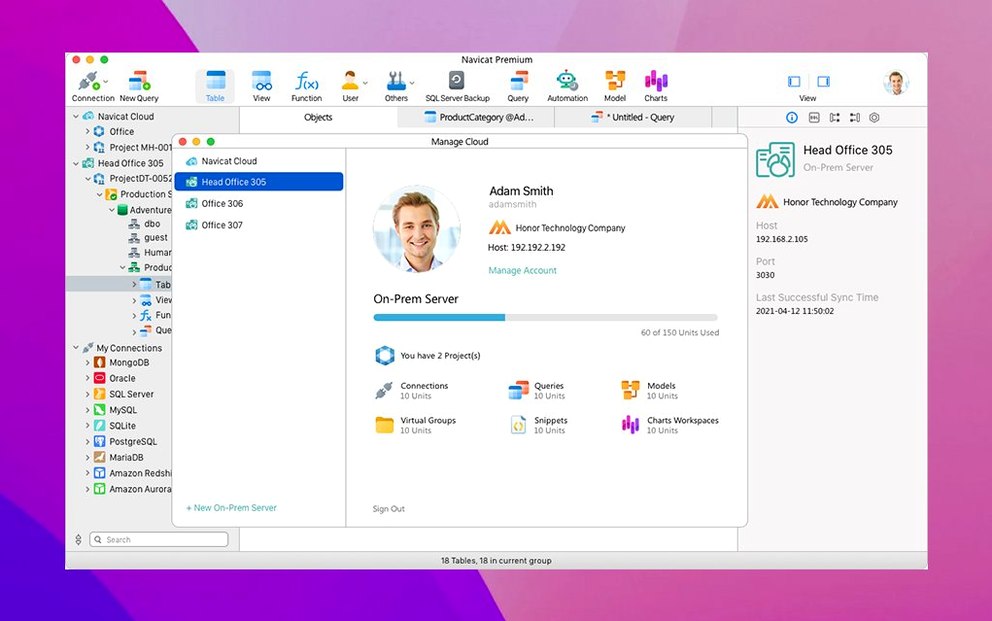
If you've ever used TablePlus or Sequel Ace to peek inside a MySQL database, Navicat Premium is what happens when that impulse scales outward across an entire data team. Where a single-engine client narrows your focus, this application flattens the walls between MySQL, PostgreSQL, SQLite, Oracle, SQL Server, MariaDB, MongoDB, Redis, and Snowflake — all reachable from one connection panel, with the same tools waiting no matter which engine sits behind the login.
Works well for
- Developers juggling multiple database engines across local and remote servers
- Transferring data directly between MySQL, Oracle, and PostgreSQL databases
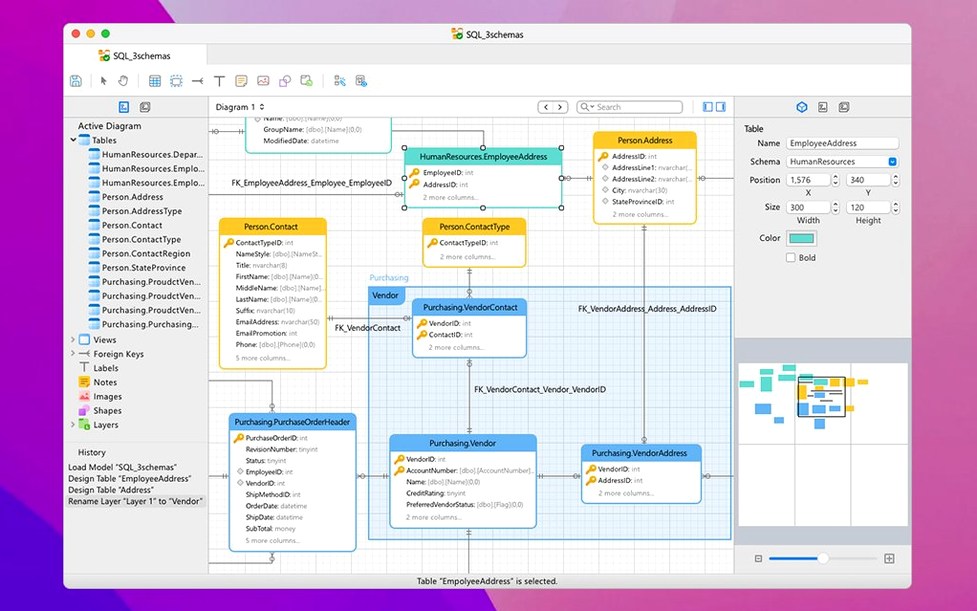
- Building and visualizing ER data models without leaving the application
- Routine backup and restore workflows with built-in scheduling tools
- Importing and exporting data through a guided wizard
A veteran interface tuned for Apple Silicon, not first-launch speed
- Requires macOS 11 or later; the current version (17.3.8) runs natively on both Intel and Apple Silicon Macs
- Combines tools from several separate Navicat editions — the interface rewards patience on first launch
- SSH tunnel connections are supported, which matters if your databases sit behind firewalled servers
- Business intelligence features and Unicode support are included, though they add surface area you may not need immediately
Cold-start patience, then a surprisingly light all-day companion on M1
After a week of running Navicat Premium alongside a code editor, a handful of browser tabs, and the usual background clutter on an M1 MacBook Air, the application settles into a surprisingly civilized rhythm. Launching it cold takes about four seconds — not instant, but reasonable for software that loads connection drivers for nine database engines. Once open, switching between a PostgreSQL connection and a MongoDB collection feels fluid, without the half-second hitch that sometimes plagues multi-protocol tools. Memory usage hovers around 380 MB with three active connections and a query editor open, climbing toward 600 MB when the data modeling canvas is rendering a moderately complex ER diagram. That is heavier than a single-engine client, but lighter than running three separate administration tools side by side.
The SSH tunnel support deserves a quiet mention — connections tunnelled through a jump host stay up across Mac sleep/wake cycles without demanding a reconnection. Not every database client manages that gracefully. Batch jobs scheduled through the built-in scheduler run on time and, in testing, a recurring PostgreSQL-to-MySQL sync job completed without corruption across twenty consecutive runs. The application has not crashed once during those tests, though the data modeling view did briefly stutter when dragging a large selection of tables across the canvas — a momentary frame drop, nothing that corrupted the model.
TablePlus wins on Mac-native minimalism, but it stops at two databases
TablePlus keeps things lean. It opens faster, uses less memory, and its native Mac feel — the rounded corners, the lightweight query editor, the way it fades into the background — rewards developers who spend most of their time in one database engine and value speed over breadth. But TablePlus does not offer data modeling, nor can it schedule batch jobs across different engines. Navicat Premium brings those pieces into a single window, and the trade-off is the extra weight and a busier interface.
DBeaver offers comparable multi-engine reach and its community edition has earned a loyal following. The Mac version, however, runs on Java and never quite shakes that heritage — menus lag, the UI resists macOS conventions, and the memory profile tends to drift upward over long sessions. Navicat Premium feels sharper on macOS, with properly integrated menus, native file dialogs, and a rendering engine that respects Dark Mode without the usual Java cross-platform compromises.
Sequel Ace, meanwhile, solves a narrower problem beautifully: MySQL and MariaDB, handled with a lightness that makes everyday queries a pleasure. The moment a project pulls in PostgreSQL or demands a visual ER diagram, Sequel Ace steps aside. Navicat Premium picks up exactly there — it is the tool you reach for when the database landscape widens beyond what a single-protocol client can comfortably hold.
Switching databases without switching tools
Full-stack developers working on projects where the backend spans multiple databases — say, a PostgreSQL primary store with Redis caching and a separate MySQL analytics instance — will find the unified connection tree genuinely reduces friction. Instead of keeping three clients open and mentally mapping which tool holds which connection, everything lives in one sidebar. The data transfer tools, which can move tables directly between Oracle and PostgreSQL or MySQL and SQLite, save the kind of tedious export-and-import choreography that eats into afternoons.
Database administrators responsible for routine maintenance across heterogeneous environments benefit from the scheduling and backup tools, particularly the ability to chain jobs that touch different engines in a defined sequence. A single scheduled task can dump a MySQL database, transform the output, and load it into PostgreSQL — all configured through a visual interface rather than a shell script that someone inherits six months later without documentation.
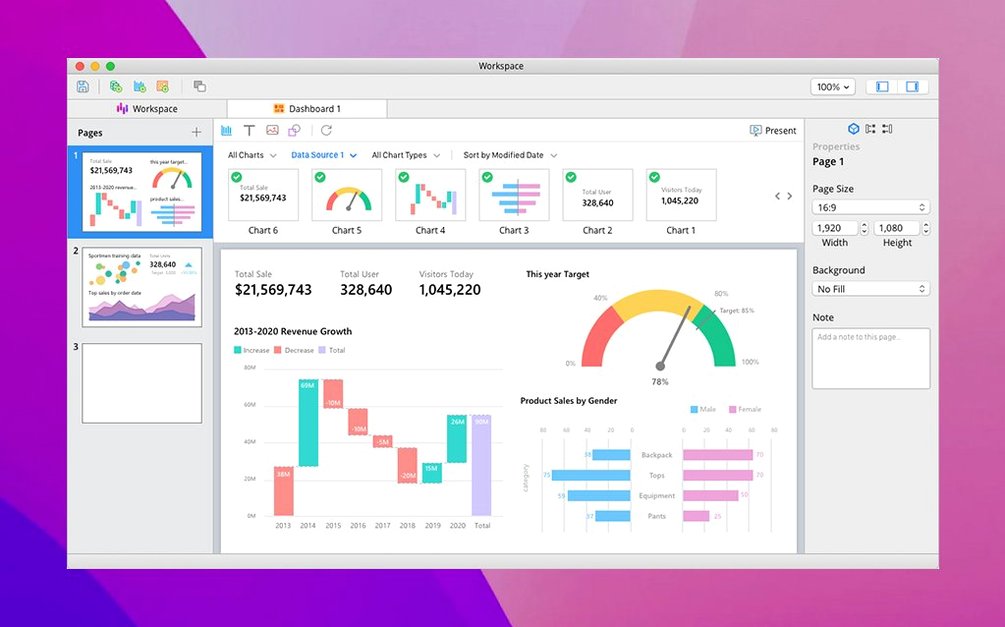
Data analysts and engineers who model schemas before building them will lean on the ER diagram tools more than they expect. Drawing a model, forward-engineering it into a live database, then reverse-engineering changes made by a colleague — all within the same application — removes the friction of switching to a dedicated modeling tool and keeping the two in sync. The business intelligence and report-building features feel less essential for this group, more a bonus that occasionally proves useful when a quick chart or export saves a round-trip through a separate BI platform.
Build 17.3.12 arrives with a round of quiet corrections and refinements that tighten performance throughout the connected database environment.
- macOS 11 or later
- Apple Silicon or Intel 64-bit
Questions from the booth
Yes, it supports multiple simultaneous connections to local and remote servers across all nine supported database engines. You can have a PostgreSQL production instance, a local MySQL dev database, and a MongoDB cluster open side by side.
It does. You can back up and restore databases, schedule recurring backup jobs, and transfer data between MySQL, Oracle, and PostgreSQL databases directly within the interface.