Mirroring a drive with the reclaim tool
Once a virtual machine has been running for a few months, its disk image balloons—deleted data inside the guest isn't automatically returned to the Mac file system. The free-up disk space assistant in Parallels Tools talks to the guest OS, identifies blocks that are no longer in use, and shrinks the image file back to something closer to the actual data footprint, which matters when you're juggling several VMs on a laptop with fixed storage.
Emulating x86_64 on an ARM Mac
With version 27, the Ubuntu 26.04 LTS x86_64 emulation profile arrives pre-configured. It won't replace a dedicated Intel machine for heavy compute, but for pulling a legacy build environment or a single Windows-only utility into an Apple Silicon workflow without leaving the desk, the performance ceiling has crept up enough to be genuinely useful.
Locking the config with a protection password
When a VM is shared or left running on a server-style Mac, the configuration lock prevents anyone from casually changing allocated RAM, CPU cores, or shared folder paths. It's a small detail tucked in the security pane, but it saves you from returning to a machine that has mysteriously been assigned two cores instead of eight.
What the day-to-day rhythm actually feels like
After the first hour of setup, Parallels tends to disappear. Not in the marketing sense—it literally stops demanding attention. On an M4 Max MacBook Pro with 64 GB of RAM, a Windows 11 ARM VM assigned four performance cores and 16 GB of memory boots in under ten seconds from a saved state. Resuming is near-instant. The hypervisor sits at the kernel level, and you feel that in the absence of friction: window resizing doesn't stutter, clipboard sharing registers before your fingers leave the shortcut, and a Linux VM compiling Rust in the background barely nudges the Mac's thermals.
Memory pressure is the thing to watch. Parallels grabs what you give it and holds on, so overallocating a VM on a machine with 16 GB of unified memory will push macOS into aggressive swap within an afternoon of browser-and-VM multitasking. The sweet spot on 24 GB systems is an 8 GB Windows VM; on 32 GB and above, 12 to 16 GB feels generous without punishing the host. Disk I/O is another quiet variable—storing the .pvm bundle on the internal SSD keeps snapshots snappy, but offloading it to a Thunderbolt NVMe enclosure adds only a half-second to cold boots and saves a mountain of internal space.
Crashes are rare in the 27.0.2 build. The update notes mention stability fixes, and in practice that translates to fewer unexplained Coherence-mode window ghosts and a marked improvement in USB passthrough reliability with bus-powered audio interfaces. The one recurring quirk involves waking from sleep with an active VM: occasionally the shared network adapter doesn't renegotiate its lease, leaving the guest offline until you toggle the network setting in the configuration panel. It's a ten-second fix, but it's worth knowing before you assume the VPN inside Windows has died.
The x86 ISO on Apple Silicon trap and how to sidestep it
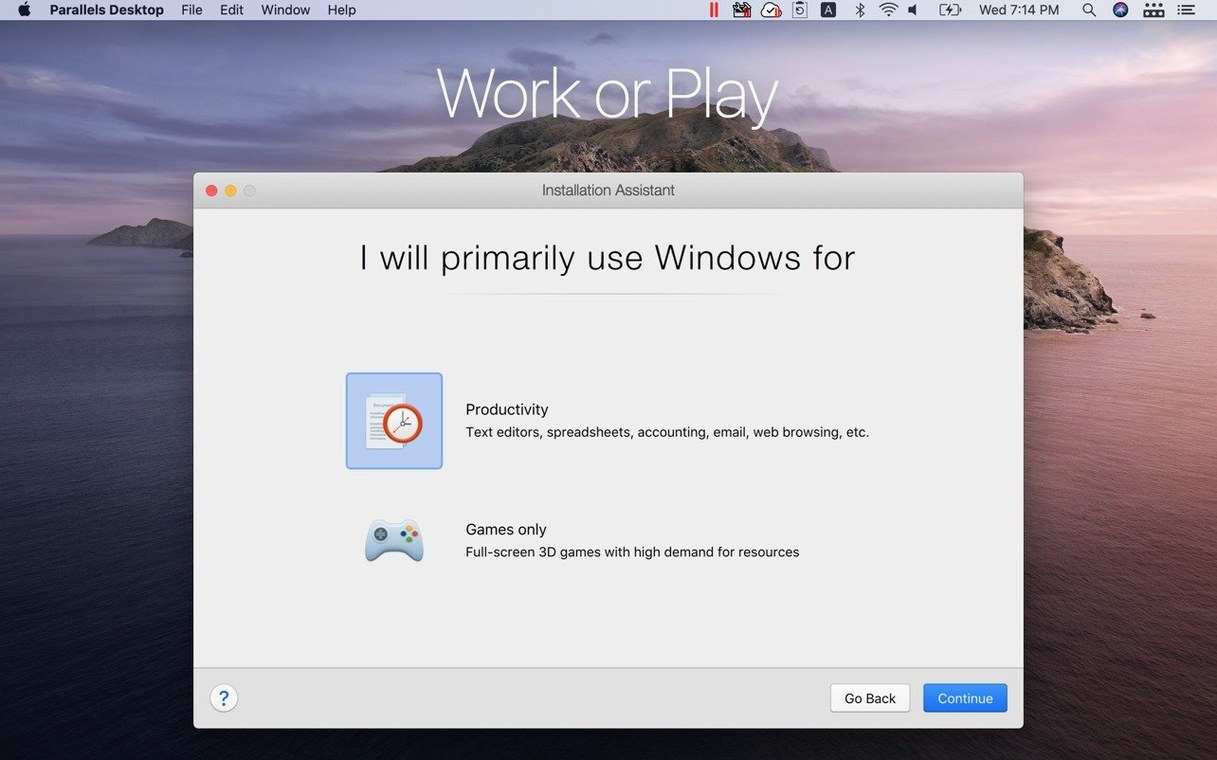
The most common frustration isn't a bug—it's the architecture mismatch. People grab a standard x86 Windows ISO, feed it to Parallels on an Apple Silicon Mac, and stare at a black screen. Version 27 only runs ARM guests, which means Windows 11 ARM is the path forward. Microsoft distributes it through its own channels, and Parallels' installation assistant will download it for you if you let it. Skipping that step and hunting down an ISO manually is where things go sideways.
Shared folders can trip people up too. The default mapping puts the Mac home directory inside Windows, but permissions inside the guest don't always inherit cleanly—especially with OneDrive or iCloud folders that use files-on-demand sync. If a Windows app refuses to open a file from the shared folder, copying it to the virtual C: drive almost always resolves the stall. For Linux guests, installing the Parallels Tools package from the menu bar mounts the shared folders properly and enables dynamic resolution scaling, yet first-time Linux users often miss it and assume the feature is broken.
Printing over the virtual network printer works for basic documents but falls apart with duplex settings or odd paper sizes. The workaround most people settle on is sharing the printer from the Mac side via Bonjour and adding it inside Windows as a network printer—that path respects driver-level features that the virtual printer bridge strips away.
On the licensing side, users hunting for a parallels desktop 26 build or a parallels 26 cracked version often land in version-mismatch territory. Version 27 dropped Intel support and Boot Camp entirely, so anyone still on older hardware needs to stay on a pre-27 release. The crack scene around parallels for mac torrent distributions tends to bundle specific Tools packages—to keep drag-and-drop and shared clipboard working smoothly on newer macOS builds, match the Tools version to your guest OS and reinstall them from the virtual machine's menu. If those features vanish after an installation, mismatched Parallels Tools is the culprit nine times out of ten.
Who feels the most at home here
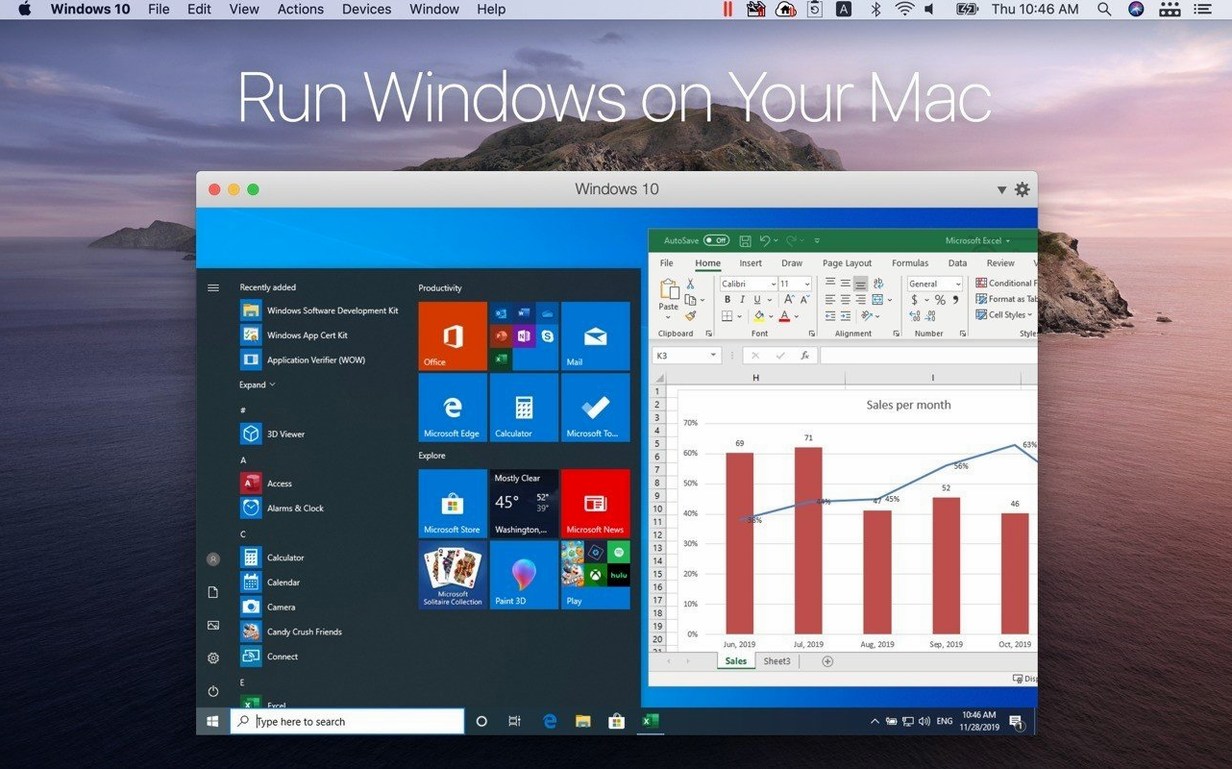
Developers straddling platform-specific toolchains are the obvious core audience. An Xcode project on the Mac desktop and a Visual Studio debugging session in Windows 11 ARM, both visible on the same screen, with files dragged between them—that's the promise, and it holds. .NET MAUI developers targeting Windows on ARM get a particularly clean loop, because the emulation avoids the sluggishness that used to plague x86 translation layers on earlier versions.
Less obvious is the cohort of audio and visual artists who rely on a single Windows-only plugin or a legacy firewall configuration tool for networked stage equipment. They don't need a full Windows experience; they need one piece of software to launch reliably inside Coherence mode and behave as though it belongs on the Mac dock. Parallels handles that narrow use case better than any competitor, because Coherence strips the Windows chrome so thoroughly that the guest app sits alongside Logic Pro or DaVinci Resolve without visual dissonance.
Academics and researchers running niche Linux simulation tools also benefit from the ARM SystemReady SR 3.1 certification in this build. It means that standard ARM Linux distributions boot without custom kernel parameters, which reduces the fiddling required to get a lab environment running on a Mac. The out-of-the-box support for Fedora 44 and Kali Linux 2026.2 in version 27 means those VMs are ready within minutes of a parallels desktop download, not hours of forum-diving.
Scanning a document inside Windows and dropping it into a Mac layout
Here's a workflow that captures how the pieces fit together. A designer is laying out a bilingual brochure in Affinity Publisher on macOS. The client sends a scan of a hand-annotated page as a password-protected PDF that only opens in a specific Windows-based archival viewer—an old municipal records application with no Mac equivalent.
The Windows 11 ARM VM is already running in the background, suspended with the archival viewer open. A click on the dock icon wakes it from the saved state in about four seconds. The encrypted PDF arrives via email in Outlook on the Mac; the designer drags it from the Mac download folder onto the Windows desktop, where the viewer unlocks it with the stored password. Inside the viewer, the designer crops the relevant section using the application's built-in markup tools, exports the visible area as a PNG to the Windows desktop, then drags that PNG directly into the Affinity Publisher spread on the Mac side.
The entire sequence—wake VM, unlock PDF, crop, export, place—takes under a minute. The shared clipboard holds the client's reference number from the Mac email so the designer can paste it into the Windows app's metadata field without retyping. Coherence mode keeps the archival viewer in its own window with no taskbar or Start menu visible, so the Mac desktop stays visually clean. The VM returns to suspension when the designer closes the viewer, releasing its RAM back to macOS within seconds.
A polished setup wizard versus Fusion’s networking-first approach
VMware Fusion is the closest direct comparison. Fusion 14 runs on Apple Silicon and handles Windows 11 ARM, but its interface feels like a professional tool that expects you to understand virtual networking before you create your first machine. Parallels wraps the same complexity in an assistant that asks plain-language questions. Fusion's 3D acceleration lags behind—DirectX 11 support in Parallels is smoother for anything involving real-time viewports, like SketchUp or Fusion 360. Where Fusion pulls ahead is in vSphere integration for enterprise admins; Parallels doesn't chase that use case with the same intensity.
UTM takes a different approach entirely, leaning on QEMU for emulation rather than Apple's native hypervisor framework. It can emulate x86 guests on Apple Silicon, which Parallels cannot, but the performance penalty is steep—a Windows 10 x86 VM inside UTM feels like a machine from 2009, while an ARM-native VM in Parallels feels contemporary. UTM is the tool you reach for when you need to boot an obscure ARM Linux distribution or a vintage OS for preservation work, not when you need Windows apps to feel integrated into your daily Mac workflow.
CrossOver, from CodeWeavers, sidesteps virtual machines entirely by translating Windows API calls to macOS at the application level. For a single well-supported app—say, a specific version of Quicken or an older DirectX 9 game—CrossOver can feel more lightweight because there's no guest OS to maintain. But compatibility is a dice roll. When an app works, it works elegantly; when it doesn't, the debugging path is deep and technical. Parallels runs the full Windows stack, so if an app installs on Windows 11 ARM, it runs. That predictability is the trade-off for the larger disk footprint and RAM commitment.
Parallels Desktop 27.0.3-58680 has arrived, carrying the developer's latest round of fixes and refinements. The full release notes live over on the Parallels knowledge base for those who want to trace every adjustment.
- macOS 26 or later
- Apple Silicon Mac
Questions from the booth
Yes, you can drag files directly between Mac and Windows applications, and Coherence mode hides the Windows interface entirely so shared folders feel like part of a single desktop.
No, support for Intel Macs was removed in Parallels Desktop 27; the current version requires an Apple Silicon Mac running macOS 26 or later.