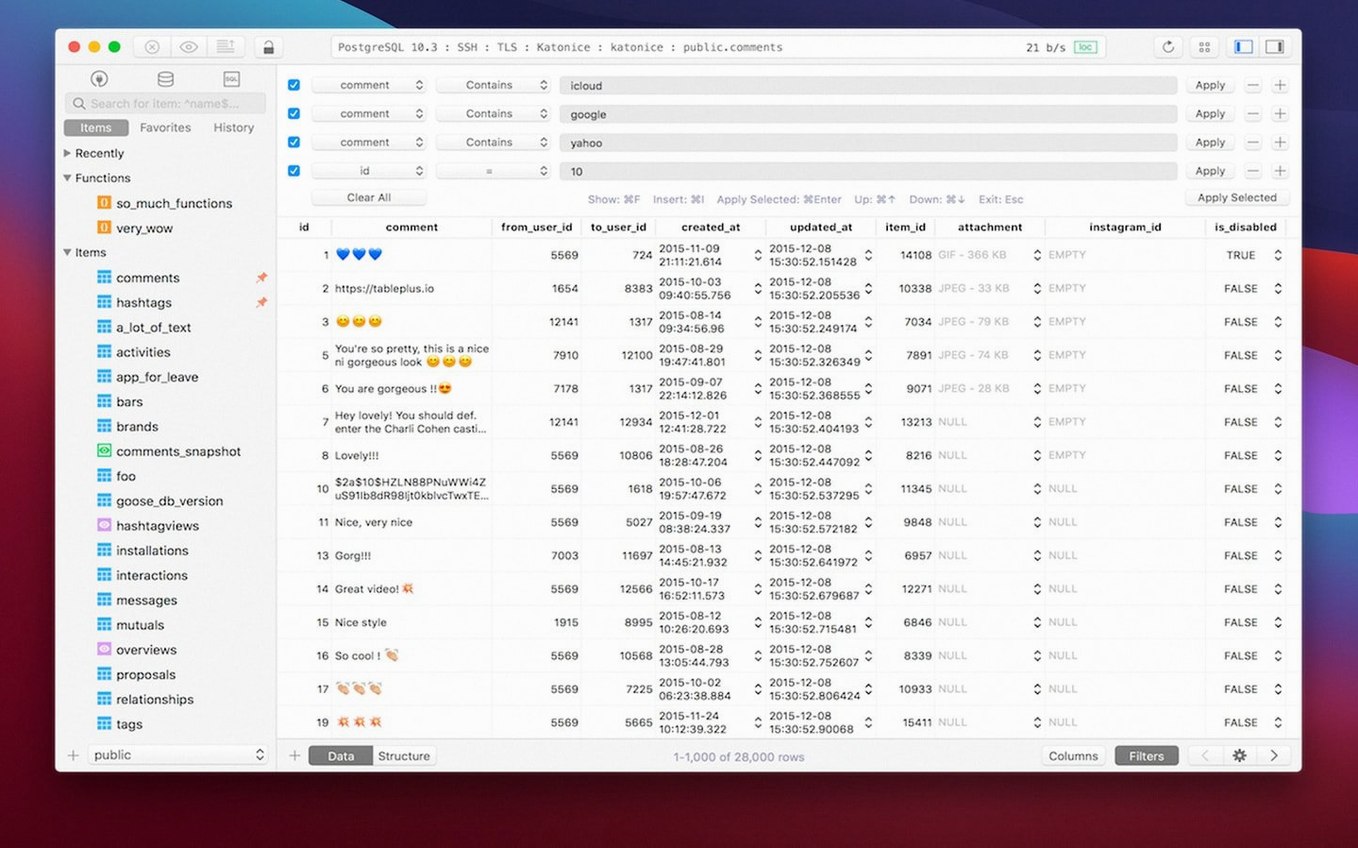
TablePlus is a native macOS client for managing relational databases from a single tool. It handles PostgreSQL, MySQL, SQLite and several others without asking you to switch environments, and the current version 6.8.0 keeps that core promise intact while tightening the parts that already worked.
Multi-tab workspaces and dark mode still anchor the daily workflow
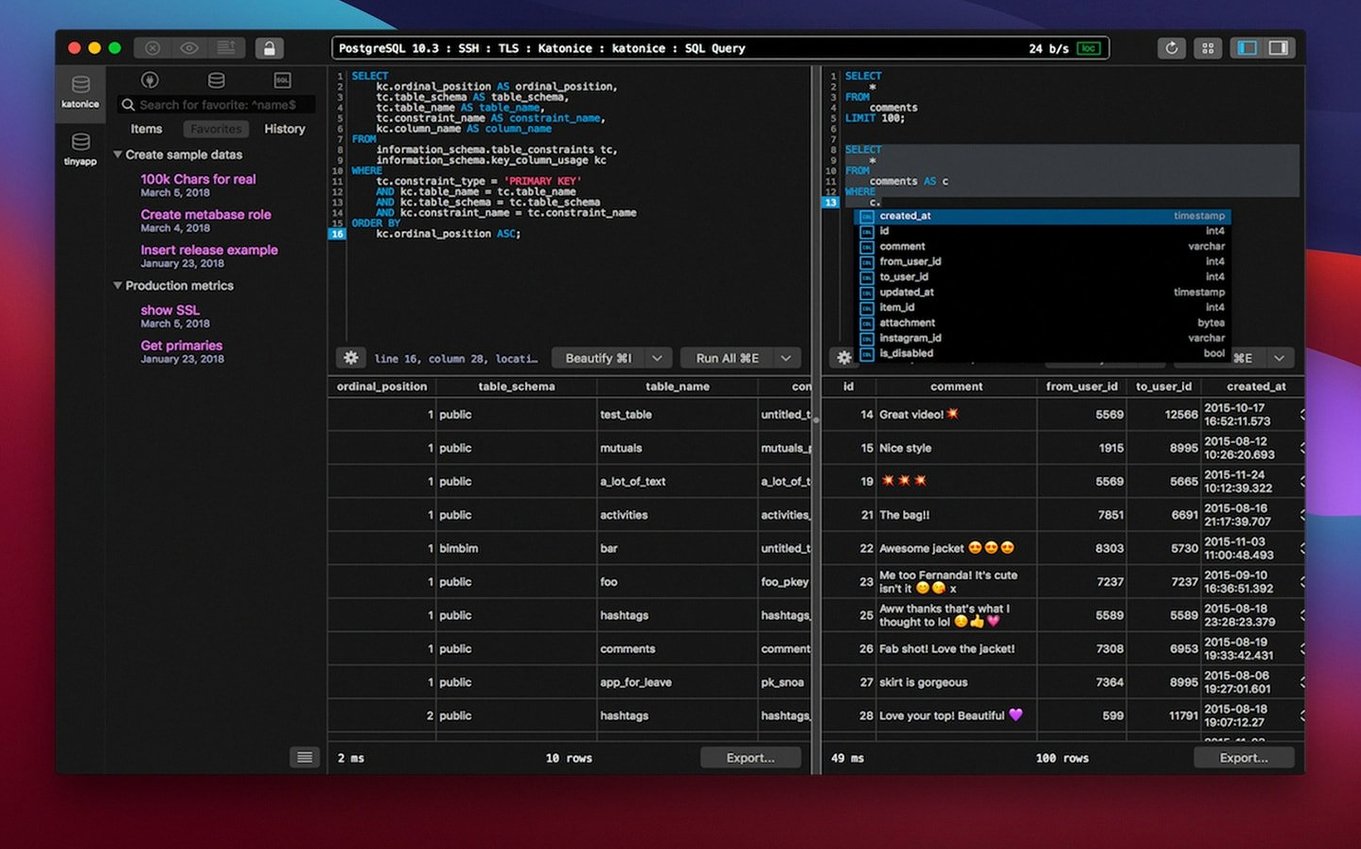
A database tool lives by its daily rhythms, and the things that define TablePlus's rhythm remain in place. The multi-tab, multi-window workspace still lets you bounce between connections without losing context. The optional dark mode still makes late-night schema edits feel less like staring into a bulb. And the script editor — the part you actually spend hours with — still highlights syntax and reports errors as you type, so a missing semicolon doesn't survive past the first run. Keyboard shortcuts for common actions haven't shifted either. The build date sits at early March 2026, but the documentation describes the same modern, native tool it has been for a while: one interface, many databases, no web-browser sluggishness.
Where that leaves you in practice
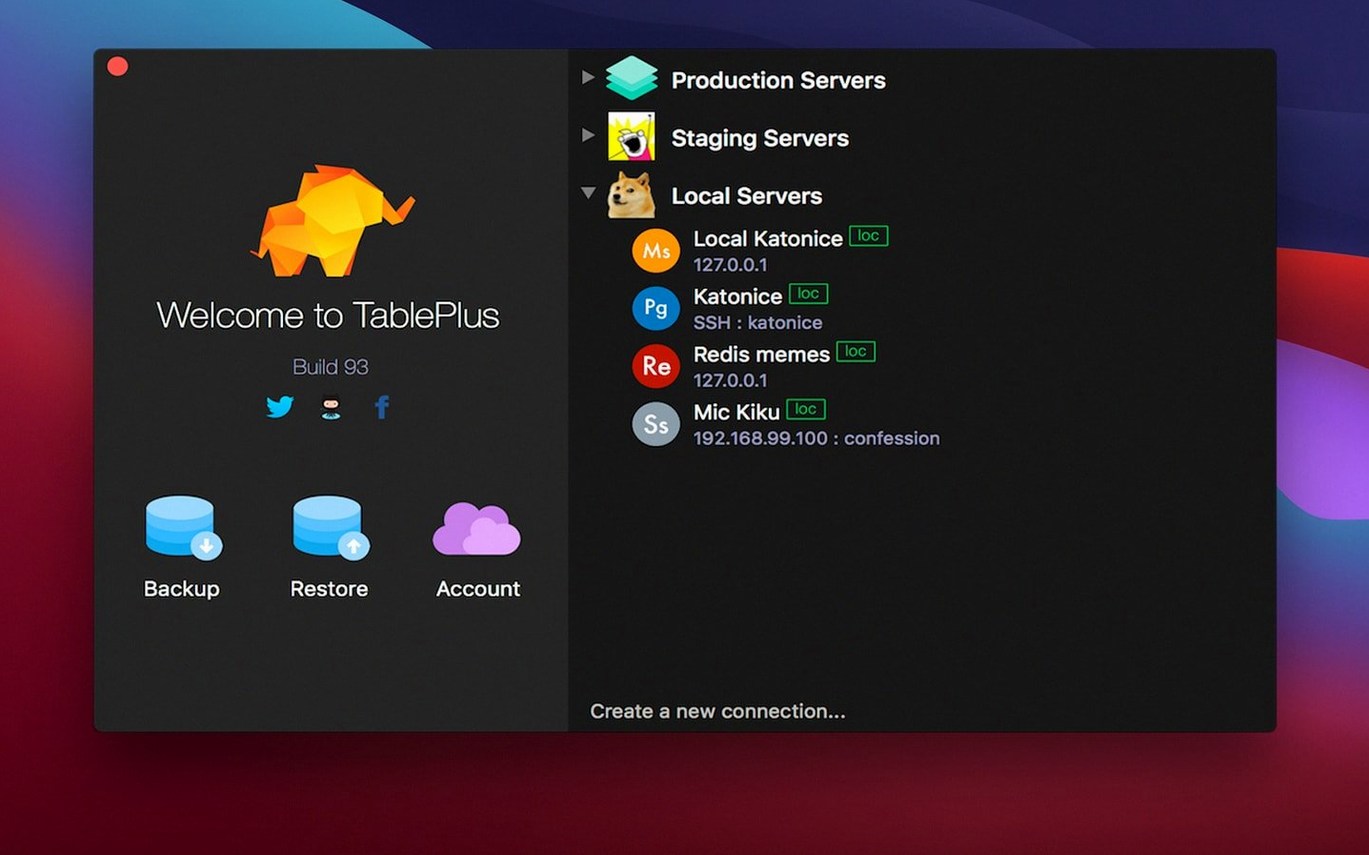
A macOS 12.6 requirement means the app runs on a fairly recent system, and both Intel and Apple Silicon machines are supported. The interface ships in English. What you get is a tool that loads quickly, remembers your connections, and stays out of the way when you need to write a long query or inspect a stubborn table. It's the kind of constancy that makes you forget the tool is there — which, for database work, is exactly the point.
First settings worth touching
Out of the box, TablePlus makes a few choices that are sensible but not always yours. The first stop is the Safe Mode toggle. When it's on, any query that lacks a WHERE clause or looks destructive gets blocked until you explicitly confirm it — a quiet safety net that has saved more people than will ever admit it. I leave it on by default, but some developers find the extra step interrupts their flow on read-only databases, so it's worth knowing where to flip it.
Next, open the Query Editor preferences. The font face and size default to something perfectly readable, but if you spend six hours a day squinting at joins, bumping the size up a point and switching to a monospaced face with clear zero-through-O distinction changes the texture of the work. The syntax highlighting theme pairs naturally with the dark mode setting, and there's a moment in every late-night session where the contrast between the two makes the difference between a caught error and a missed one.
The connection timeout and keep-alive intervals are tucked away in the advanced tab for each connection. The defaults are fine for local development, but if you're hitting a remote PostgreSQL instance over a flaky VPN, nudging those values upward by a few seconds stops the app from dropping you mid-query. The native libss and TLS encryption support means those reconnections happen over an encrypted channel regardless — you're not trading security for stability by adjusting the timeout.
It’s a SQL tool with a visual layer, not a spreadsheet
The first thing that trips people up with a TablePlus torrent isn't the app itself but the expectation that a GUI database client will behave like a spreadsheet. TablePlus doesn't. It's a SQL tool with a visual layer, not a visual tool that happens to generate SQL. That distinction matters when someone double-clicks a cell, edits the value, and expects it to commit automatically. The edit stays pending until you hit the save row action or move off the row entirely — a deliberate choice that prevents accidental writes, but one that's easy to miss if you're coming from a tool that auto-commits on blur.
Connection strings are another friction point. The app does a good job parsing standard formats, but custom ports and socket paths occasionally need to be entered manually in the advanced fields rather than pasted wholesale. If a connection fails silently after a fresh install, the culprit is almost always a TLS version mismatch or a certificate that the system keychain doesn't recognize. The native TLS support means TablePlus leans on macOS's own trust store, so adding the certificate there resolves it without touching the app.
Large result sets — think hundreds of thousands of rows — can make the interface hitch if pagination isn't on. The default page size is reasonable, but on very wide tables with dozens of columns, the rendering thread can briefly stall. Switching to a smaller page size or limiting the initial fetch in the connection settings smooths it out. The app never lost data during those hitches in my experience; it just pauses for a beat while the grid catches up.
Whether it can replace your current database client entirely
People usually want to know whether TablePlus can replace their current tool entirely. The answer depends on what you need from it. If your work lives in PostgreSQL, MySQL, SQLite or Microsoft SQL Server, and you spend most of your time writing queries, inspecting schemas and occasionally tweaking rows by hand, then yes — it covers that ground completely. If you rely on a specific vendor tool's visual query builder or deeply integrated server administration panels, TablePlus won't replicate those; it's a client, not a server management suite.
Another recurring question is whether it phones home or requires an account to function. The app runs locally with no sign-in requirement. Connection details stay on your machine, and there's no telemetry nag on launch. The plugin system is there for people who need to add drivers beyond the bundled set, and it's entirely optional.
Compatibility with Apple Silicon comes up often. TablePlus runs natively, not through Rosetta. That means the launch time on an M-series machine is effectively instant — no translation layer between you and the connection list. On Intel hardware, the 64-bit build is equally straightforward. Both architectures are supported in the same download, so there's no need to pick the right one manually.
Launch time under a second on Apple Silicon
The launch time deserves a mention because it's the first thing you notice. On an Apple Silicon Mac, the app appears in under a second, with the connection list ready before you've moved your hand back to the keyboard. Intel machines are a fraction slower but still within the range where you don't think about it. Memory use sits modestly for a tool that keeps multiple connections alive — around a couple of hundred megabytes with three or four active database tabs open, which is roughly what you'd expect from a native app that isn't bundling a browser engine underneath.
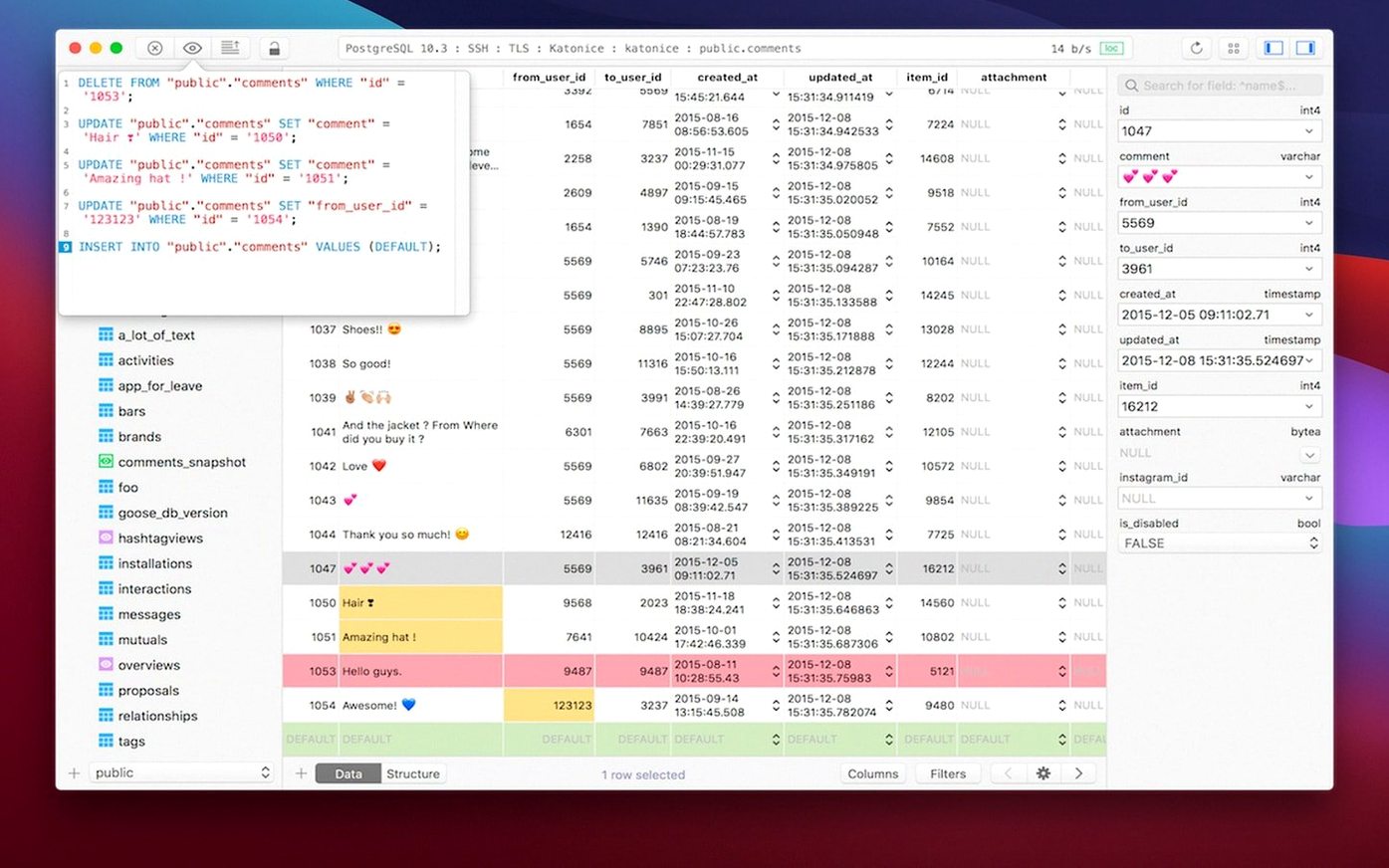
Query execution speed is, of course, mostly down to the database server and the query itself, but the interface doesn't add noticeable overhead. The code preview feature — which shows you the actual SQL that will run before you commit it — takes no extra round trip; it's resolved locally from the changes you've made in the grid. That's a small detail, but it means you can preview, adjust and run without waiting for the server to parse anything twice.
Stability over long sessions holds up well. Leaving the app open overnight with active connections doesn't trigger memory creep or gradual slowdown, and the connection keep-alive settings I mentioned earlier help prevent those annoying morning disconnects. Crashes are rare in version 6.8.0, and when they have occurred — usually during very rapid tab switching while a large query was still fetching — the session state is restored on relaunch. Unsaved script editor contents survive a crash, too, which is the kind of thing you don't appreciate until you need it.
Build dated 2026-03-05.
- macOS 12.6 or later
- Runs on both Intel and Apple Silicon Macs
- Interface language: English
Questions from the booth
It supports PostgreSQL, MySQL, and SQLite, along with several other relational databases, all managed from a single interface.
Yes, the app supports multiple tabs and windows, so you can keep several connections open and switch between them without closing anything.
The script editor includes syntax highlighting and reports errors as you type, which helps catch mistakes before you run a query.