If you have spent any time in Terminal.app, Termius feels like the step up you make when plain-vanilla no longer cuts it. It is the same idea — a window into a remote shell — but built for someone juggling a few machines and tired of typing the same connection strings from memory.
A terminal that remembers
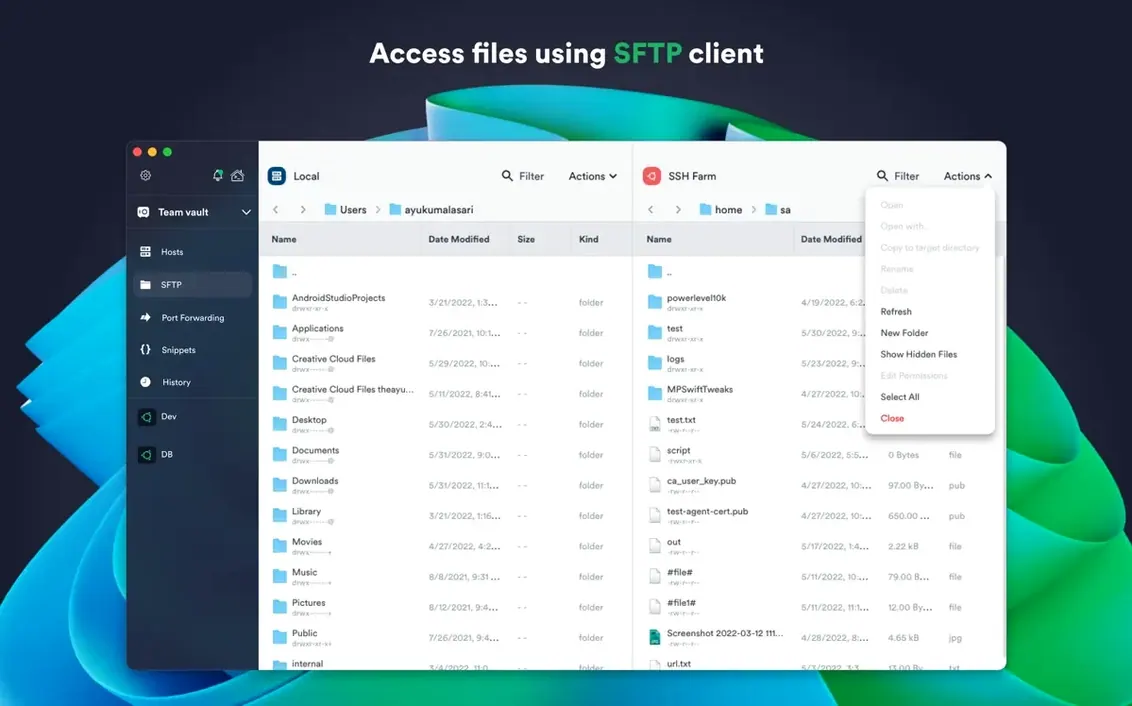
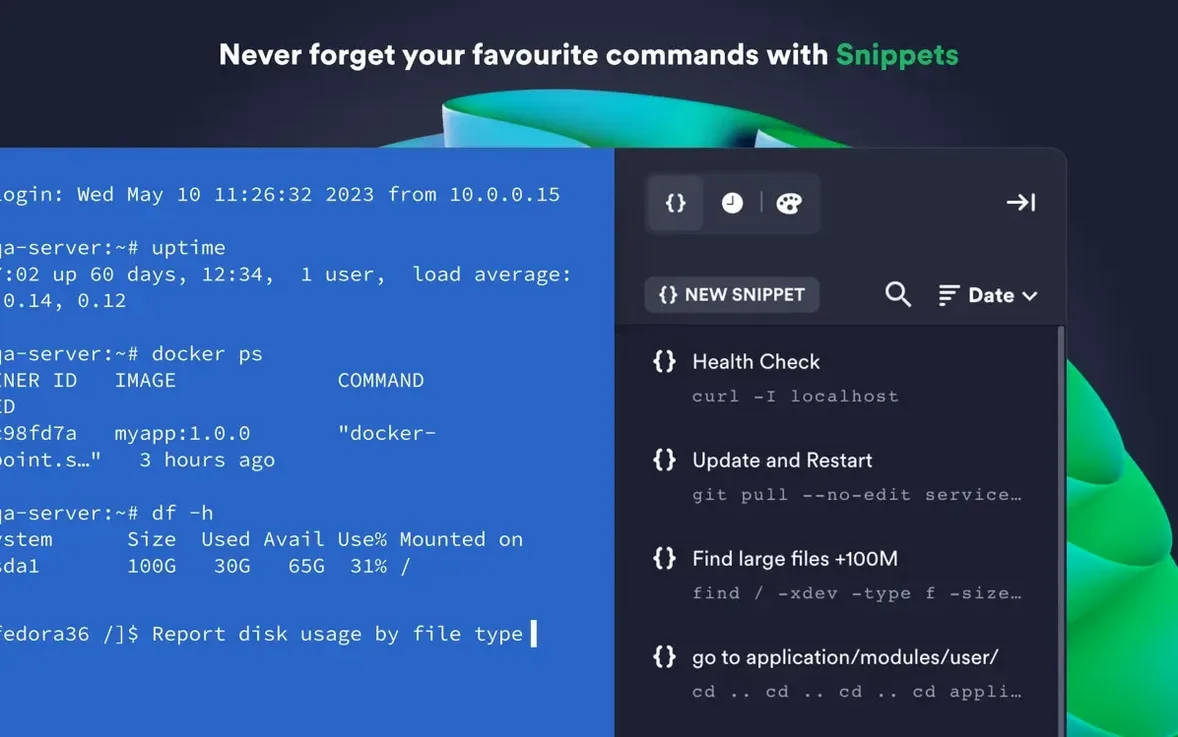
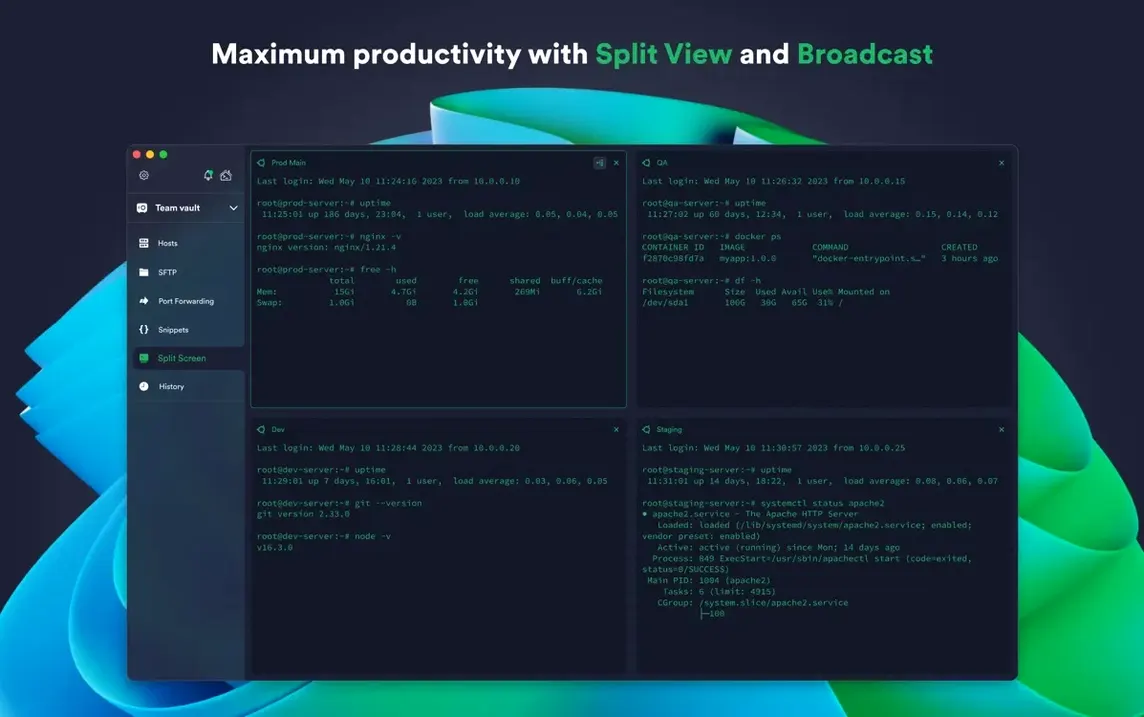
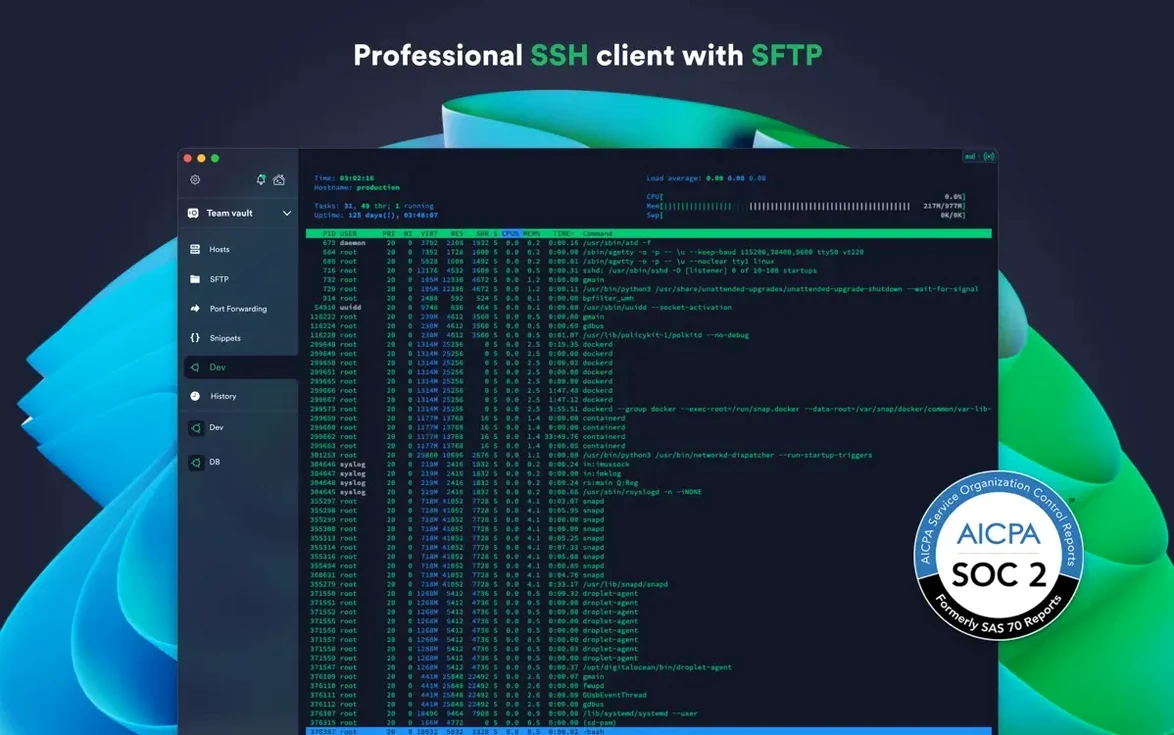
The core is familiar: open a session over SSH or Mosh, and you are at a shell prompt. But Termius layers on conveniences that stick once you try them. Tabs and split view let you watch a log file on one server while restarting a service on another, all inside a single window. Commands you run often — a deploy script, a Docker prune one-liner — can be saved in a snippet library and fired off with a tap, no copy-paste from Notes required. SFTP is built right into the sidebar, so grabbing a config file or dropping a build onto a staging box does not mean switching to a separate client.
Keys stay local, settings travel with you
Termius uses SSH agent forwarding so your private keys never leave the Mac you are sitting at, even when you hop through a jump server. Credentials and connection details can sync through encrypted cloud storage, which means setting up a new Mac mostly involves signing in. For extra peace of mind, the app locks its saved passwords behind Touch ID. The current version, 9.35.4, is a stability release that runs on Intel and Apple Silicon Macs back to High Sierra.
The blank-slate trap: treating Termius like a plain terminal
A fresh install of Termius is quiet — no splash of connection presets, no wizard nudging you toward a first host. That blank slate is where most early stumbles happen. The most common one is treating it like Terminal.app with tabs: users type an IP address into the quick-connect bar, authenticate, do their work, close the window, and lose the session forever. Termius rewards saving a host as soon as you connect to it the first time. Right-click the tab, choose Save to Hosts, and give it a label you will recognize at 2 a.m. The five seconds you spend here pay back every time you skip re-typing a jump-host chain.
Another quiet trap is ignoring the snippet library entirely for the first two weeks. People copy-paste the same long commands from a sticky note or a Slack thread, unaware that Termius can store them with placeholder tokens. A saved command like docker logs -f {{container}} prompts you to fill in the container name each time it runs — far faster than editing a line in your shell history. The snippets sync across your devices too, so the obscure database-reindex command you worked out on the desktop Mac is waiting on the iPad when you need it from a coffee shop.
One more: assuming the SFTP sidebar is only for occasional file transfers. New arrivals tend to open a separate SFTP client out of habit, unaware that dragging a file from Finder into the sidebar uploads it to the remote working directory without breaking the terminal session you already have open. The same drag works in reverse to pull a log file down for local inspection.
Build groups around your mental map, not the network diagram
On day one, set up a group structure that mirrors how you think about your infrastructure, not how the network diagram looks. A flat list of forty hosts gets unusable fast. Create groups like staging, production, home-lab, or whatever names your brain already uses, and assign every saved host to one. Termius lets you colour-code groups, and that tiny visual cue in the sidebar saves you from running sudo reboot on the wrong machine more often than you would guess.
Enable Touch ID for saved credentials immediately — the setting lives under Preferences, behind the security tab. Without it, Termius stores passwords in the macOS keychain but does not gate access behind biometrics. With it on, you get a fingerprint prompt before any stored password is used, which matters if you share a Mac or ever leave it unlocked with a terminal session open.
If you rely on hardware keys, pair your FIDO2 token early. Termius supports ECDSA and ed25519 keys natively, and the chacha20-poly1305 cipher is available for sessions where throughput matters more than the few extra cycles of AES. Setting the preferred key type per host avoids the awkward moment of connecting to a legacy box that still expects RSA and getting a cryptic auth failure.
For anyone arriving here after searching for a Termius Mac crack or a Termius torrent, the builds floating around tend to lag several versions behind and strip out the cloud sync that makes the app worth using across devices. A stale build that cannot pull your snippet library or saved hosts defeats the point of installing it in the first place.
A workflow: tailing logs across two staging boxes
Say you have just pushed an update to a pair of application servers, and you need to watch the logs on both simultaneously while keeping an editor open locally. This is a task that turns into a mess of windows without some structure.
Start by opening two saved hosts side by side. Termius calls this a split layout — drag one tab to the right edge of the window and it snaps into a vertical pane. On the left, connect to staging-app-01; on the right, staging-app-02. On each host, run tail -f /var/log/app/error.log. The split view now streams both logs in real time, colour-coded by whichever terminal theme you have assigned to that host.
While the logs scroll, you notice that the error rate on app-02 is spiking because a cached config file has not been updated. Instead of losing the log view, open the SFTP sidebar — it attaches to whichever pane has focus. Navigate to /etc/app/config.yaml, drag it to your desktop, make the edit in BBEdit or VS Code, and drag it back into the sidebar. The file uploads, and within seconds the log stream on the right pane calms down. You never closed the terminal, never opened a separate transfer client, never lost sight of what the servers were doing. The whole sequence — connect, watch, diagnose, edit, upload, verify — stays inside one window with no context switch.
After confirming the fix, select the tail line from the shared history panel, right-click, and save it as a snippet called watch app errors. Next time the servers act up, two clicks put you right back in the same view. That is the kind of accumulated efficiency a plain terminal emulator cannot give you — and it is also why people who go looking for a termius mac build without sync often end up circling back to the real thing once they realize the snippets and host groups do not travel without the account layer.
Version 9.35.4 brings stability improvements across the app.
- macOS 10.13 or later
- Apple Silicon or Intel 64-bit processor
- English interface