
Things runs on any Mac that can handle macOS 10.15 Catalina or later, including Apple Silicon machines and older 64-bit Intel systems. The current version, 3.24.0, arrived in mid-September 2026, and a point release followed at the end of the month. If your Mac is still on Mojave or earlier, the installer won’t get past the gate — but anything newer is fine.
No, it won’t replace your calendar — here’s how they coexist
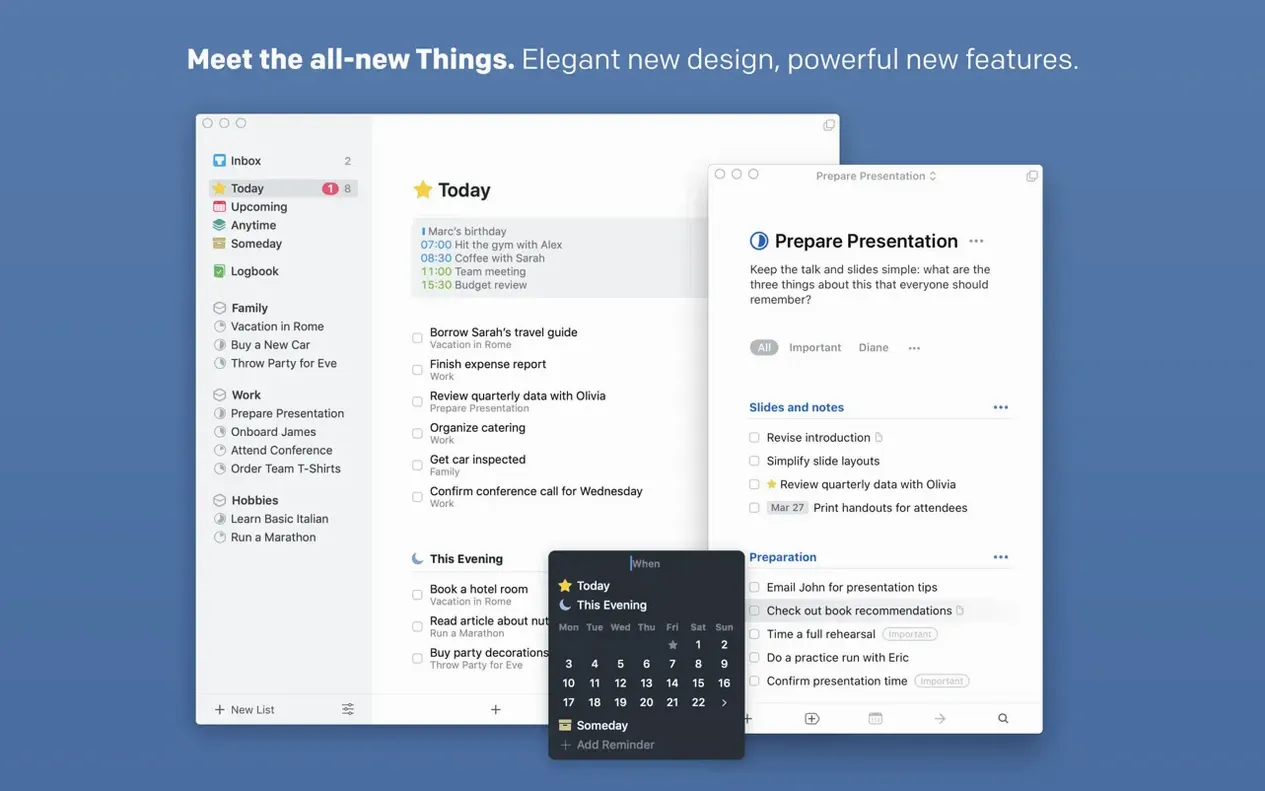
- Does it replace my calendar? No, but it pulls in calendar events and lists them alongside your tasks in the Today and Upcoming views, so you see meetings and to-dos in one timeline without switching apps.
- How fast can I capture a thought? From any application, a single keyboard shortcut opens a quick-entry window. Type the task, assign a deadline or a reminder, and get back to what you were doing.
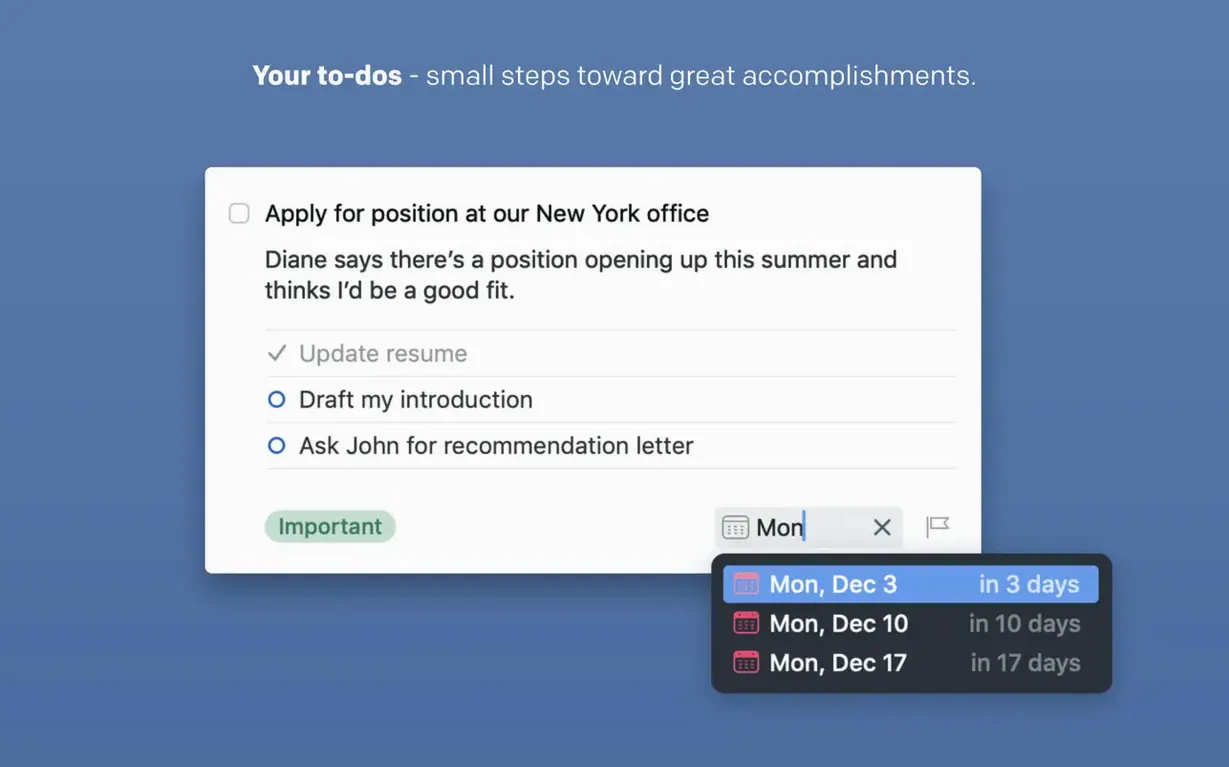
- Can I make a task more than a single line? Every task can hold notes, subtasks, a deadline, and a reminder — enough to keep a small project contained without leaving the item.
- Does it talk to Siri? Yes, you can hand off a task to Siri, and the latest update adds support for the new Siri AI in OS 27, plus full Spotlight integration so tasks surface in system-wide searches.
Where your tasks live
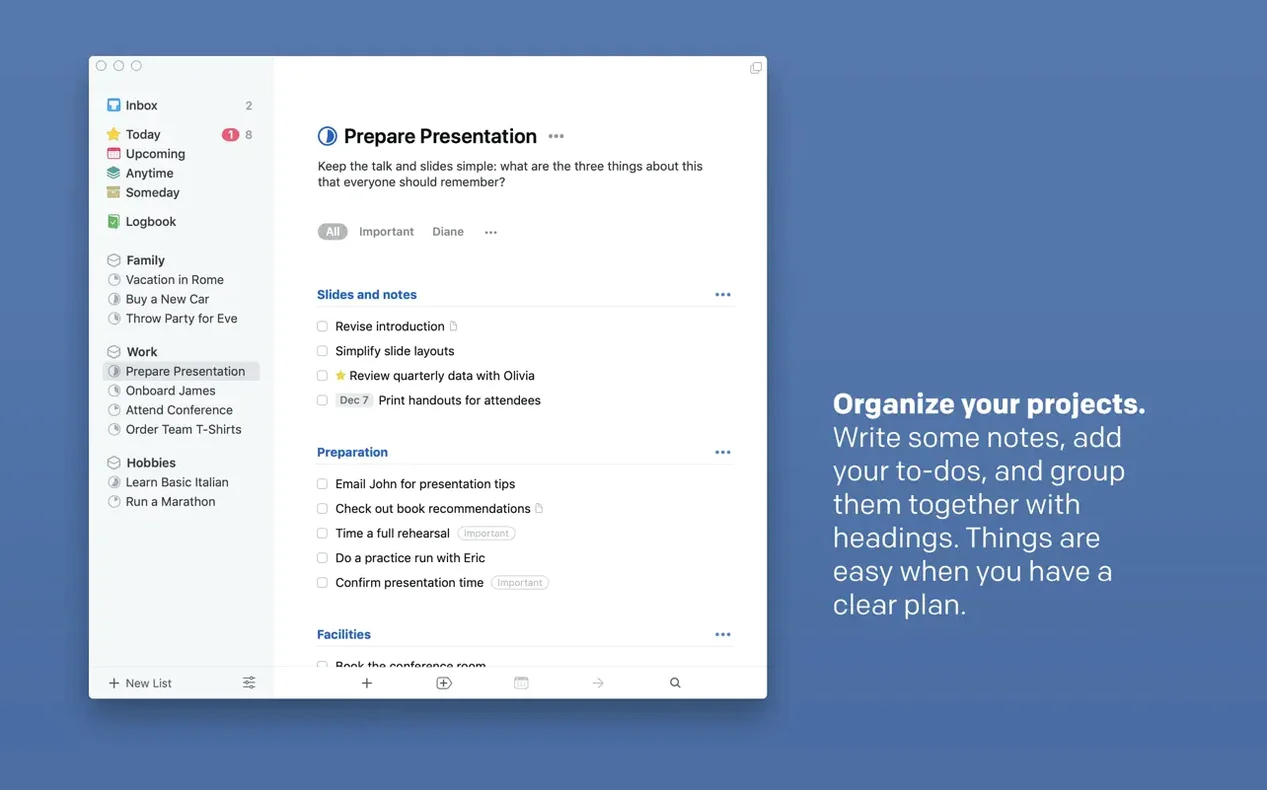
Things structures work into a few clear buckets: an Inbox for uncategorized captures, Today for what’s on your plate, Upcoming for scheduled items, and Areas for larger responsibilities. A free Things Cloud account keeps everything in sync between Macs, and Notification Center widgets — including the new extra-tall one — let you scan what’s due without opening the app.
Things isn’t a walled garden, and it becomes more interesting when you let it talk to the rest of your Mac. The calendar integration means tasks with deadlines appear in the Today and Upcoming views right beneath your scheduled events — no separate window required. That’s tied to whatever calendar accounts you’ve set up in the system, so an iCloud meeting and a Fastmail calendar entry both show up without extra configuration. The new Spotlight support in 3.24.0 extends this further: type a few letters into the system-wide search bar and your to-dos surface alongside files, emails and web history. On OS 27, Siri AI can parse more natural phrasing, so mumbling “remind me to follow up on the location scout next Tuesday morning” lands a properly dated task in the Inbox instead of a garbled mess in Reminders.
Handoff lets you move between devices fluidly. Open Things on an iPad in the kitchen and the Mac app picks up exactly where you left off — same list, same selection. AppleScript is the quiet powerhouse for anyone who wants to wire Things into a custom pipeline. A short script can pull tasks from a text file, tag them by project, and drop them into the Inbox, which turns a plain-notes capture habit into something structured without manual copying. Share actions from Safari or Mail send a URL or a message snippet straight into a new task, and the Touch Bar on supported MacBook Pro models surfaces quick actions like moving an item to Today or adding a deadline with a single tap.
A location-scouting workflow, start to finish
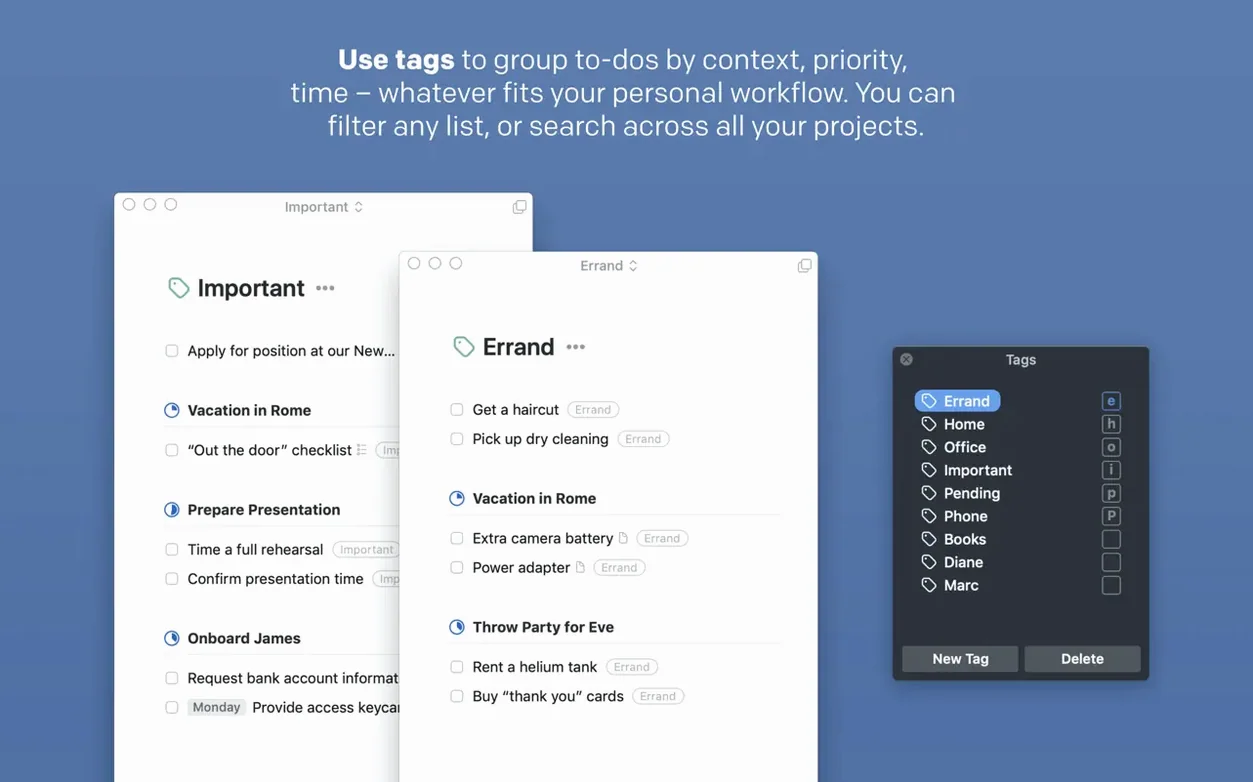
Imagine pre-production on a short film — you’re hunting for a warehouse interior with natural light. A producer emails you a recommendation. From Mail, you tap the Share button and send the message to Things. The task lands in your Inbox with the email subject as the title and a link back to the original message. You open quick-entry with the keyboard shortcut, rename it “Scout the railway-side warehouse on Powell Street,” add a note with the contact’s phone number, and set a deadline for Thursday. Then you drag it into an Area called “Pre-Production” and tag it with “location” and “scout.”
On the day itself, the task appears in the Today view right under a 10 a.m. production meeting pulled from your calendar. You complete the scout, check off the task, and a repeating reminder you’d set earlier pops up: “Send location stills to DP,” due by end of day. The whole thread — capture, schedule, context, execution, follow-up — happened without opening more than two apps.
Set a shortcut that feels like second nature
The defaults are sensible, but a few tweaks make the app feel more like yours. Open Preferences and head to the Quick Entry tab first. Set the global shortcut to something your fingers will remember — Control-Option-Space is a blank canvas. Enable “Add to Inbox” as the default destination so rapid captures don’t ask questions. Under Today, turn on “Show calendar events” if you want your day’s appointments woven into the task list; it’s off by default. In the Widgets section of System Preferences, add the extra-tall Things widget to Notification Center — it shows more tasks without scrolling and makes the morning scan genuinely useful. Lastly, if you’re on OS 27, enable Siri AI in the Things integration pane so natural-language task creation actually works instead of falling back to rigid phrasing.
Where OmniFocus builds a cockpit, Things hands you a clean dashboard
Next to OmniFocus, Things feels deliberately restrained. OmniFocus gives you custom perspectives, a review mode, and a scripting dictionary deep enough to run a small logistics company — and the complexity shows in every toolbar. Things strips that back to a few core views and trusts you to use tags and areas for filtering. If OmniFocus is a professional camera rig, Things is a fixed-lens rangefinder: fewer controls, faster decisions.
TickTick bundles a calendar, a habit tracker, a Pomodoro timer and kanban boards into one app. It does more on paper, but the interface carries the weight of all those features. Things does none of those things natively, and for a certain kind of user that’s the point — it doesn’t nudge you to manage your focus sessions or track your streaks. It just holds tasks and gets out of the way. Todoist lives closer to Things in spirit, with natural-language entry and a clean design, but it’s a web app under the skin and relies on an internet connection for anything beyond the basics. Things is a native Cocoa app that feels fast on Apple Silicon even with thousands of items in the database, and it works fully offline — sync waits for a connection but the app never stalls. The trade-off is that Todoist’s collaboration features don’t exist here. Things is a solo instrument, and it doesn’t pretend otherwise.
Things 3.24.1 delivers a routine maintenance pass with corrections that tighten up daily task handling on the Mac.
- macOS 10.15 or later
- Apple Silicon or Intel 64-bit