ToothFairy runs on any Mac with a Bluetooth radio and macOS 10.13 or later, on both Apple Silicon and Intel hardware. If your machine appears in the Bluetooth menu bar, ToothFairy can extend it. It is the kind of utility that quietly reshapes how you move between devices during a work session.
The details an experienced user will notice
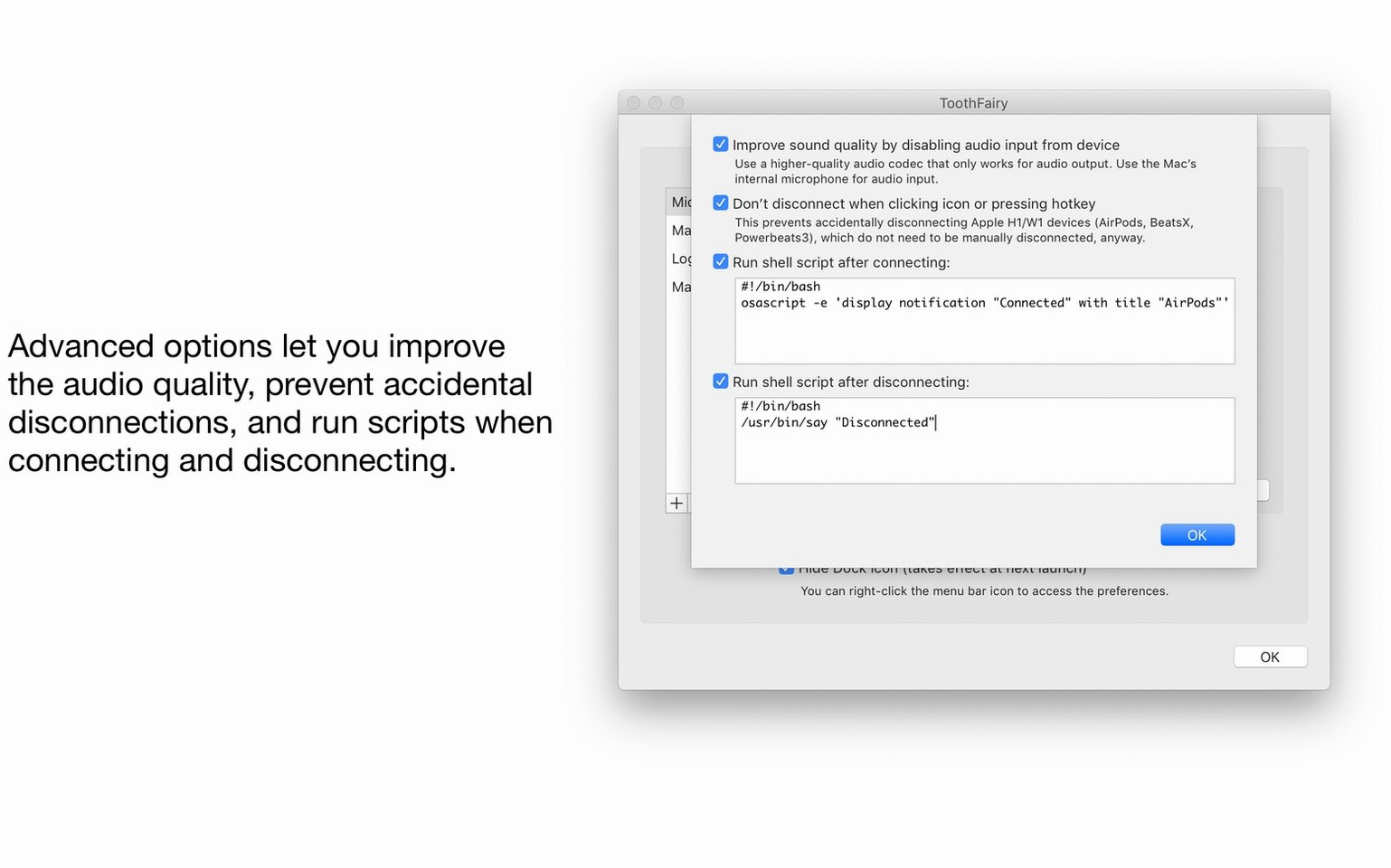
- Scriptable connections. ToothFairy can run a custom shell script whenever a device connects or disconnects. That means pausing a DAW when you lift your headphones, launching a communication app when a headset links, or cueing a backup routine the moment a trackpad pairs. It turns a simple Bluetooth event into an automation trigger.
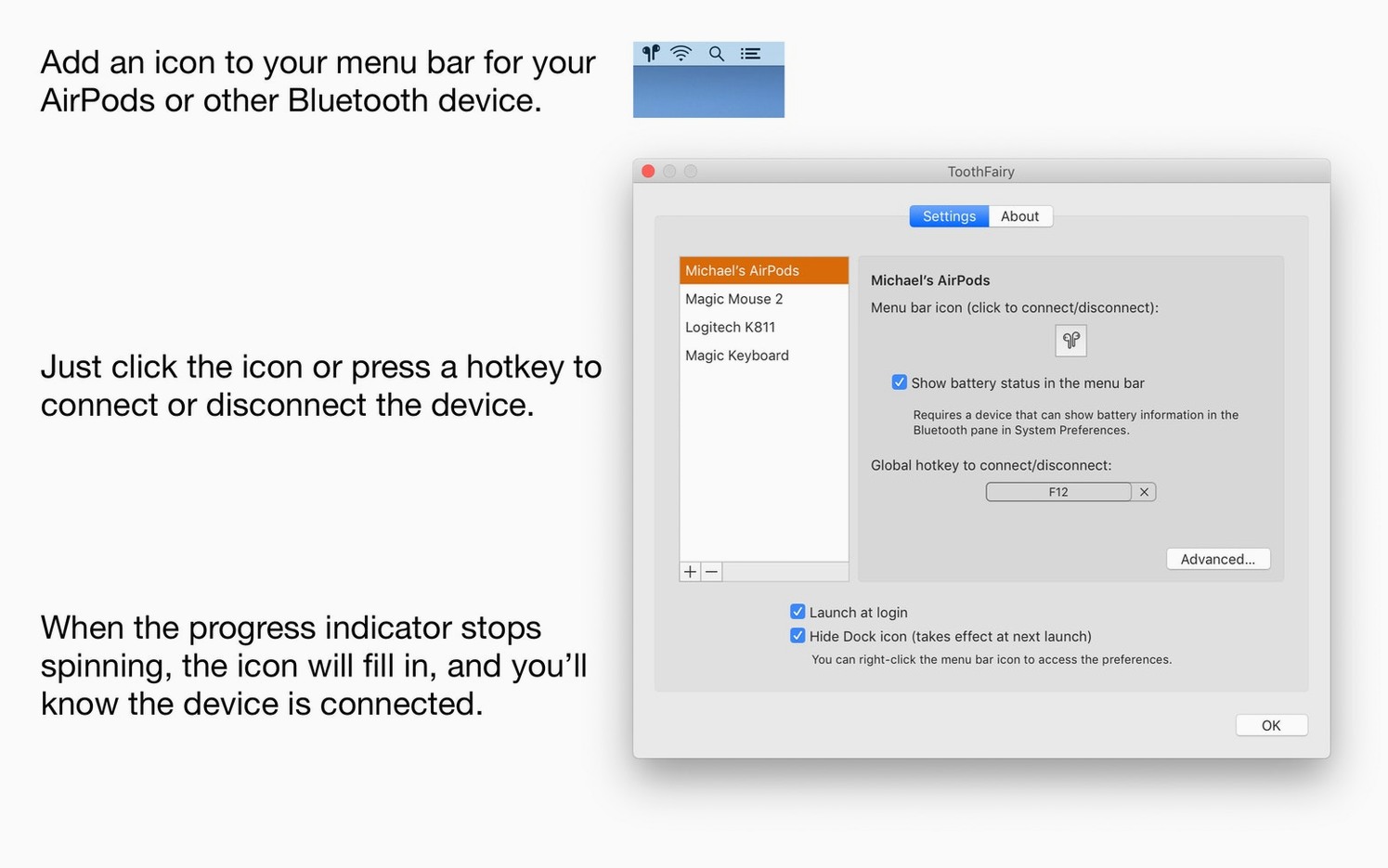
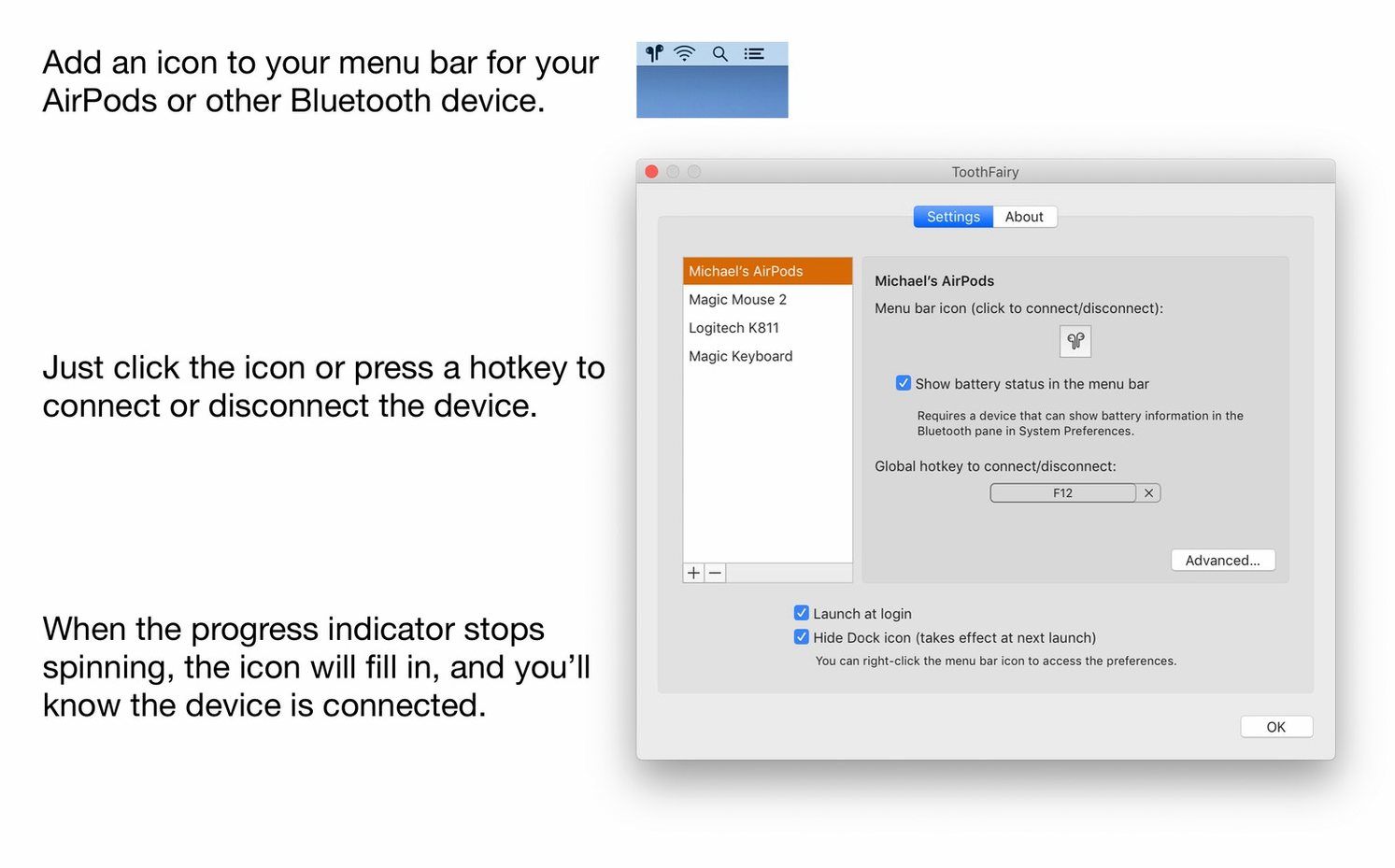
- Keyboard-driven switching. A global hotkey can connect or disconnect a specific device without touching the menu bar at all. For anyone who already works with their hands on the keyboard, this keeps the flow unbroken.
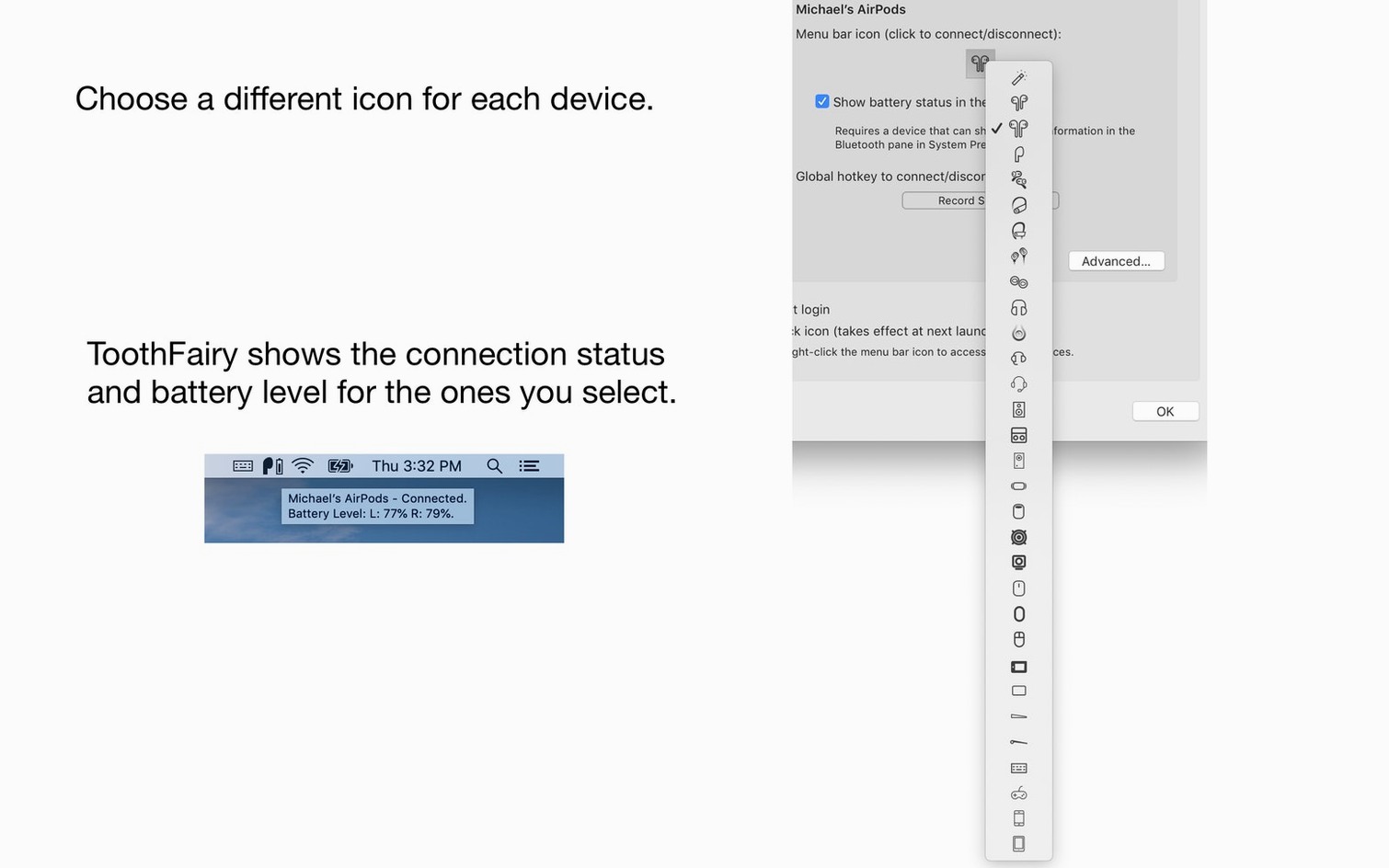
- Device-specific icons and names. The menu bar shows exactly what is connected, not a generic Bluetooth symbol. AirPods, a game controller, a pair of studio monitors — each gets its own entry and recognisable icon, so glancing at the bar tells you the state of your wireless setup immediately.
No drivers, just scriptable access to Apple's own Bluetooth controls
The app uses the built-in macOS Bluetooth framework, so it never adds a layer of its own drivers. It simply gives faster, scriptable access to the same controls Apple built. For a filmmaker or editor who is already juggling timelines and renders, the difference is measured in seconds saved between takes — the moment a pair of headphones reconnects without opening System Settings, or a script launches a playback tool the instant a MIDI controller appears.
It won't pair new devices — that first handshake still lives in macOS settings
The most common misstep is treating ToothFairy like a pairing tool. It does not discover new devices or walk you through the initial handshake — that still happens in macOS Bluetooth settings. A beginner will sometimes add the app, click the icon, and wonder why their headphones are missing. The device needs to be paired with the Mac first; ToothFairy only sees what the system already knows. Once that clicks, the menu bar entry becomes a toggle, not a setup wizard.
Another quiet trap is leaving the default icon for everything. A pair of AirPods and a Sony headset both show the same generic glyph unless you assign a custom one per device. People then click the wrong entry, disconnect a controller mid-game, and assume the app is glitchy. Spending a minute on the icons panel fixes that confusion before it starts. The final friction point is forgetting that the app can change the audio codec to AAC for output-only devices. Leaving it untouched means you might be listening through the lower-quality SCO codec without realising the option exists — a small checkbox in the device preferences that reshapes what you hear all day.
Fixes the macOS Tahoe bug where a paired device disappears from the selector
Version 2.8.8 is a quiet maintenance release, but it addresses a real friction point: a macOS Tahoe 26 behaviour where a paired device sometimes vanishes from the Bluetooth selector dialog when you are trying to add it inside the app. The fix is a note in the interface — not a code change, but knowledge that spares you from rebooting or re-pairing unnecessarily. Earlier in the 2.8 cycle, the developers tightened the scripting bridge so that shell scripts fire more reliably after sleep, which matters if you rely on connection triggers to launch or quit other software. The AAC codec toggle also became stickier across restarts, a small quality-of-life improvement that seasoned users will notice in daily headphone switching.
One click connects headphones, then SoundSource applies your EQ automatically
ToothFairy sits naturally beside SoundSource or Audio Hijack, where managing output devices and routing is the main event. You click a ToothFairy icon to connect headphones, then SoundSource picks up the new device and applies your EQ profile automatically. The shell-script feature bridges it to automation tools like Keyboard Maestro or Shortcuts: a script can fire a Maestro macro that pauses Spotify, dims the display, and sets a focus mode — all triggered by lifting your headphones off the desk. The menu bar integration also coexists cleanly with Bartender or Hidden Bar, where you can tuck the icons into a collapsible group without losing the at-a-glance battery readout. For anyone who has searched for a toothfairy crack mac solution hoping to test the workflow before committing, the real value is seeing how it threads into a setup you already have — not replacing tools, but shortening the distance between intent and action.
Version 2.8.8 adds a note about a macOS Tahoe 26 issue where a paired device may not appear in the Bluetooth selector dialog when adding it in the app.
- macOS 10.13 or later
- Apple Silicon or Intel 64-bit
Questions from the booth
Yes, it can execute a shell script automatically when a device connects or disconnects, letting you trigger custom workflows on your Mac.