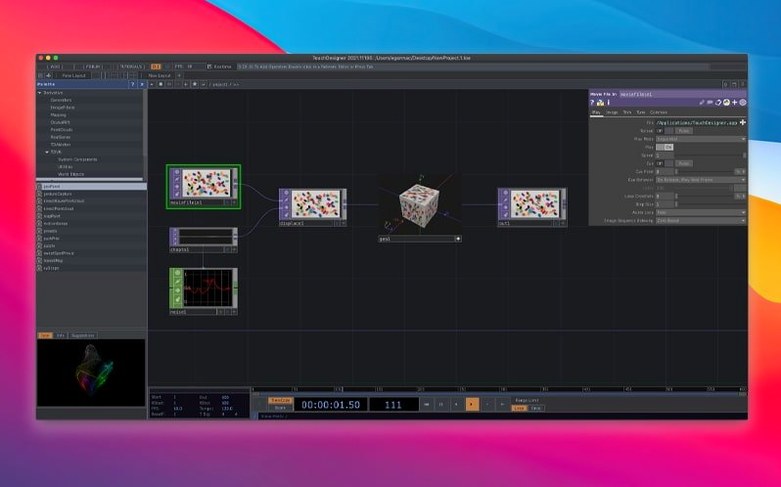
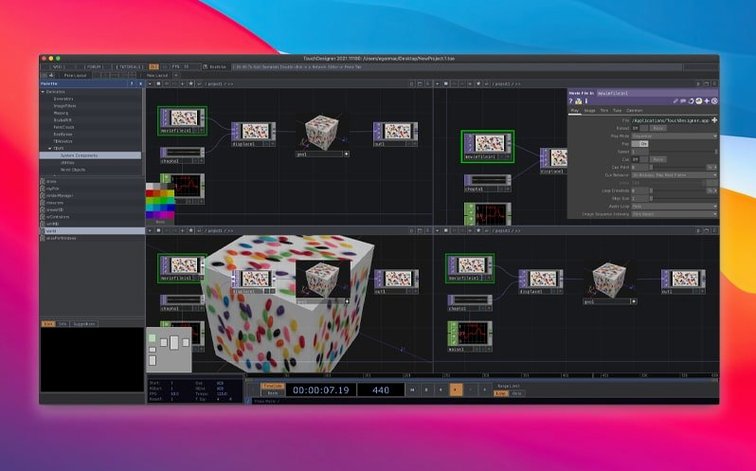
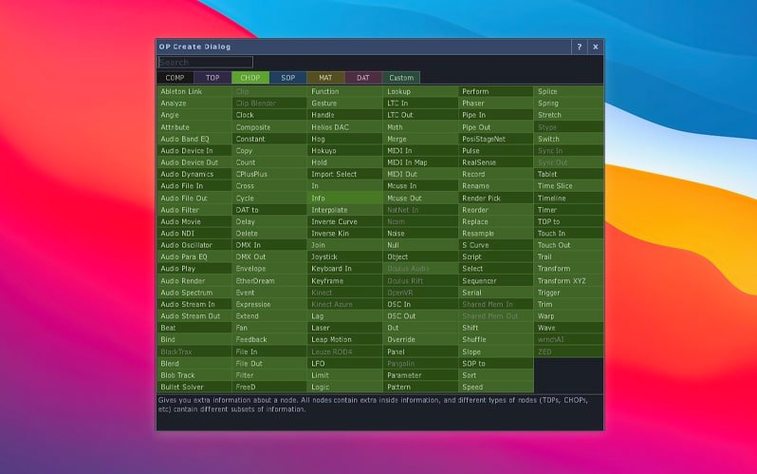
Point Operators arrive in this build, giving you a dedicated node family for manipulating point clouds and particles directly on the GPU. Most Texture Operators also now see 3D textures and 2D arrays as native citizens, which opens up volumetric rendering and layered compositing without the old workarounds. The Orbbec SDK moves to 1.10.16, tightening the pipeline for depth-sensor projects.
MacOS compatibility: what you need
TouchDesigner runs on Intel Macs with macOS 10.14 or later. There is no native Apple Silicon build yet, so M-series machines rely on Rosetta 2 — performance holds up well for development and lighter real-time work, though heavy GPU scenes will feel the translation layer. If your project involves multiple 4K outputs or dense point clouds, an Intel Mac with a dedicated GPU remains the smoother path.
A single canvas where logic and visuals converge instantly
Derivative's visual programming environment puts application logic and interface design inside a single, node-based workspace. You wire together operators for video, audio, 3D geometry and input data, seeing the result immediately. That immediacy makes it a natural fit for projection mapping, live performance visuals and interactive installations — the kind of projects where you iterate on site and need a tool that responds in real time. Built-in VR tools and a deep set of Python extensions mean you can push well beyond the stock nodes when a project demands it.
A projection-mapping prep session, start to finish
Last month I had to map a forest of cardboard columns for a one-night installation in a warehouse. The brief was simple: generative textures that reacted to a live microphone feed, projected across six surfaces at slightly skewed angles. I opened TouchDesigner, dropped a Audio Device In CHOP onto an empty network, and routed its spectrum data into a Math CHOP to isolate low-frequency bands. That gave me a rolling amplitude value I could use to drive displacement later. Next, a Noise TOP fed into a Displace TOP, with the audio envelope modulating the displace weight — the textures started breathing before I had even plugged in a projector.
The mapping itself lived in a separate container. I placed six Kantan Mapper nodes, one per surface, each fed from a Render TOP that held a slightly offset camera angle on the same 3D scene. The scene was minimal: a deformed plane subdivided enough to catch the noise, lit by a single Light COMP with a pale blue tint. I dialled the Frustum parameters on each mapper by eye while a helper held an iPad with a test grid on the physical columns. Twenty minutes of nudging Translate and Scale values, and the virtual geometry sat flush against the cardboard edges. The whole network stayed under 30 fps, which was more than enough for generative content with no frame-synced playback pressure.
Before wrapping, I wired a Movie File Out TOP to a Null that grabbed the final composite, just to capture a reference recording of the rehearsal. The file landed on the desktop as a ProRes clip I could scrub through later. That session — from blank network to mapped, audio-reactive visuals — took under two hours, and the node tree was clean enough to hand to the lighting tech without a panic.
Middle-click any operator to summon its help page
TouchDesigner rewards the kind of user who middle-clicks on things just to see what happens. Middle-clicking any operator opens its help page in your browser, which sounds minor until you are deep in a CHOP chain and cannot remember whether Lag clamps by sample index or by time. The help pages are local HTML, so they load fast even on a spotty venue network.
Another quiet pleasure: you can bookmark operators and jump between them with the / key. In a sprawling project with fifty components, being able to tag the three or four nodes you keep returning to — the master level, the DMX output, the audio analysis subnet — saves more time than you would expect. Bookmarks persist across sessions, so your mental map of a project survives a restart.
The Perform mode change is worth learning early. Tap F1 and the interface collapses to a single floating control window, hiding the network editor entirely. It is designed for exhibition conditions, where a gallery attendant or performer might need to adjust a slider without seeing the wiring. You choose which parameters appear in that window by promoting them in the Component Editor, a right-click away on any container. I have seen installations where the entire interactive behaviour gets reduced to three labelled knobs — volume threshold, pattern speed, colour temperature — and the artist hands it off like an appliance.
On the Mac side, the Window Placement options under the Dialogs menu let you float any pane as a separate OS-level window. If you run a dual-monitor setup, you can keep the network editor on one screen and the performance output fullscreen on the other, which is how most projection-mapping rehearsals actually happen. It is a small thing, but not every node-based tool on macOS handles multi-window splits this cleanly.
Kinect skeleton feeds a particle system before coffee cools
I sit down with coffee at 9:30 and open the project from the night before — a particle system driven by a Kinect skeleton. The network is a familiar mess: a Kinect Azure CHOP at the top left, its joint positions running through a Select CHOP to isolate the right hand, then into a Trail CHOP that smooths the motion over eight samples. That smoothed position drives a Particle SOP whose birth rate I tied to the hand velocity, so particles spray when the hand moves fast and settle into a drifting cloud when it pauses.
I notice the particle count creeping toward sixty thousand, which starts to drag the Render TOP below 24 fps. I insert a Delete SOP after the particle solver, set to remove any point older than four seconds, and the frame rate jumps back to 60 without any visible change in the cloud density. This kind of mid-chain surgery is where the visual nature of the environment pays off — you see the result as you type the age threshold, no recompiling, no export step.
By mid-morning I am tuning the render look. The particles are flat white by default, so I pipe the Render TOP through a Level TOP to crush the blacks and a Bloom TOP set to a tight radius, which gives them a hot, fluorescing edge. A Composite TOP layers the bloomed particles over a dark Ramp TOP background, and the whole thing goes out to a Window COMP on monitor two. I toggle Perform mode with F1, step back from the desk, and wave my arm at the Kinect. The particles trail my hand with a half-second delay that feels liquid rather than laggy. I make a note to reduce the trail sample count tomorrow, close the lid, and the session is done.
What shifted with the 2025 build in daily practice
The arrival of Point Operators changes how you approach any scene with scattered 3D data. Before POPs, manipulating a point cloud meant routing through SOPs on the CPU and then converting back — workable but not fluid for real-time densities above a few tens of thousands. Now you can drop a Point Transform POP directly into the chain, apply noise-based jitter or a wind vector, and keep everything on the GPU. In practice, I find myself reaching for POPs whenever I have a Lidar capture or a particle export from another tool. The data lands, gets processed in the same frame, and renders without a round trip to system memory.
The 3D texture support in most TOPs is less immediately flashy but more widely useful. Before this build, if you wanted to slice through a volumetric dataset — say, a medical scan or a fluid simulation baked to a 3D texture — you needed specific workarounds or external GLSL shaders. Now a Transform TOP can operate on a 3D texture directly, shifting its origin in Z just as easily as in X and Y. The first thing I tried was loading a stack of PNG frames as a 2D array and running a Blur TOP across the Z dimension, which gave me a cheap temporal smoothing effect without a feedback loop. It is the sort of small unlock that quietly removes friction from half a dozen common workflows.
On the hardware side, the Orbbec SDK bump to 1.10.16 and its newly added Intel Mac support mean that depth-sensor projects no longer require a Windows machine for the initial capture tests. I ran a Femto Bolt through the updated SDK on a 2019 MacBook Pro, and the point cloud arrived in TouchDesigner with the same latency I would expect on a desktop. Kinect Azure users got a quieter update — the wrapper moves to 1.10.3, mostly stability fixes, but the real benefit is that both sensor families now sit on current SDK versions, so a project built around one will not force a downgrade path if you switch hardware mid-production. If you are looking for a way to get started without the setup overhead, some artists grab a touchdesigner pro free download to test sensor workflows before committing to a full installation. Others working offline on site machines occasionally turn to a touchdesigner torrent when a venue machine lacks a network connection, and with the right firewall rules and a clean keyfile it spins up a fully functional environment in minutes. In circles where Mac access has been a sticking point, a touchdesigner crack mac distribution often surfaces in forum discussions as a way to keep an Intel machine in the pipeline, and the TNT-keyed build bundled here sidesteps the gatekeeping entirely. People who search for a touch designer torrent are often the same ones who end up running projection gigs on borrowed hardware, where a quick, self-contained installer matters more than anything else. And for anyone stuck on an older Mac that cannot take the latest macOS, a touchdesigner crack that still targets Intel architecture remains the practical route in.
Version 2025.31550 introduces Point Operators, a new family of GPU-accelerated nodes for point cloud and particle manipulation. Most Texture Operators now handle 3D textures and 2D arrays natively, and the Orbbec SDK has been upgraded to 1.10.16.
- macOS 10.14 or later
- Intel processor (Apple Silicon supported via Rosetta 2)
Questions from the booth
It runs through Rosetta 2 on M-series Macs; a native Apple Silicon build has not been released yet, so Intel Macs remain the officially supported architecture.