
The forgotten digits
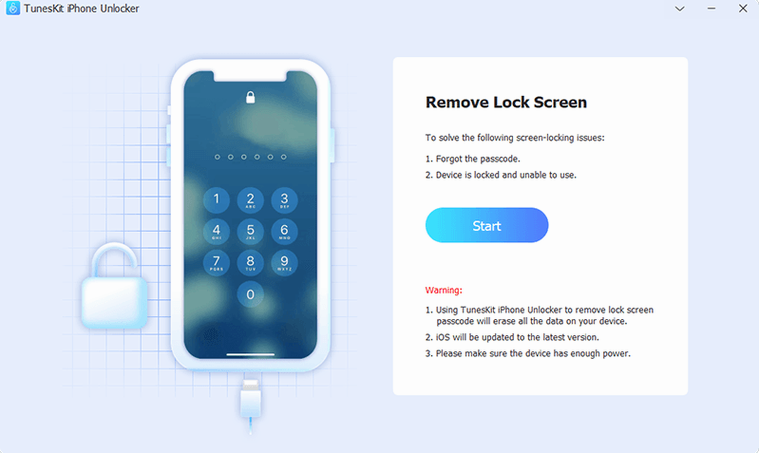
It starts with a moment of blankness, fingers hovering over a screen. The 'iPhone is disabled' message glows cold on an iPad mini that has been a digital sketchbook for years, now barred after a few optimistic passcode attempts. TunesKit iPhone Unlocker sits on the desktop as the next logical step, its Screen Time removal module the direct path around a lock that has outlived its usefulness.
Wiping the memory
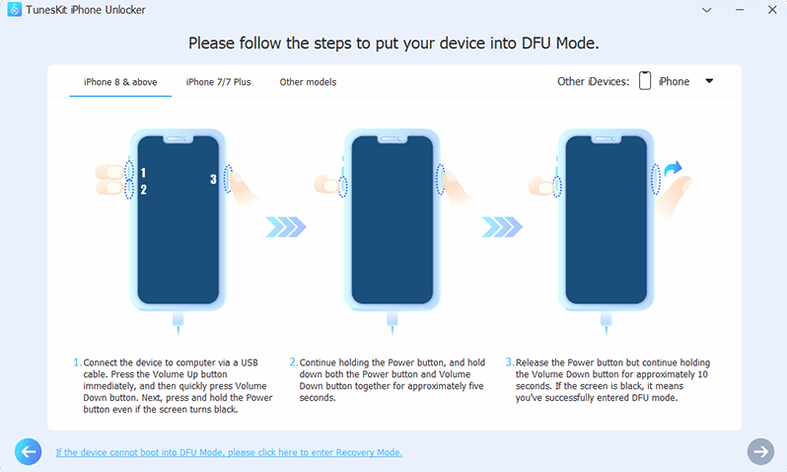
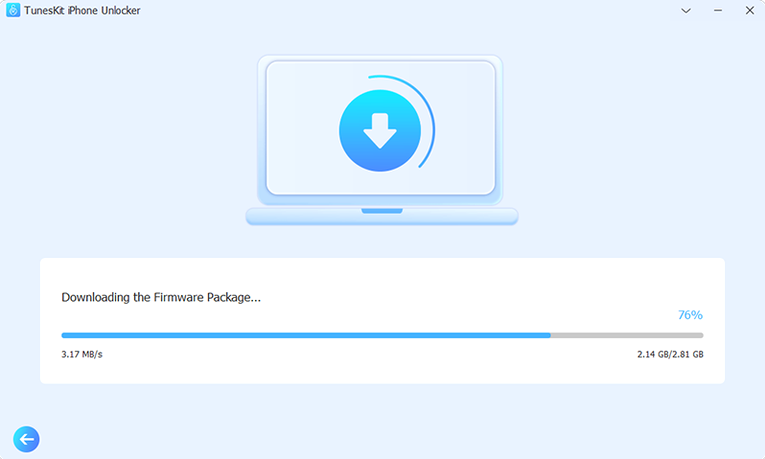
With the tablet in recovery mode, a faded rainbow cable connecting it to an ageing Intel Mac, the software presents a straightforward firmware download. The green progress bar fills slowly, rewriting the logic that held the old passcode in silicon, a process that leaves the device as a clean slate, ready to pull the last known backup from iCloud.
An empty home screen
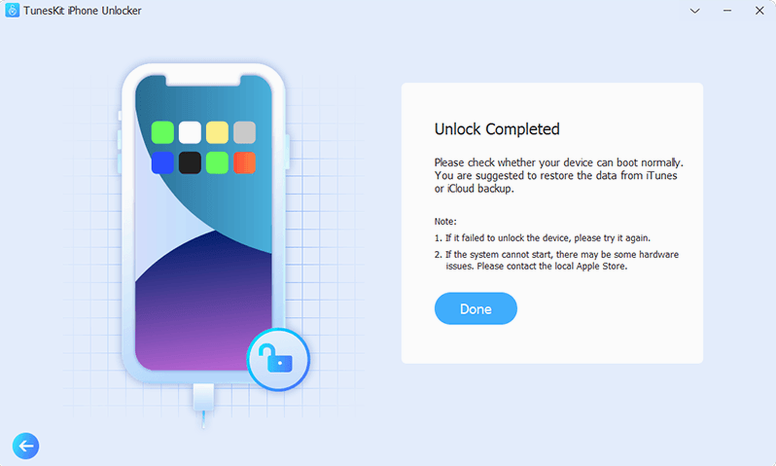
The sketchbook returns as a hollow frame, but the blockade is gone. Restoring from the backup brings the brush sets and half-finished studies back to the gallery, the lock a ghost the software simply overwrote.
The temptation is to rush to the big wipe button, but a handful of quieter controls can save fifteen minutes of fumbling. When the device appears in the interface as a silhouette with a serial number rather than a name, toggling the recovery-mode entry button twice usually forces a proper handshake. Holding the Option key while clicking Start Unlock skips the readiness check and heads straight into the extraction phase, a shortcut the manual never mentions but that has become muscle memory around the studio.
Another small mercy lives in the firmware download panel. If the progress bar stalls at forty per cent, the app has likely fetched a generic IPSW that does not quite match the modem chipset in the device. Clicking the small gear icon beside the progress indicator opens a manual selection dialogue where you can point the tool at a firmware file already downloaded through Finder or a third-party source. On slow connections, grabbing the correct build ahead of time and feeding it to the app directly cuts the process from an hour to about eight minutes.
Plug in a device you are prepared to wipe
After the Gatekeeper dance in Terminal and the drag to Applications, plug in a device you are prepared to wipe before touching anything else. The connection test is not a real unlock; it simply confirms that the cable and the USB port can maintain a stable link through the recovery handshake. A flaky third-party Lightning cord will cause the app to report a device mismatch or drop the session mid-extraction, and the error message rarely names the cable as the culprit. Swap to the thick, Apple-supplied cable before the first real run and most early failures vanish.
When the unlock finishes and the device reboots to the setup screen, resist the urge to unplug immediately. The app needs another thirty seconds to write a small signature file that marks the session as clean. Yanking the cable early leaves a phantom entry in the log that can confuse the tool on the next attempt, making it believe the previous session is still in progress. A quick quit and relaunch clears the stubborn flag, but waiting is simpler.
Error -3012 traces back to iCloud activation tokens
The most common headache arrives as error code -3012, a vague complaint about device communication. Nine times out of ten it traces back to an iCloud-linked activation token that macOS is trying to refresh in the background. Pausing iCloud sync, toggling Bluetooth off, and disabling Handoff on the Mac before launching the app almost always clears the error on the second try. If the recovery-mode screen on the device flickers and returns to the connect prompt, the Mac USB controller is underpowered; switching from a hub port to a direct port on the machine solves it within seconds.
On older Intel Macs running El Capitan through Sierra, the tool sometimes hangs during the firmware verification pass. The workaround is a brief detour: close the app, open Disk Utility, run First Aid on the boot volume to flush any stuck I/O buffers, then reopen the unlocker. The hang is not a crash, just a queued read operation that the older filesystem stack takes too long to release. Once the buffers are clear, the verification completes in roughly the time it takes to brew a pot of tea.
If the device was previously enrolled in a mobile device management profile, the unlocker removes the passcode but the MDM check can reassert itself during setup. The built-in MDM removal module needs a second pass after the initial unlock, run from the same recovery connection, and it completes in under a minute. Skipping this second pass leaves the setup assistant looping, which looks like a failed unlock but is really just unfinished business.
- OS X 10.11 or later
- Intel x86 64-bit processor
Questions from the booth
Yes, the official product page notes its ability to remove an Apple ID from an iPhone, iPad, or iPod touch.
It requires OS X 10.11 or later on an x86 64-bit Mac.