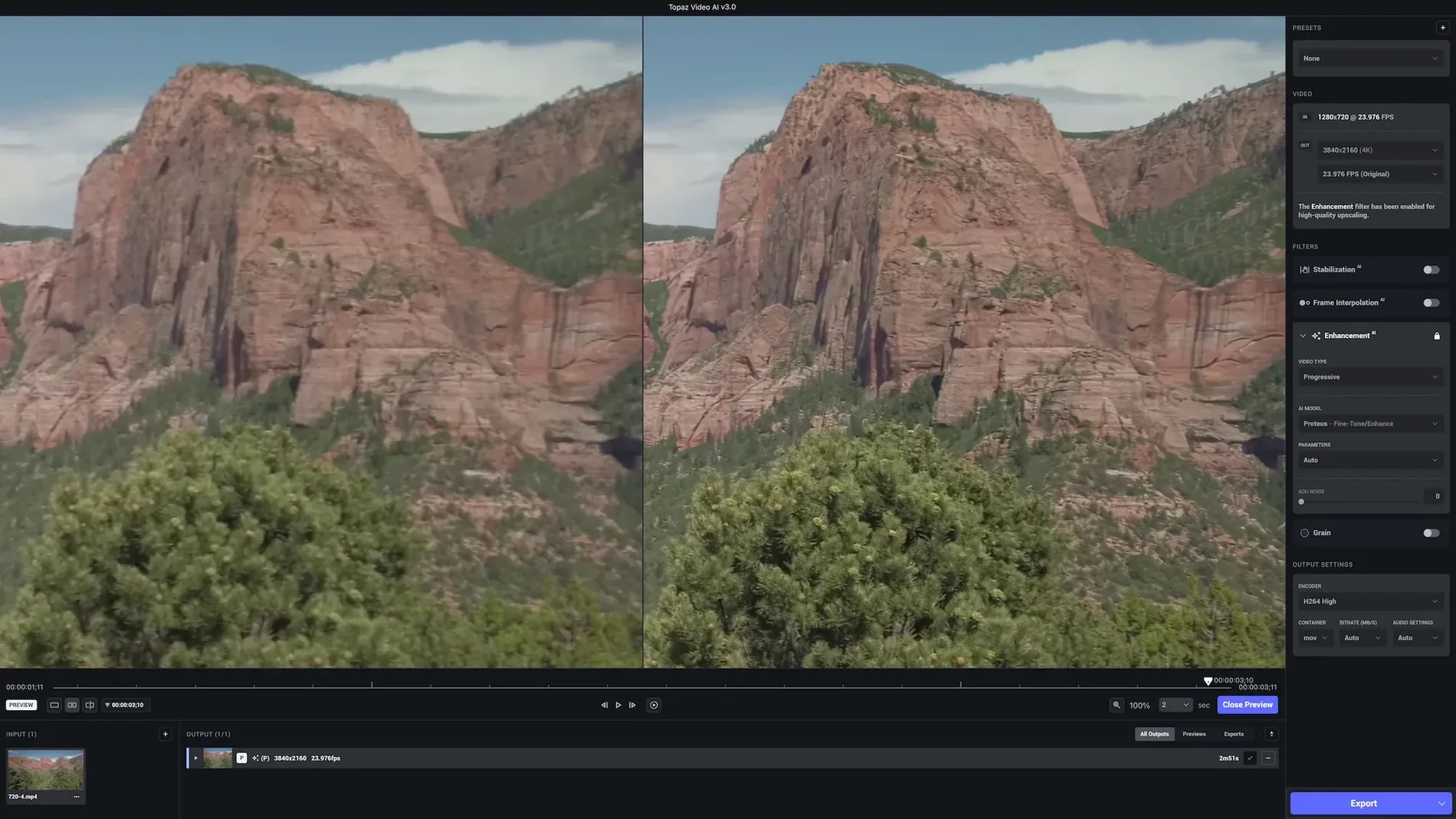
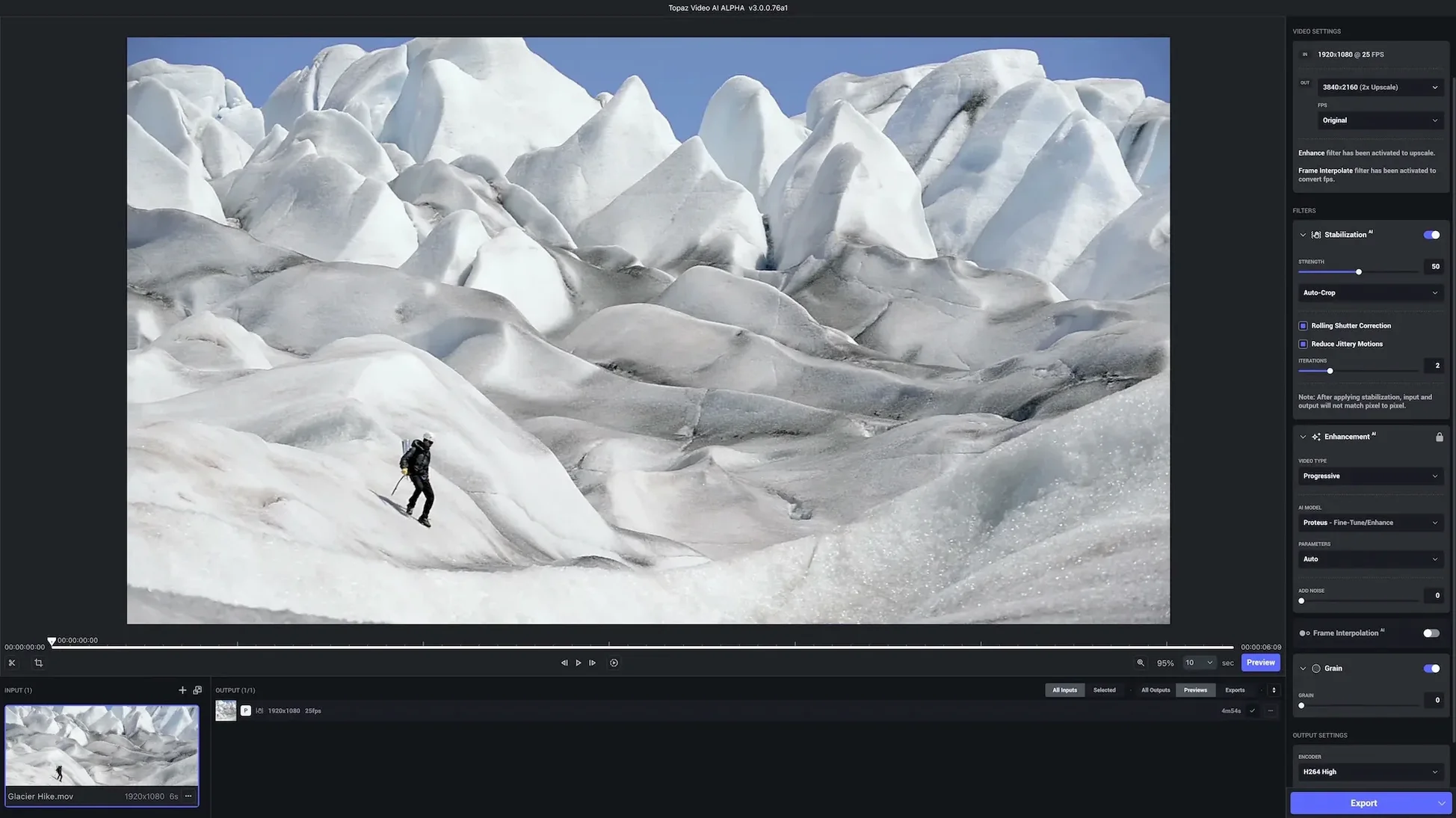
Themis upscale model handles grain and compression artefacts as a single problem. I noticed this first on a handheld night shot from an old DSLR — the kind of clip where boosting resolution usually just amplifies the blockiness in the shadows. Themis treats the noise as part of the signal to reconstruct, not something to scrub away beforehand, so you get a cleaner 4K frame without that wax-skin look that earlier upscalers left behind.
Three jobs the app actually pulls off
- Upscaling to 8K with temporal awareness. The engine looks across neighbouring frames to keep motion consistent. Enlarging HD stock footage or game captures holds detail that a per-frame resize would smear.
- Denoising and sharpening in one pass. Instead of chaining filters, you pick a model that restores focus at the target resolution. It works on grainy music video footage and compressed DVD rips alike.
- Stabilization as a creative tool. Handheld DSLR pans and old film scans get a frame-smoothing pass that doesn't crop aggressively. Useful when the shake is part of the original texture and you just want to calm it, not erase it.
Where the simple workflow helps
Topaz Labs built the interface around a few button presses: load a clip, pick a model, preview a short segment, then render. That matters when you are restoring a thirty-minute film scan and do not want to build a node tree to test an idea. On Apple Silicon, the preview loop is fast enough to compare models before committing, which turns the app into a decision tool as much as a renderer. The output lands naturally in a timeline with the motion and sharpening decisions baked in, ready for the grade.
Sharpening a still versus reimagining motion
Stacked against Pixelmator Pro, the difference is less about quality and more about what each app considers a frame. Pixelmator Pro sharpens a still with real intelligence — its ML Super Resolution works frame by frame on exported image sequences — but it has no awareness of the frames that came before or after. That matters the moment a character turns their head or a pan moves across tree branches. Topaz Video AI reads motion across time, so the sharpening stays coherent from one frame to the next instead of flickering subtly as the algorithm re-guesses the same edge. Pixelmator is the tool you reach for when a single freeze-frame needs to become a print. Topaz is for when the whole clip needs to play back.
Davinci Resolve Studio ships with its own Super Scale neural upscaler, and the integration advantage is real: you stay inside the colour pipeline, no round-tripping, no extra render passes. Resolve's upscaling respects the timeline resolution and outputs directly to the delivery page. Where Topaz pulls ahead is model choice and specialty recovery. The Gaia and Themis models handle heavy compression artefacts and grain with a gentleness that Resolve's one-size Super Scale does not match. For a clean HD clip destined for a 4K timeline, Resolve does the job without leaving the suite. For a DVD-era documentary scan or noisy DSLR footage where the noise itself carries texture you want to preserve, Topaz earns the detour.
Then there is HandBrake, which sits on a completely different shelf but gets mentioned in the same conversations because both tools touch resolution. HandBrake is a transcoder with sharpening filters — it does not generate new picture information. When you bump the output dimensions in HandBrake, you are stretching pixels. Topaz Video AI is synthesizing detail from trained models. The output container might look the same on disk, but the content inside is fundamentally different. HandBrake is for format wrangling; Topaz is for image reconstruction. Knowing that distinction saves a long night of encoding the wrong tool for the job.
When the brief is salvage across a dozen formats
Documentary and archive editors live closest to the app's strengths. They inherit footage from a dozen eras and codecs — MiniDV tapes, early DSLR h.264 files, scanned 16mm with gate weave — and the brief is usually the same: make it sit alongside modern interviews without looking like a museum exhibit. The stabilization and upscaling tandem handles gate weave and softness in one render, which collapses what would otherwise be a three-plugin chain into a single watch-folder workflow.
Game capture creators get a specific kind of payoff from the frame-rate tools. Footage recorded at 30 fps can be retimed to 60 fps with interpolated frames, which matters when a slow-motion sequence in the edit needs smooth motion instead of optical-flow ghosting. The app's motion models understand the clean, hard edges of rendered game geometry, so the generated in-between frames hold up better than timeline-based retiming in a general-purpose NLE.
Motion graphics artists and stock footage users tend to discover the app sideways. A clip licensed in HD needs to fill a 4K composition, and the upscale buys enough real resolution to push in or reframe without the softness that invites client notes. Because the render lands as a self-contained ProRes or h.265 file, it drops into After Effects or Fusion without a plugin dependency, which keeps the project portable.
Intel Macs run the models on the discrete GPU
Does it work on an Intel Mac without feeling like a compromise? It runs on Intel 64-bit Macs back to macOS 11, and the models execute on the discrete GPU if one is present. An iMac with a Radeon Pro will render noticeably slower than an M2 Max, but the app is built to let the GPU do the heavy lifting. The preview segment system means you test a few seconds of footage before queueing the full clip, so even on older metal the wait is a foreground decision, not a surprise.
Will the stabilization crop too aggressively? The stabilization model is tuned to favour smooth motion over locked-off framing, and you can dial it back. For handheld footage where the micro-jitter is the only distraction, a light pass leaves the edges mostly intact. For film scans with gate weave, the crop is slightly more generous but still less severe than the default Warp Stabilizer settings in most NLEs.
Can it genuinely recover out-of-focus shots? It sharpens soft focus rather than inventing focus that was never there. A slightly missed rack focus tightens up convincingly; a completely blurred frame stays blurred, just with cleaner edges. The model does not hallucinate eyelashes, but it does clarify the boundary between a subject and a background, which often rescues a clip that would otherwise hit the cutting room floor.
Rescuing Betacam SP chroma from a soft transfer
She opens a thirty-year-old family documentary digitized from Betacam SP — the tapes were stored well, but the transfer has chroma noise and a softness that reads as standard definition on a 4K monitor. She loads a representative two-minute segment into Topaz Video AI, selects the Themis model at a 4K target, and runs a ten-second preview around a slow pan across a kitchen table. The grain in the shadows stays organic; the edges of the coffee cups regain definition without haloing. She queues the full two-minute clip, then swaps to the Gaia model on a second, noisier section where the original tape had a tracking glitch. While the renders run, she drops the already-finished stabilized scan of a 16mm reel into her timeline — that one went through the app overnight. By lunch, three distinct archival sources are sitting at 4K in her project, matched closely enough that the grade will carry them the rest of the way.
Renders that land as native ProRes in Finder
The app writes standard ProRes, h.264, and h.265 files, so Finder and Quick Look handle the output natively — no proprietary wrapper, no special player. Drag the rendered clip into Final Cut Pro, Premiere, or Resolve, and it behaves like any other piece of media. That matters when you are handing off assets to a collaborator who does not own Topaz Video AI. The intelligence is baked into the pixels, not stored in a sidecar file.
On the macOS side, the app respects the system colour profile and GPU scheduling, so background renders do not beachball the rest of the machine. It also plays nicely with reference modes on the MacBook Pro's XDR display: you can preview an HDR clip in the correct luminance environment before committing to an upscale, catching clipping or colour shifts that would otherwise only surface in the grade. For editors who keep a watch folder active, the app slots into an Automator or Shortcuts workflow that triggers a render and sends a notification on completion, leaving the timeline assembly as the only manual step.
Version 1.7.2 is available now with the developer's latest fixes and improvements. Release notes are published on the Topaz Labs site.
- macOS 13 or later
- Apple Silicon or Intel 64‑bit
Questions from the booth
It is designed for DSLR footage, DVD content, game captures, HD stock footage, commercials, music videos, film scans, and YouTube clips.
Yes, video can be enlarged and improved up to 8K, with motion consistency preserved across frames.
It supports both Apple Silicon and Intel 64-bit Macs.