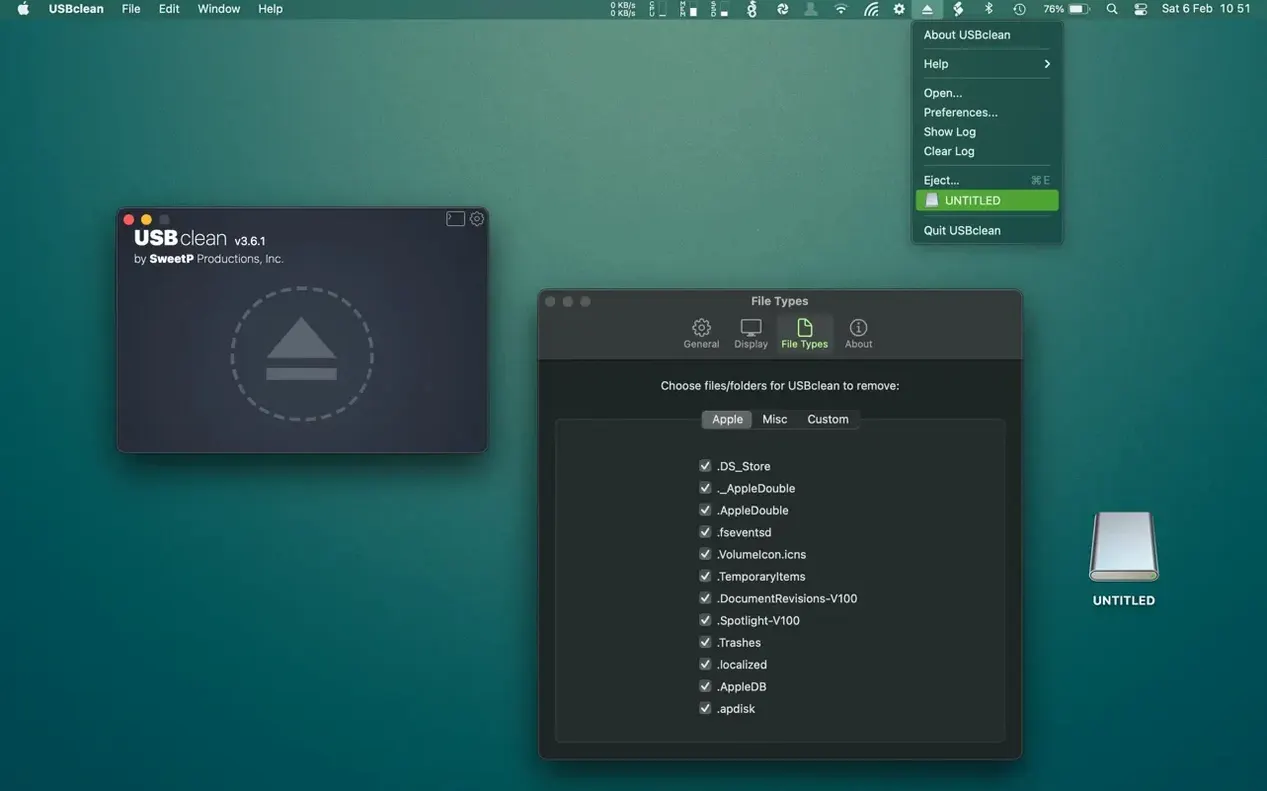
USBclean runs on any Mac with macOS 11.5 or later, covering everything from the earliest Apple Silicon laptops to Intel workhorses still in daily use. It speaks six interface languages—English, German, Traditional Chinese, Simplified Chinese, Portuguese, and French—so there is little friction between you and the task at hand.
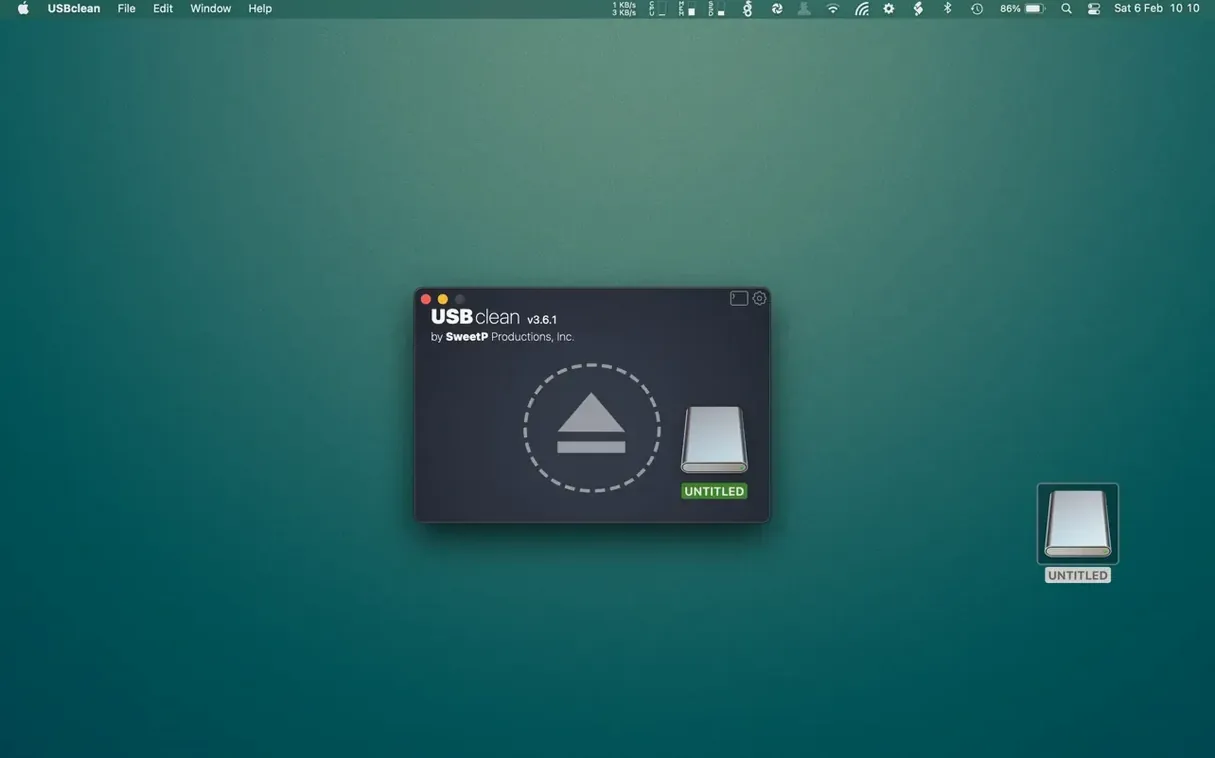
The workflow hasn't changed because it never needed to. You drag a USB drive onto the window, or trigger the app from the Finder context menu, and USBclean scans for the invisible cruft that external storage accumulates: thumbnail caches, Spotlight index fragments, orphaned .Trashes folders, and the Windows-only files that sneak onto shared drives. The current version keeps that same directness. No scan scheduling, no background daemons, just a utility that fires when you ask it to.
What you remove is up to you. The app ships with a sensible set of file types to target, but you can add custom extensions—scratch files from a specific camera, log dumps from a field recorder—and USBclean will hunt them down on every pass. Cleanup stays predictable because nothing gets deleted until you review the list and confirm.
Under the hood it is a universal binary, so the transition to Apple Silicon is a quiet one. The interface remains compact, the scan times brief. A tool that knows its scope rarely needs to change shape.
Where USBclean sits among similar cleaners
CleanMyDrive 2 has long been the name people reach for when they want a free, lightweight USB tidier. It strips out .DS_Store and resource fork debris automatically on eject, which feels magical until you realize it offers almost no say in what gets removed. If you need to preserve certain hidden files—metadata left by a colour grading suite, for instance—CleanMyDrive's all-or-nothing approach becomes a liability. USBclean gives you that granularity without turning into a heavyweight.
BlueHarvest takes the opposite philosophy: it runs as a background service, silently deleting junk the moment a drive mounts. That suits someone who never wants to think about cleanup. But for anyone juggling drives between Mac and Windows editing bays, the background model can erase files you intended to keep. USBclean's manual, drag-and-drop rhythm puts the decision back in your hands. You scan, you review, you confirm—nothing happens while you are not looking.
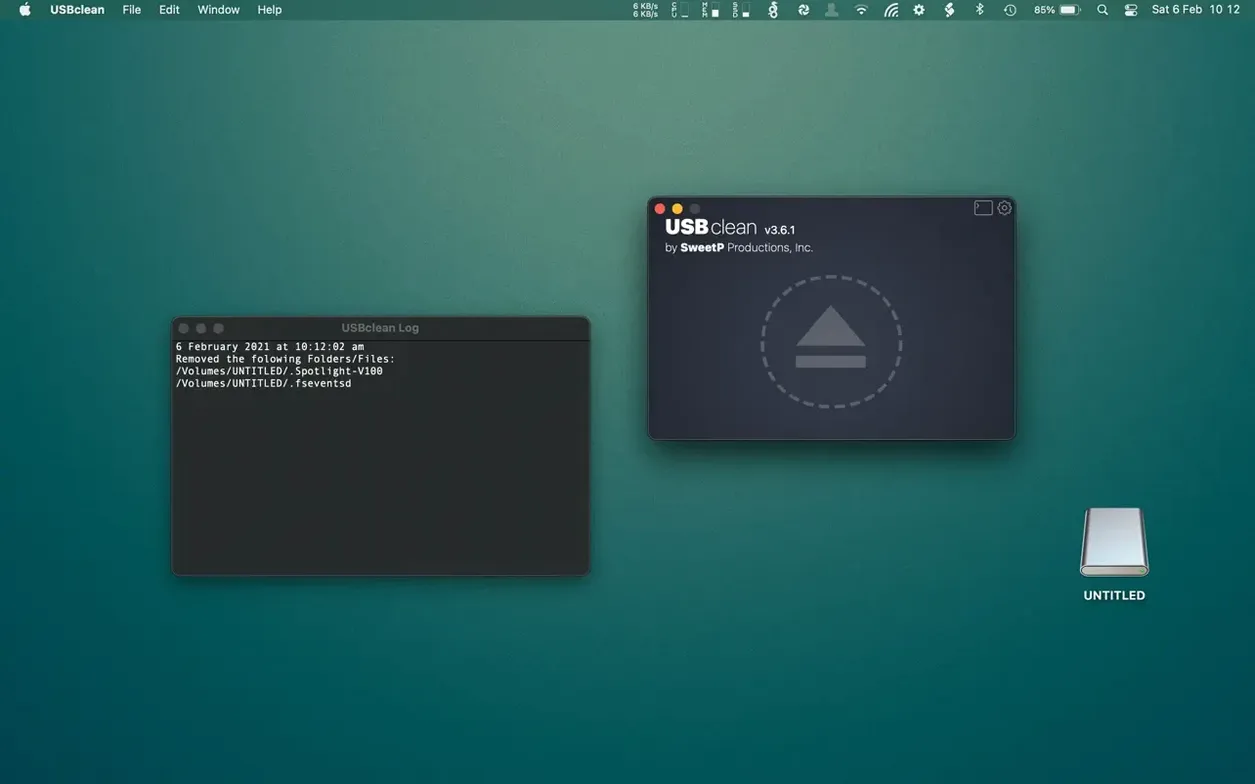
Then there is the Finder itself, which can show hidden files if you remember the Command-Shift-Period shortcut. Some people browse the invisible contents of a drive and delete things by hand. It works until you miss a .Spotlight-V100 folder buried three directories deep or accidentally trash a .fseventsd log that a collaborator's Mac still needs. USBclean catches what manual browsing overlooks, and it does so in a single pass across every mounted volume you feed it.
First days with USBclean: a quiet routine
The first thing to do after installing is pin it somewhere you will actually use it. The menu bar icon is unobtrusive, but the real speed gain comes from the Finder integration. Right-click any USB drive on your desktop, choose USBclean from the Services menu, and the scan begins without opening the main window. It is the fastest path from mounting a drive to knowing what clutter sits on it.
Spend ten minutes in the preferences pane before your first real cleanup. The default file-type list is sensible, but it leans toward Mac detritus. If your drives travel between operating systems, add Thumbs.db, ehthumbs.db, and any .exe remnants that sneak onto media sticks. If you work with DaVinci Resolve, consider adding the .gallery and .cache extensions that bloated project drives tend to collect. The custom extension field is plain text, so you can paste a list from a notes file and move on.
On the first few scans, resist the urge to hit "Clean All" immediately. USBclean shows a flat list of every file it intends to delete, and glancing through it teaches you which folders on which drives attract the most junk. You might notice a particular camera card always carries a hidden thumbnail index from the manufacturer's software—mark that extension for future scans and the app remembers it. The tool rewards a little upfront attention with a cleanup profile that fits your actual hardware.
Version 4.6 arrives with the latest round of maintenance fixes and under-the-hood refinements from the developer.
- macOS 11 or later
- Works natively on both Apple Silicon and Intel 64-bit Macs