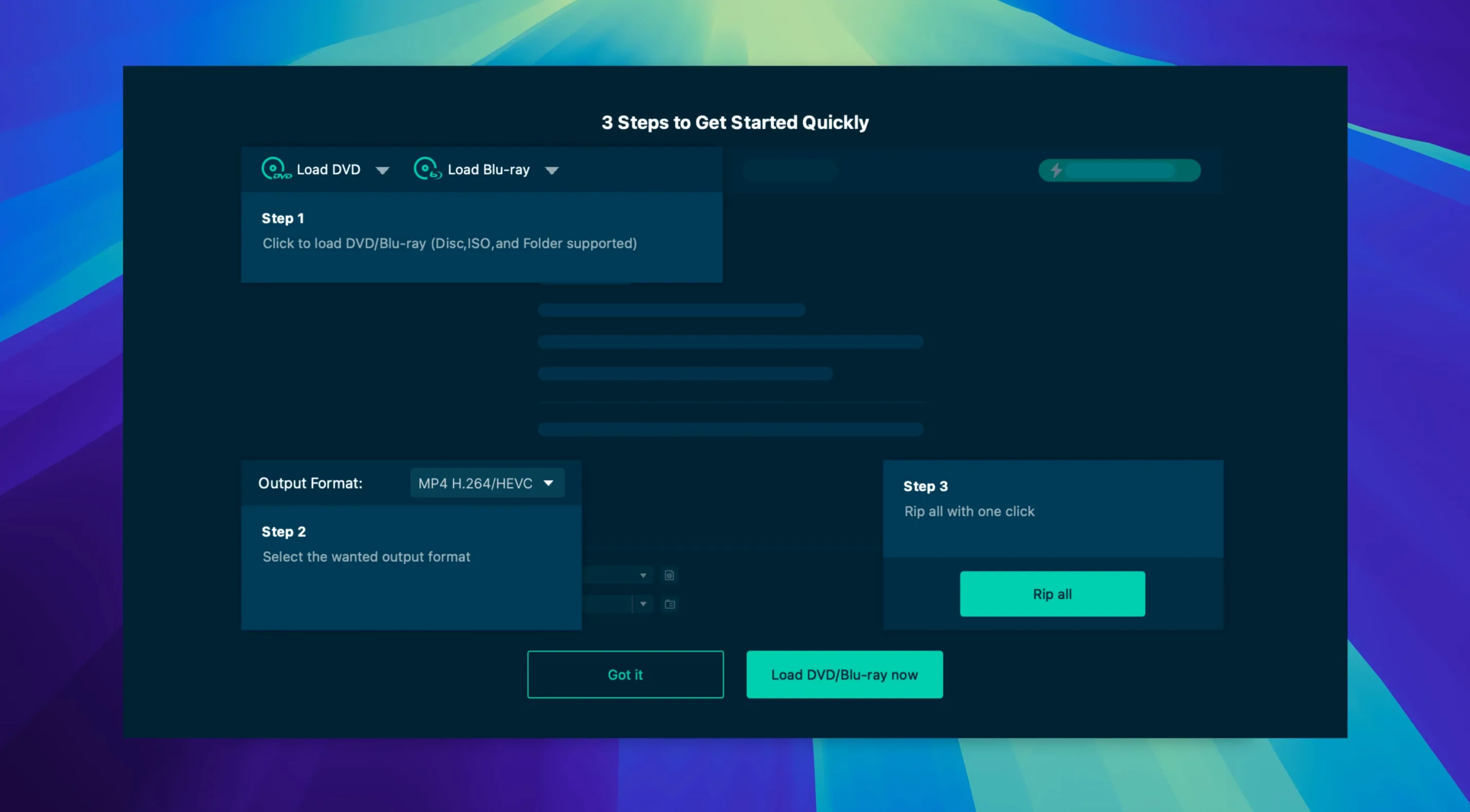
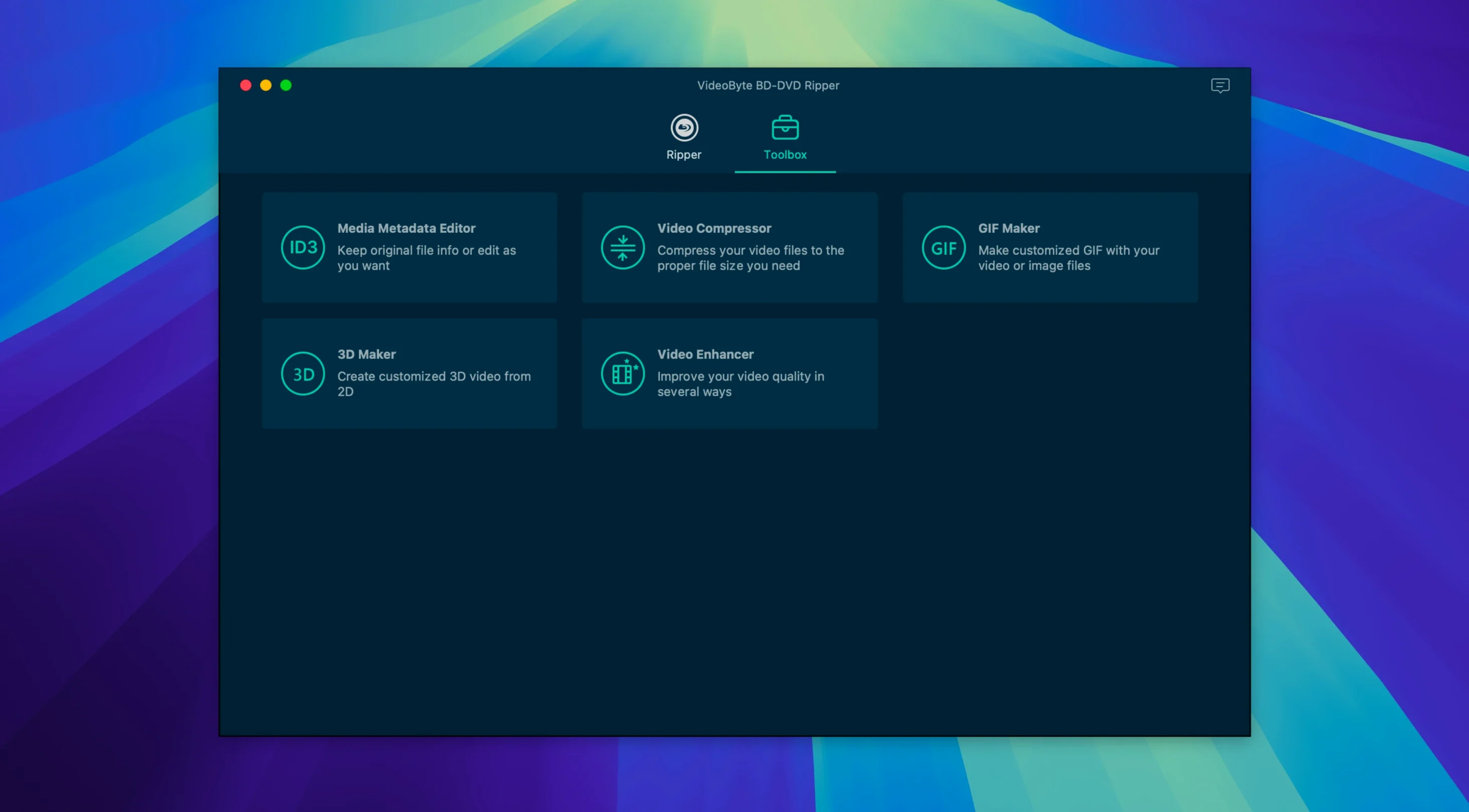
VideoByte BD-DVD Ripper is a Mac application that converts Blu-ray and DVD discs, BDMV/VIDEO_TS folders, and ISO files into common digital video and audio formats. The current version 2.1.6 runs on both Intel and Apple Silicon processors, and the developer states compatibility from macOS 10.12 through 15.x. Under the hood, it leans on hardware acceleration from NVIDIA, Intel, and AMD technologies to keep conversion times reasonable, and the interface ships in English, German, French, and Japanese.
Built-in trim, crop, and watermark tools shape files before export
- Outputs to MP4, MKV, MOV, WMV, MP3, and AAC, covering most playback and editing scenarios a filmmaker encounters.
- The built-in trimming, rotating, cropping, watermark, filter, and effect tools let you shape the file before it ever lands in your editing timeline.
- Handles physical discs, folder structures, and ISO files with the same straightforward import flow.
Manual install outside the Mac App Store for Blu-ray and DVD
- This is a Blu-ray and DVD ripper; for DVD-only work the developer offers a separate, lighter VideoByte DVD Ripper.
- The app launches from the Applications folder after a manual installation routine — there is no single-click Mac App Store delivery.
- Version 2.1.6 carries no listed feature additions or interface changes from its predecessor; the toolset and format support remain as they were.
In practice — a collector archiving a Criterion shelf
Imagine someone with forty or fifty Blu-rays on a shelf, half of them region-locked imports bought on trips years ago. They want to pull everything onto a Plex server so the discs can stay in their cases and the films can live on an iPad during long-haul flights. That is where VideoByte BD-DVD Ripper settles into a rhythm. You load a disc, the app reads the title structure in a few seconds, and you pick the main feature with its original English audio and the commentary track kept intact. The device preset for Apple TV 4K gives you an HEVC MKV with soft subtitles. After the first three discs you stop checking settings and just trust the profile. By the weekend, half the shelf is on a portable drive and the region-locked imports play without a hitch because CSS and AACS protections were stripped on import. It is quiet, repetitive work, the kind a utility app should make boring rather than dramatic.
Surviving scratched discs and anti-rip coatings
People tend to ask the same handful of things before committing to a disc ripper, and they are practical rather than philosophical. Will it handle a scratched rental disc, or one with that waxy anti-rip coating a few studios tried? The answer depends more on the optical drive than the software, but VideoByte BD-DVD Ripper reads past structural protection layers — AACS, BD+, Cinavia — so if the drive can physically read the sectors, the app usually proceeds. A heavily scarred disc may still fail at the hardware level, and no ripper can fix that.
Does converting a Blu-ray means losing the chapter markers? In the MKV and MP4 presets, chapter stops are preserved, though not every device preset honours them. Sticking with the Matroska container is the safest bet. Can the subtitles be burned into the image, or only kept as selectable tracks? Both. The subtitle handling lets you toggle between soft subtitles and hard-burned rendering, which matters if you are sending a file to a tablet that refuses external subtitle streams. For anyone searching for a videobyte torrent or a dvd ripper torrent, the reality is that the installer is a straightforward disk image from the developer, not a fragmented RAR set from a tracker — the Gatekeeper workaround at launch is the only quirk, and it is a one-time step.
Mistakes that trip new users up
The most common slip is picking "Full Disc" mode and then wondering why the output file is thirty-eight gigabytes of MPEG-2 in an MKV wrapper. That mode copies the entire disc structure, extras and all, without recompressing the video stream. It is the right choice for archival clones, but wrong for an iPhone. Switching to the main movie mode and selecting an H.264 or HEVC preset from the device list fixes it immediately.
Another recurring misstep is ignoring the audio track selection. The app defaults to the first English track it finds, which on some discs is a director's commentary or a descriptive audio mix. Glancing at the track list before hitting the convert button saves the disappointment of a file where the film score drowns out the dialogue because you grabbed the wrong stream. Beginners also tend to leave the frame rate on "Same as source" and then wonder why a European PAL DVD produces a 25 fps file that stutters on a North American television. Matching the frame rate to the target region — or letting the device preset handle it — avoids that.
A less obvious mistake: dragging the application directly from the mounted disk image to the dock without copying it to the Applications folder first. The app expects to live in /Applications; running it from the mounted volume produces permission errors that are easy to misread as a videobyte crack behaving unexpectedly. The Gatekeeper step — opening a Terminal window and pressing Enter when prompted — can look alarming to someone who has never done it, but it is the same dance a dozen Mac utilities require, and it only happens on first launch.
Real-time Blu-ray transcoding on Intel Macs with a dedicated GPU
On an Intel Mac with a dedicated GPU, a two-hour Blu-ray transcode to H.264 at the "High Quality" preset hovers around real-time or slightly faster; switching to HEVC roughly doubles that. A machine without hardware acceleration still finishes the job, but the fan spins up and the timeline stretches. The Intel Quick Sync support is the real lever — on a 2019 MacBook Pro it keeps the CPU temperature reasonable and the encode moving at a pace that does not feel punitive. Those who seek out a videobyte bd-dvd ripper crack or a videobyte mac workaround often discover that the hardware acceleration layer is what makes the difference between a one-hour encode and a four-hour slog, and that layer is baked into the app, ready to tap into from the start.
Memory usage during a rip stays flat at around 400 MB; the app does not balloon over time. I have run six discs back to back without a restart and watched the RAM line stay steady. Stability is uneventful in the best sense — no crashes on discs with complex branching playlists, no hangs when importing a BDMV folder from a network drive. The one caveat is that ejecting a disc while the app is scanning the title list can briefly lock the interface, but it recovers within ten seconds without force-quitting. For a tool that deals with optical media and copy protection, that level of calm is the feature that matters most after the first few conversions.
- macOS 10.12 through 15.x
- Intel or Apple Silicon processor
- Interface: English, German, French, Japanese