The equalizer is still the first thing I open. Before Airfoil sends anything across the room, it lets me shape the signal — a slight lift in the low end for the kitchen speaker, a cut around 2 kHz for the patio pair. Version 5.13.0 keeps that habit intact while restoring something that had quietly gone missing: audio streaming to Apple TV and HomePod devices.
What the current release changes
- Streaming to Apple TV and HomePod works again after the 5.13.0 update.
- The app remains 64-bit and needs macOS 14.4 or later.
- Audio travels as Apple Lossless, so the wireless hop doesn't flatten the mix.
What hasn't moved
Airfoil still treats every destination the same way. A Mac mini in the studio, an old AirPort Express in the hallway, a Google Cast dongle on the bedroom TV — they all appear as speakers. Pick one, pick several, or send the whole mix everywhere at once. The equalizer sits on top of it all, per-device, which is why the app has stayed in my audio folder through years of macOS updates.
When your Mac is already the house stereo
People who keep a Mac at the centre of the house get the most out of it. If you already run a desktop as a media hub — a Mini plugged into the living-room screen, an iMac that doubles as the kitchen jukebox — Airfoil turns every speaker in range into part of that system. No casting, no pairing rituals, no switching audio outputs from a menu bar. Just pick a source app and a destination, and the house fills in.
It makes equal sense for anyone with mixed speaker hardware. An AirPort Express in one room, a Bluetooth soundbar in another, a Chromecast upstairs — they rarely play together. Airfoil flattens that into one interface, and version 5.13.0 brings Apple TV and HomePod back into the fold. Multi-room audio without buying into a single ecosystem is the quiet reason people keep returning to this app.
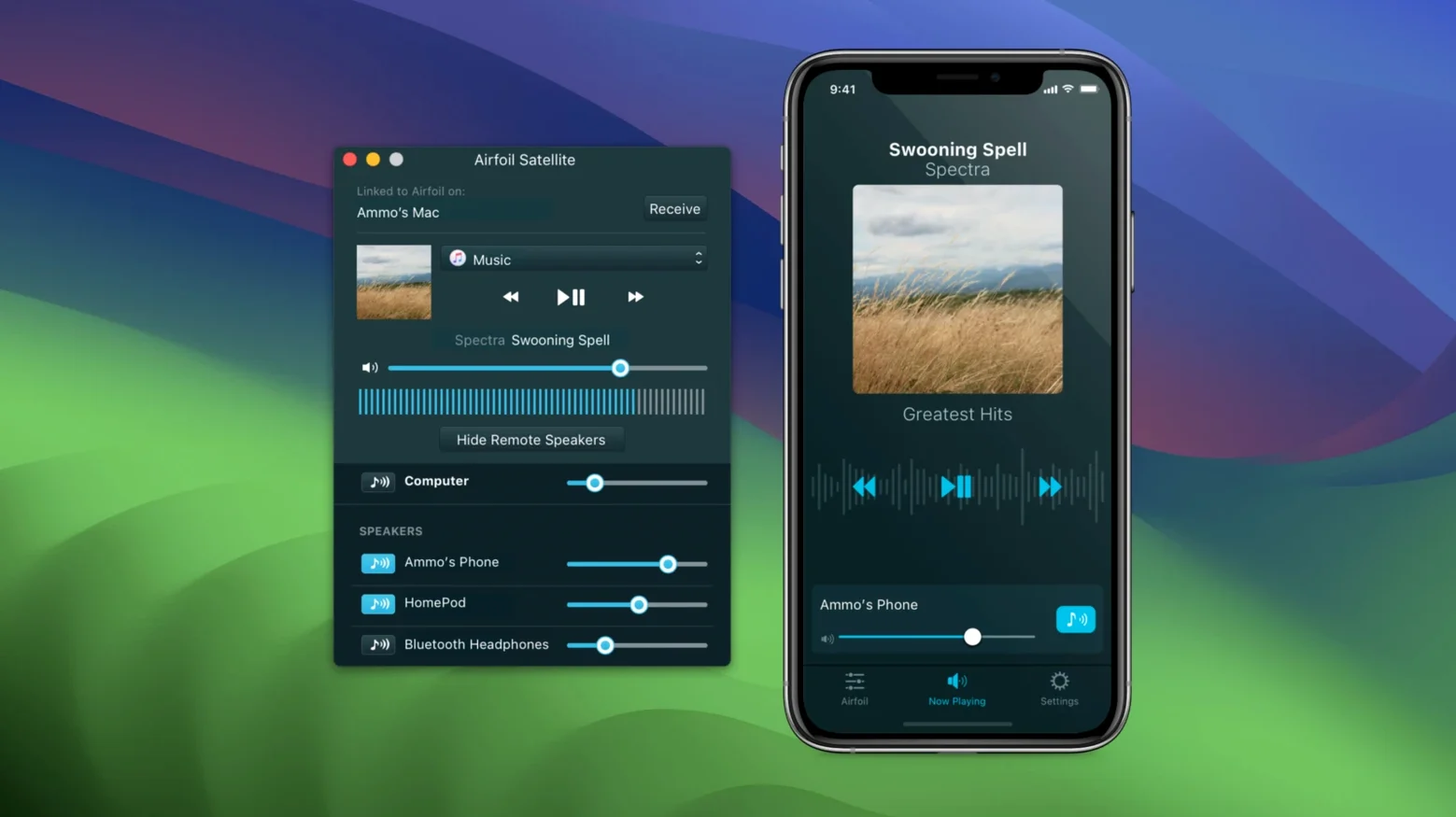
Live listeners get something else. The app can grab audio from a single application rather than the whole system, so you can send a DJ set from a browser tab while notification pings stay local. Satellite, the companion app, turns an old iPhone or iPad into a dedicated receiver — useful if you have a spare device and a speaker dock that never got a streaming update.
A radio-from-anywhere workflow
The task: send a web radio station from Safari to the living-room stereo and a patio speaker at the same time, with different EQ on each.
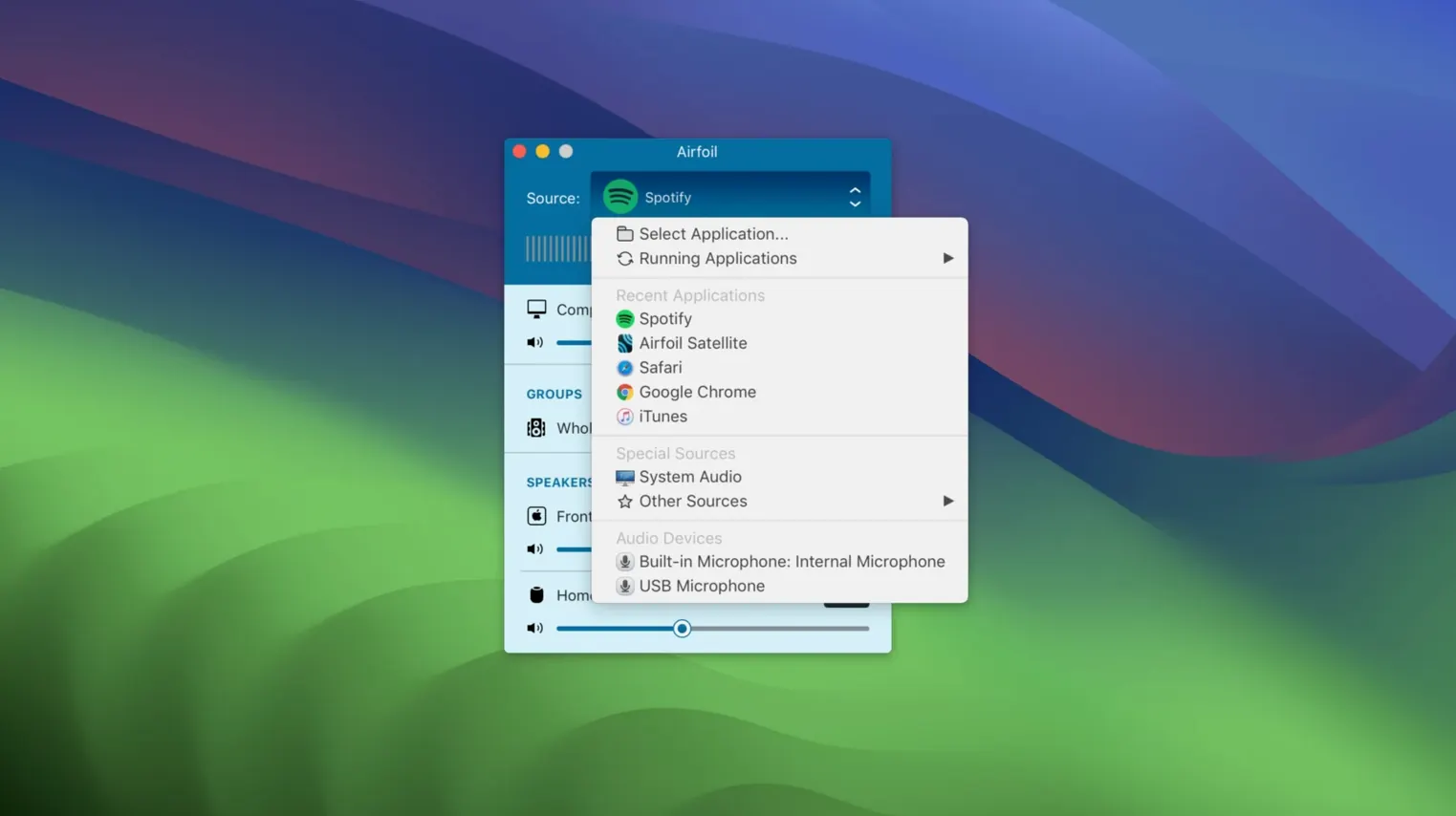
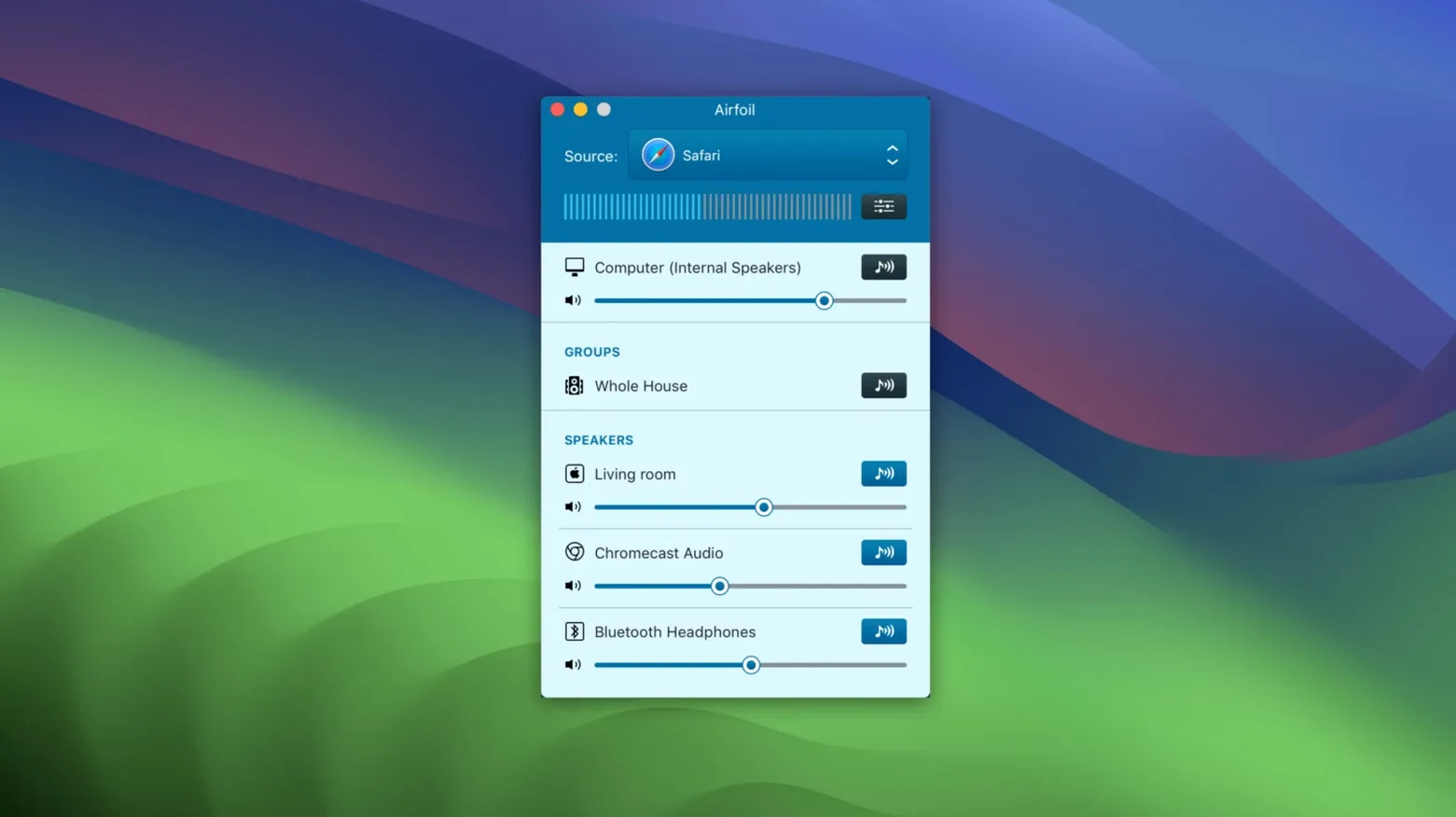
Launch Airfoil and leave the source on System Audio for now. Open Safari and start the stream. In Airfoil's source menu, switch from System Audio to Safari — the app grabs only that browser's output, so nothing else leaks through. Click the living-room speaker in the destination list, then Command-click the patio speaker. Both light up.
Open the equalizer for the living room first. Drop the high-mids a touch — voices on talk radio can get brittle through a bright amp — and add a little warmth around 100 Hz. Switch to the patio EQ and cut the bass harder; outdoors, low frequencies disappear and only eat headroom. Save each as a preset if the setup is permanent.
Volume can be adjusted per speaker from the main window. Set the patio slightly higher to compensate for open air, then lock the Mac and walk away. The stream keeps running to both destinations until you stop it, and the app remembers the EQ pair next time you launch.
Settings that matter early
The Start Transmitting on Launch option, tucked in the Transmit menu, is the one to toggle if you use the same destination every day. Pick a default speaker and the app begins streaming the moment it opens — no clicks, no window.
In preferences, set the audio capture engine to the per-application mode. System Audio is the fallback, but isolating a source pays off the first time you stream a film from VLC while keeping the rest of the Mac silent. The network buffer slider deserves attention too: on a congested Wi-Fi network, pushing it slightly higher smooths out dropouts at the cost of a small delay. For music, that delay is invisible; for video, keep it tight.
Name your devices in Airfoil's speaker list. A generic "Living Room" is easier to scan than a MAC address, and the names sync across the local network.
The missing speaker fix that starts with Wi-Fi
The most common stumble after installing airfoil for mac is a speaker that won't appear. AirPlay devices — Apple TV, HomePod, AirPort Express — rely on Bonjour, which occasionally stalls after sleep. Toggling Wi-Fi off and on again on the Mac almost always shakes them loose. For Google Cast targets, check that the Chromecast and the Mac are on the same subnet; a guest network or a VLAN will hide them.
Bluetooth latency is another regular friction. Airfoil can send to Bluetooth speakers, but the delay varies by hardware. If you notice lips drifting out of sync on video, switch the destination to an AirPlay or wired device — or use the equalizer's preamp to level-match while the video plays on the Mac's built-in output and only music goes wireless.
Some users hunting for an airfoil cracked mac version find that the app runs best after dragging it from a disk image and completing the Gatekeeper bypass. The Terminal step in the install notes is not cosmetic — running it once, before the first launch, ensures the app loads cleanly and avoids a return trip to the disk image.
If audio stutters on an older machine, reduce the number of simultaneous destinations. Encoding Apple Lossless for three or four speakers at once asks more of the CPU than a single stream, and a Mac that handles one perfectly may trip on four. Drop to two destinations and add the rest through Satellite receivers on devices that handle their own decoding.
Version 5.13.0, released September 25, 2026, restores audio streaming to Apple TV and HomePod devices.
- macOS 14.4 or later
- Intel or Apple Silicon Mac
- 64-bit app
Questions from the booth
It can send audio to Apple TV, HomePod, AirPort Express, AirPlay and Google Cast devices, Bluetooth speakers, iOS devices, and other Macs or PCs.
Airfoil 5.13 requires macOS 14.4 or later and runs as a 64-bit app on both Intel and Apple Silicon Macs.