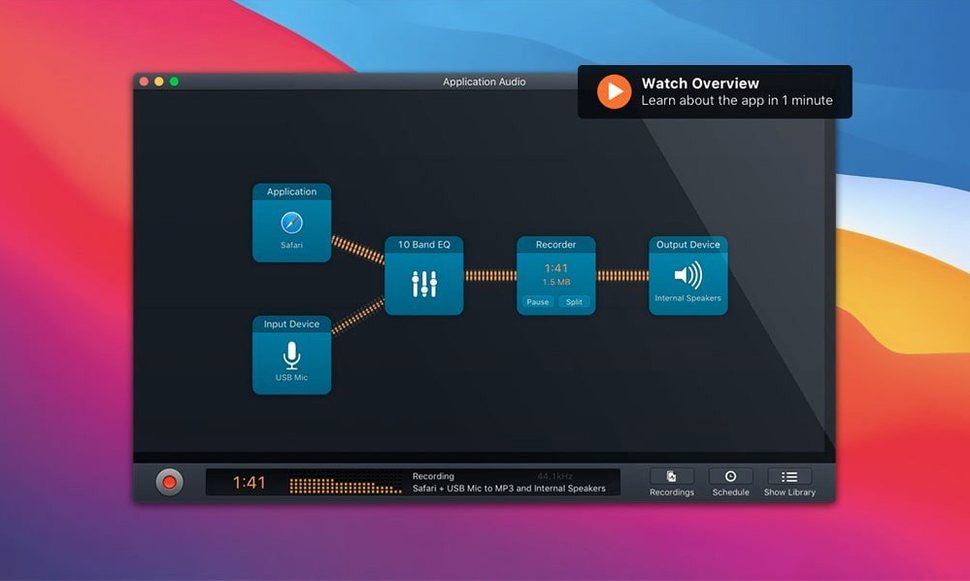
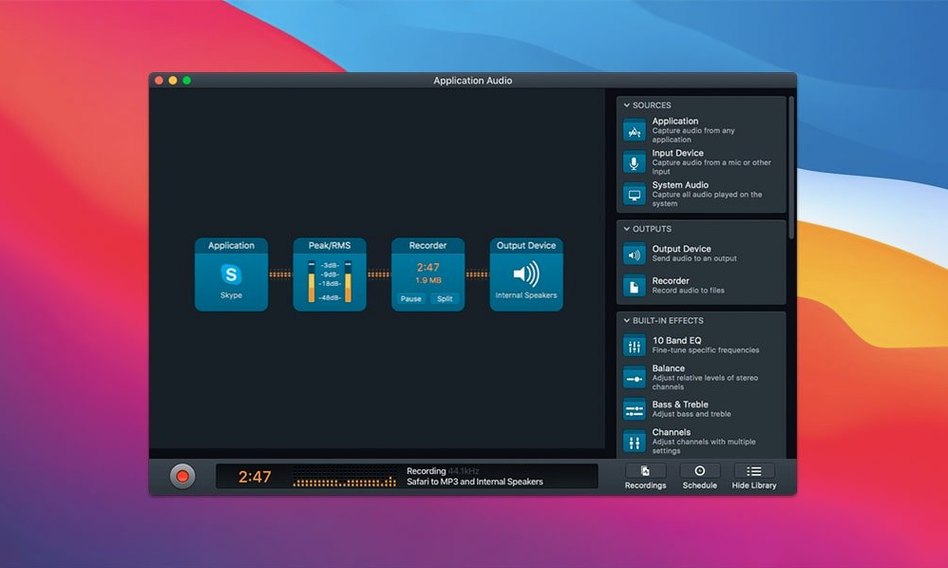
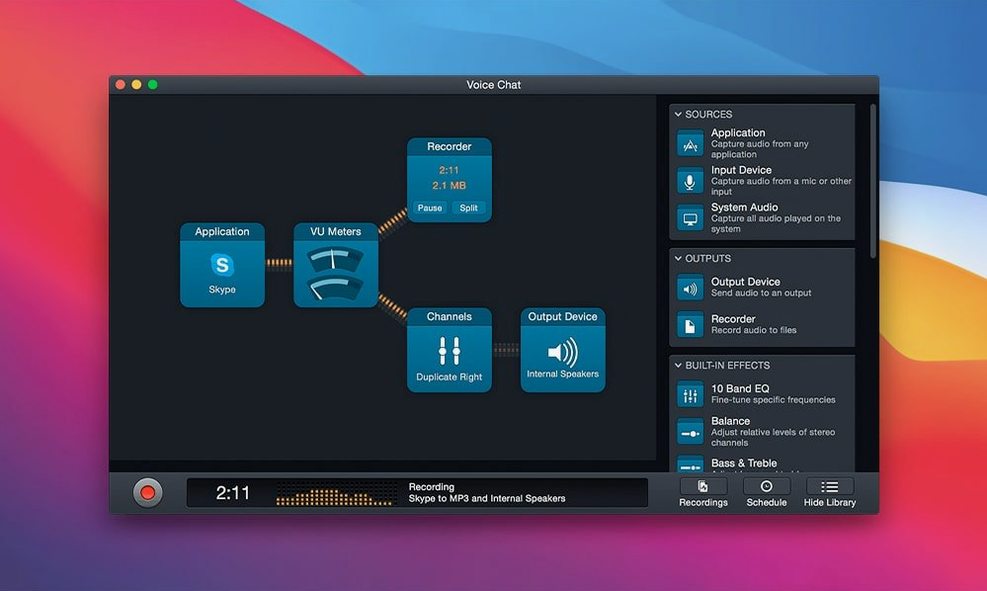
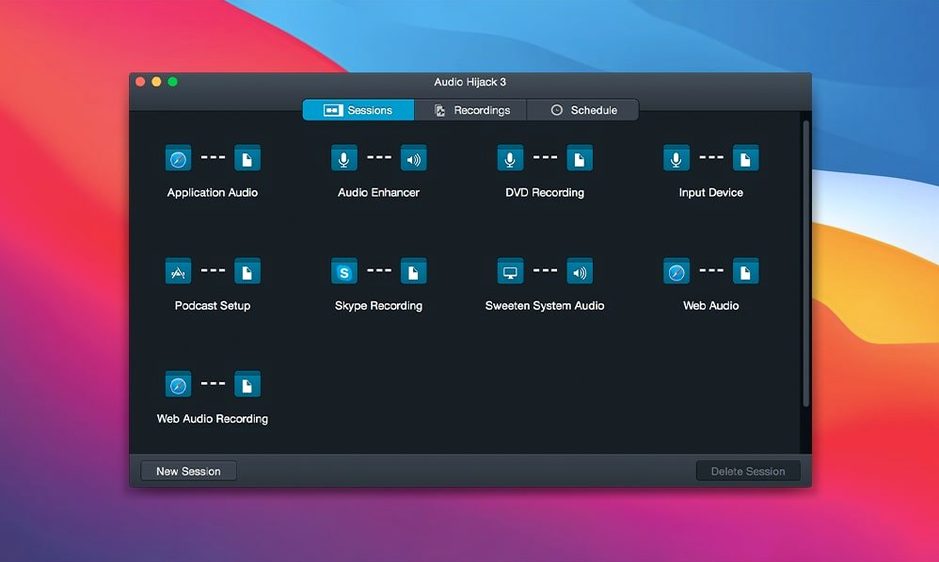
A field recorder died mid-shoot last autumn, but the scratch track from the camera’s shotgun mic was clean enough to salvage. Back at the desk, I ran it through a chain of blocks — a gentle compressor, the parametric EQ to pull out a low hum from a nearby fridge, and a limiter to catch the peaks before they hit the file. That’s the point at which Audio Hijack stops being a simple capture utility and becomes a post-production patch bay that happens to be running live.
Process audio through multi-block chains before it hits disk
- Building multi-block recording pipelines that process audio before it ever lands on disk.
- Capturing from any app, hardware input, or system source simultaneously, each with its own independent chain.
- Transcribing production notes or interviews with the built-in Transcribe block, which now runs on a more current Whisper.cpp backend.
- Relying on templates for repeatable sessions — VO auditions, digitizing batches of vinyl, or archiving call recordings from FaceTime.
Build your own gain staging and routing with no automatic safety net
- The block-based interface rewards time spent building chains; it is not a one-click recorder.
- Signal routing and gain staging across blocks is your responsibility — there is no automatic correction.
- Transcription quality depends heavily on the source material, so a clean recording path matters even more with the updated model.
- macOS only, and it runs on versions from 14.4 through the latest Golden Gate release.
CPU stays around two to three percent for a clean app-to-file capture
After a few weeks of regular use, the CPU footprint settles into a rhythm you can predict. A simple application-to-file recording with no effects sits at around two to three percent on an Apple Silicon machine. Layering in the Denoise filter and a ten-band EQ nudges that closer to six or seven percent. The real-time processing happens on a short buffer, so there is no perceptible lag between the source and the meters — something that matters when you are riding levels during a live call capture.
Stability has been the quiet headline through the 4.x cycle. Sessions that run for three or four hours — long table-read recordings, an afternoon of digitizing cassette tapes — do not drift out of sync or balloon in memory. The app writes temporary segments to disk as it goes, so a crash (rare, in my experience) does not torch the entire recording. What does occasionally trip people up is that Audio Hijack relies on Rogue Amoeba's system-level audio capture component, Ace. After a macOS point update, that component sometimes needs to be reinstalled from within the app's preferences. The fix takes thirty seconds, but a beginner staring at silence in the meters will not know to look there first.
One thing worth noting when someone grabs an audio hijack mac torrent from who-knows-where: stripped or repackaged builds often omit or break Ace entirely. The app launches, the blocks connect, but no audio moves. That is not a bug in the software — it is simply a cracked installer that gutted the plumbing, so check that the Ace component is present and properly signed in your system. The same goes for any audio torrent mac download that ships without the supporting framework; you end up with a shell that cannot actually capture anything.
Mistakes that new users make
The most common one is treating the block grid like a mixing desk. Someone opens a session, drops in an Application source, a Recorder, and hits run — then wonders why the output file is silent. The block connections are directional; you have to drag the cable from the source's output node to the recorder's input. It is a simple gesture, but the interface assumes you know it, and there is no onboarding prompt that catches the omission.
Another frequent stumble is forgetting that Audio Hijack captures exactly what the source application outputs. If you set your source to Safari and the browser tab is muted, the recording is blank. If the system alert volume is turned down, that does not affect the capture level — but it does mean you are not monitoring what you are recording. I have seen people lose twenty minutes of a VoIP interview because they assumed the meters on screen matched what their ears were hearing from the speakers.
Gain staging across multiple blocks catches beginners off guard, too. Dropping a compressor after a heavy EQ boost can push the signal into clipping before the limiter ever sees it. The block order is the signal path, top to bottom, and there is no automatic headroom management between blocks. A good habit is to place a Level block early in the chain and glance at it before adding processing downstream.
Finally, the Transcribe block — now updated in 4.6.0 with a Recommended model — can mislead someone who expects polished subtitles straight out of the gate. The Whisper.cpp backend is fast and local, but it still renders raw text: no speaker labels, no punctuation cleanup, no paragraph breaks. Newcomers sometimes assume the transcription is broken when it is simply unformatted. Running the output through a quick pass in a text editor is part of the workflow.
macOS 27 support arrived fast, keeping the app out of compatibility limbo
Version 4.6.0 arrived in late August 2026 with official support for macOS 27, Golden Gate, which kept the app running on the newest machines without the compatibility limbo that sometimes follows a major OS release. More interesting for daily work, though, is the update to the Transcribe block. The Whisper.cpp backend moved from version 1.7.4 to 1.9.2, and Rogue Amoeba added a Recommended transcription model selection that picks a model suited to the source language automatically. In practice, that means less fiddling with model sizes and language codes when you are transcribing English speech — the block now makes a sensible choice without intervention.
The broader 4.x era brought silent quality-of-life shifts that only become apparent after weeks of use. Session templates save not just the block arrangement but also the per-block settings, so recalling a specific vinyl-rip chain — Declick, gentle EQ curve, FLAC output to a dated folder — is one click. The built-in post-processing blocks have grown to include Denoise, Declick, and Dehum as separate tools, each tuned for a specific type of artifact rather than one blunt noise-reduction slider. That separation means you can chain a Dehum before a Denoise without the two algorithms fighting each other over the same frequency range.
FLAC output, which arrived earlier in the 4.x line, quietly changed the archival workflow for anyone digitizing analog media. Recording directly to a lossless format with metadata tags intact — artist, album, track number pulled from the source application's title — saves a step that used to require a separate batch converter. The small things accumulate.
Trigger AppleScripts or split files at intervals from the timer block
The timer block is more flexible than it first appears. Beyond stopping a recording at a set duration, it can trigger a chime, run an AppleScript, or split the file at intervals. For long sessions — say, capturing a full afternoon of internet radio — splitting every sixty minutes into a new FLAC file means a crash or a power blip only risks the current segment, not the entire afternoon.
Holding the Option key while clicking a block's bypass button bypasses all blocks of that type in the session simultaneously. If you have three EQs scattered across different chains, Option-clicking one bypass toggle disables all of them at once. It is a tiny shortcut that is never mentioned in the interface, but it is invaluable when you are A/B testing processing chains during setup.
The Recorder block's file-naming field accepts tokens. Typing %app% inserts the source application name; %date% stamps the current date in YYYY-MM-DD format. Combining them — %date%_%app%_session — produces filenames that sort chronologically and carry enough context to identify the source at a glance in Finder. Most people type static names manually for months before discovering token support.
Anyone who has hunted down an audio hijack crack or an audio hijack torrent has likely missed the fact that the legitimate app includes a generous set of built-in effects that third-party plug-ins often duplicate. The Parametric EQ is fully adjustable with draggable bands. The compressor has sidechain-style behaviour when you feed it from a separate block input. You can build a decent voice chain — gate, EQ, gentle compression, limiter — without ever leaving the app or reaching for an external Audio Unit. That self-contained nature is easy to overlook when you are used to sprawling plug-in collections, but it keeps the session file portable and the latency predictable.
Version 4.6.0 adds support for macOS 27 Golden Gate and brings a quieter, more accurate transcription workflow. The Transcribe block now suggests a Recommended model and uses an updated Whisper.cpp backend (1.9.2, up from 1.7.4), which tightens the gap between a rough transcript and something you'd actually paste into notes.
- macOS 14.4 or later, including macOS 27 Golden Gate
- Apple Silicon and Intel Macs
Questions from the booth
It can capture any audio source on a Mac, including FaceTime and Skype calls, but it records from the source you select — splitting participants into separate tracks requires routing each voice to its own block beforehand.