Independent podcasters, location sound recordists and composers who bounce between Logic and a quick cleanup session are the people I see reaching for Amadeus Pro. It doesn't ask you to replace your DAW or your field recorder's transfer utility. It sits between them — a place where cutting, marking and analysing audio happens without a session file or a mixer view getting in the way.
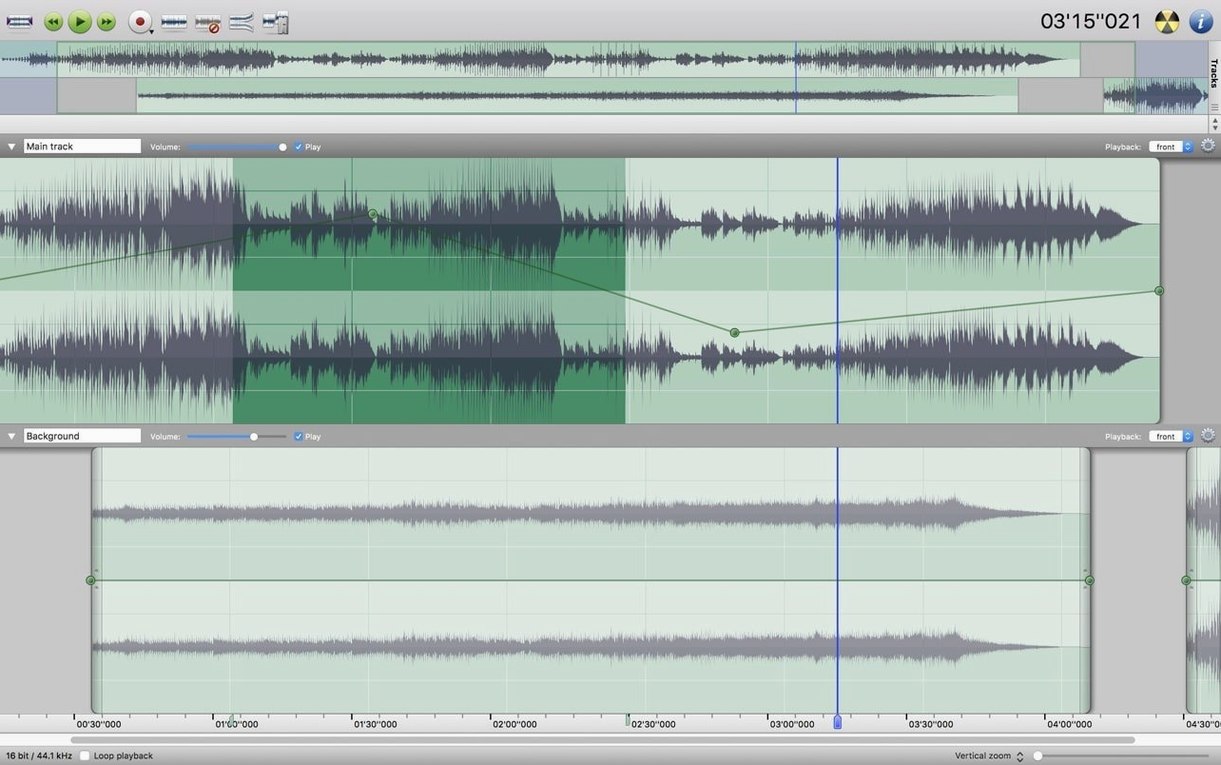
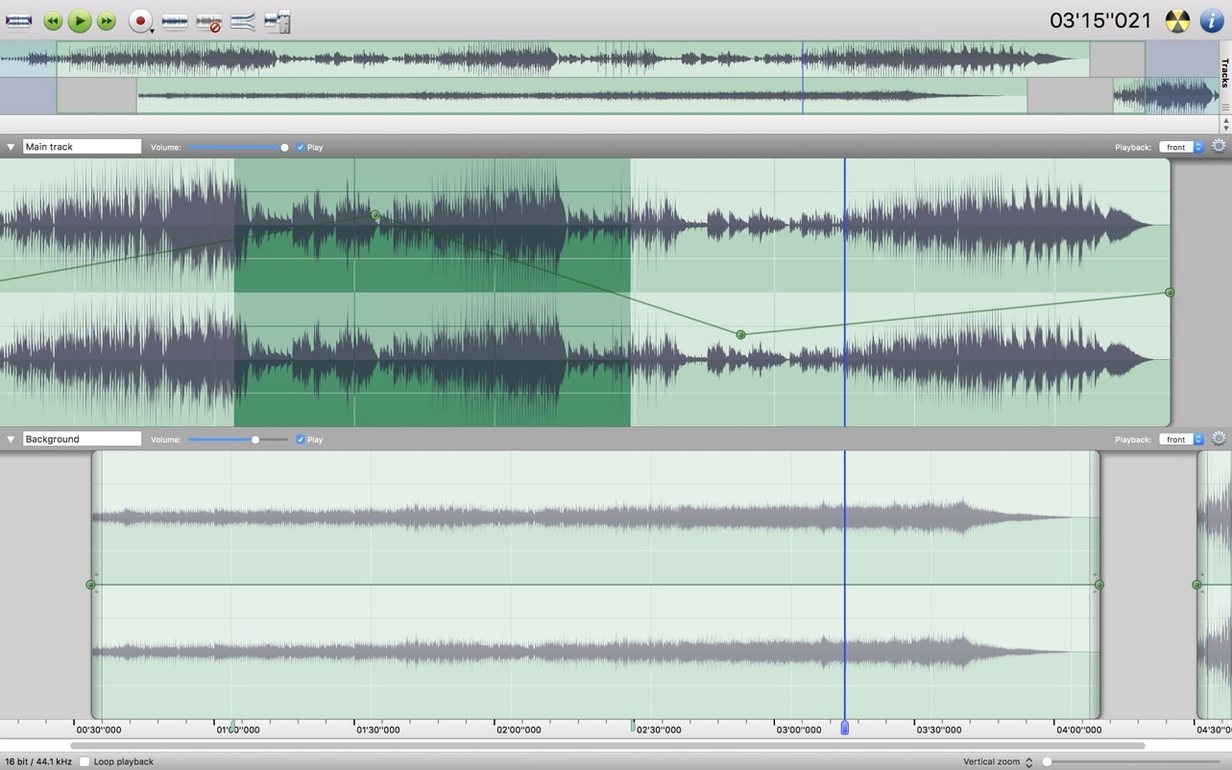
The multi-track editing is genuinely independent: you can slide, trim and apply Audio Units plug-ins to each track on its own timeline, then export the whole thing as a single WAVE or AAC file. A Favorite Actions panel holds the commands you return to most, so a repair job that always starts with the same three steps becomes a single click. Markers drop into long recordings for navigation, and the waveform caching means scrubbing through a two-hour file stays fluid even on older Intel machines running macOS 10.9 and up.
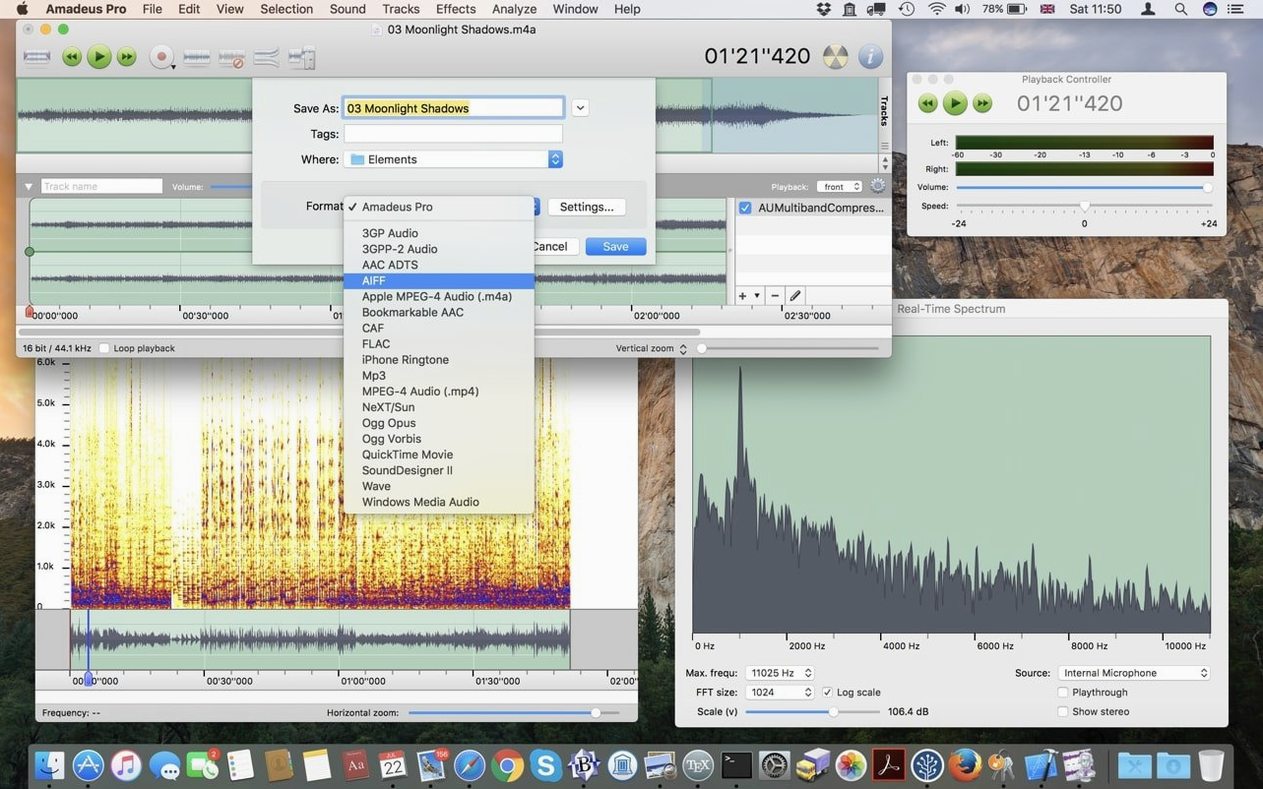
Sound analysis tools are built in — spectrum view, sonogram, statistics — which turns the editor into a lightweight forensics companion when you need to identify a frequency spike or check true peak before handing stems off to a mixer. Format support covers what working Mac users actually encounter: MP3, AAC, AIFF, WAVE, WMA, CAF, FLAC and Ogg Vorbis. Nothing exotic, just the codecs that arrive on a drive from a video editor or a voice actor.
On a machine that already has GarageBand for ideas, iZotope RX for surgical repair and Ferrite for mobile capture, Amadeus Pro fills the gap where you need a fast, track-aware editor that launches in seconds and doesn't insist on being your main tool. It's the app you open when the timeline is simpler than a full production session but more layered than a stereo file in QuickTime.
Open a voice memo straight from Finder with no import step
A recording arrives as a voice memo from an iPhone, synced through iCloud and sitting in Finder before the sender has put their phone down. Amadeus Pro reads it directly — no import wizard, no project folder created. That alone changes how often I reach for it. The app treats audio files the way Preview treats PDFs: open, work, save, close. Next to a full DAW like Logic or Reaper, it feels almost weightless.
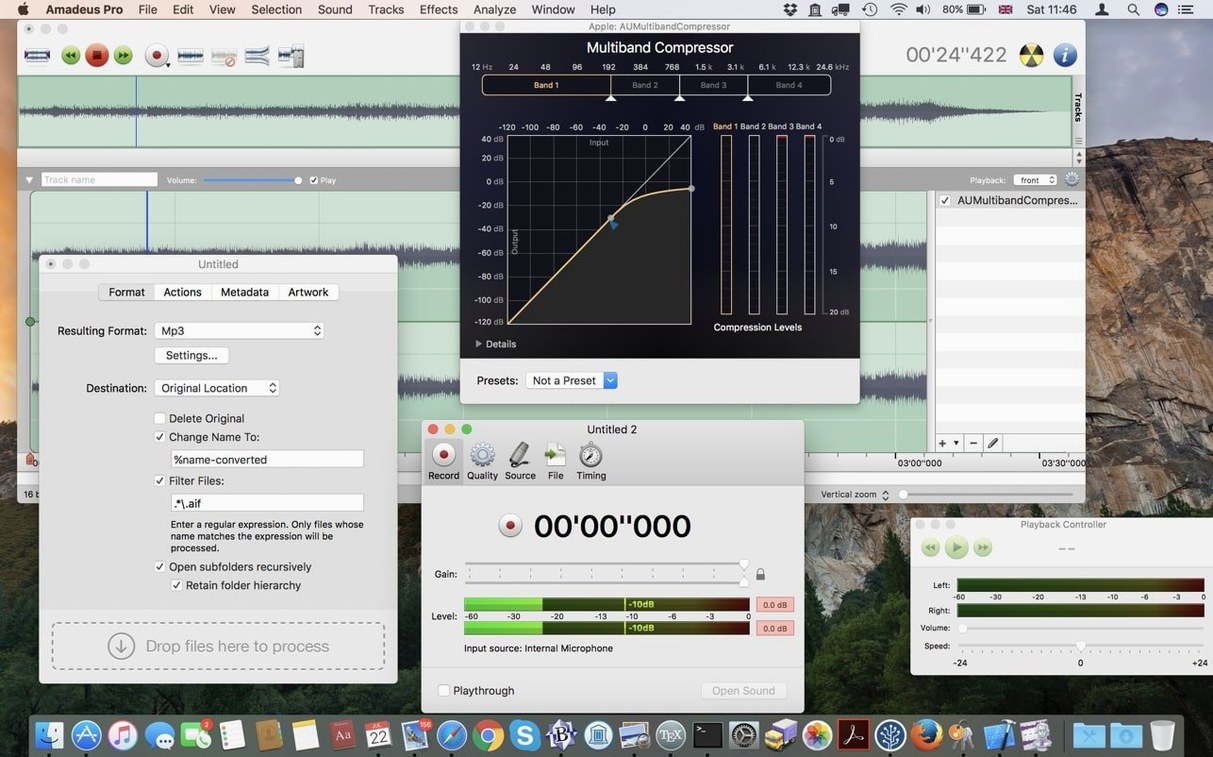
Audio Units plug-ins you already have on the system show up in Amadeus Pro without extra scanning. If you own a channel strip from Fuse Audio Labs or a convolution reverb you trust, they appear in the effects list ready to insert on a per-track basis. The app also sends its output to whatever macOS recognizes as a sound device, so routing through BlackHole or Loopback into another recorder or a stream encoder works without fiddling with aggregate devices. A common pattern in my own work: I set Amadeus Pro to record system audio, capture a section of a game's sound design for reference, trim it to the exact frame, then drag the resulting WAVE into DaVinci Resolve as a temp track. The whole chain takes maybe ninety seconds, and I never opened a DAW.
Cleaning up a location interview for transcription
A typical task lands like this: a forty-minute WAVE file from a shotgun mic, recorded indoors in a room with a fridge humming two walls away and a chair that creaked every time the subject shifted weight. The goal is a clean, normalized mono file for an automated transcription service and a separate version with markers at each question for the editor.
I start by opening the file — Amadeus Pro reads it in under three seconds. The sonogram view reveals the fridge hum immediately: a solid band at 120 Hz with a weaker harmonic at 240 Hz, constant throughout. I select a half-second of room tone between the setup clap and the first question, open the noise reduction panel, and capture that profile. Applying it across the whole track pulls the hum down by enough that it no longer confuses the transcription engine, though I keep a light touch to avoid the underwater artifact that aggressive broadband reduction introduces.
Next I scan the waveform visually for the creaks — sharp vertical spikes that stand out from the dialogue. For each one I draw a selection that covers just the transient, then apply a short fade-in to soften the attack. It's manual work, but the waveform caching makes zooming and scrolling feel instant, so the whole pass takes under ten minutes. After that I use the normalizing function to bring the dialogue to -16 LUFS, drop markers at each question break with a quick Command-B tap, and export two files: a clean mono WAVE for the transcription service and an AAC with chapter markers embedded for the editor's reference timeline. The Favorite Actions panel holds my normalize-and-export chain, so the second export is a single click.
Audio Units and VST plug-ins appear without separate setup
Does it handle the same plug-ins my DAW uses, or do I need separate versions? If your plug-ins are Audio Units, they appear in Amadeus Pro automatically. VST support is also built in, so the same .vst files you keep in your system folder load here without bridging software. The interface for inserting an effect is utilitarian — a list, not a rack — but the processing is native and the latency is low enough for real-time preview during playback.
Can I trust it with a two-hour live recording on an older Mac? The direct-to-disk architecture means the application writes processed audio straight to the output file rather than building it all in memory first. On an Intel Mac with 8 GB of RAM, I have watched it apply a batch of fades and normalizing to a ninety-minute concert file without the memory pressure needle moving. The trade-off is that undo steps feel slightly slower on very long files, because the app re-reads from disk rather than holding a full undo stack in RAM.
What if I usually find torrent amadeus or amadeus pro mac searches just to see if the app is still around? The software has been in active development by Martin Hairer for years, and the current beta runs on everything from an old Mac mini on Mavericks to more recent Intel machines. It doesn't demand the latest version of macOS, which is part of why people keep returning to it. The installer is straightforward — mount the disk image, bypass Gatekeeper once, drag the app to Applications, and you're done. No helper tools, no background daemons.
Checking 37 wild-line files from a picture editor’s drive
She gets a drive from the picture editor with a folder called "wild lines" — thirty-seven short WAVE files, each named by scene and take, recorded on set after the main takes wrapped. Her job is to check every one for usable signal, trim the slates and dead air, normalize them to match the dialogue stem level, and batch-export them as 48 kHz mono for the Pro Tools session that opens tomorrow morning.
She used to do this in the main DAW, which meant creating a session, importing thirty-seven files onto separate tracks, and waiting through the waveform redraw. Now she drops the whole folder into Amadeus Pro's batch processor with a preset she built once: trim silence at head and tail with a half-second pad, normalize to -23 LUFS, resample to 48 kHz if needed, and output as mono WAVE to a clean folder. The batch runs while she checks email. When one file turns out to be a stereo mix from a different day, she opens it separately, splits to dual mono in two clicks, and sends the result through the same batch preset. The whole task finishes before the kettle boils, and the files land in the Pro Tools session folder with consistent naming and levels, ready for the mixer to pull into the template without adjustments.
- macOS 10.9 or later
- Intel processor
Questions from the booth
Yes, it loads Audio Units plug-ins, the standard macOS format, so tools like iZotope RX elements or FabFilter effects work directly on tracks inside the editor.
It handles MP3, MPEG-4 AAC, AIFF, WAVE, WMA, CAF, FLAC, and Ogg Vorbis — the formats most commonly exchanged between Mac audio tools, video editors, and voice recorders.