Thin laptop speakers and flat headphone output can make a film score or a quiet dialogue scene disappear into the background noise of a room. Boom 3D steps in as a system-wide audio layer that reshapes what you hear, but the first question is always whether your setup can actually run it.
Will Boom 3D run on my Mac?
The current version, 2.2.6, requires macOS 10.14 or later and runs natively on both Intel 64-bit and Apple Silicon Macs. If you are still on Mojave or anything newer, you are covered on the architecture front without emulation.
What does the app actually change about the sound?
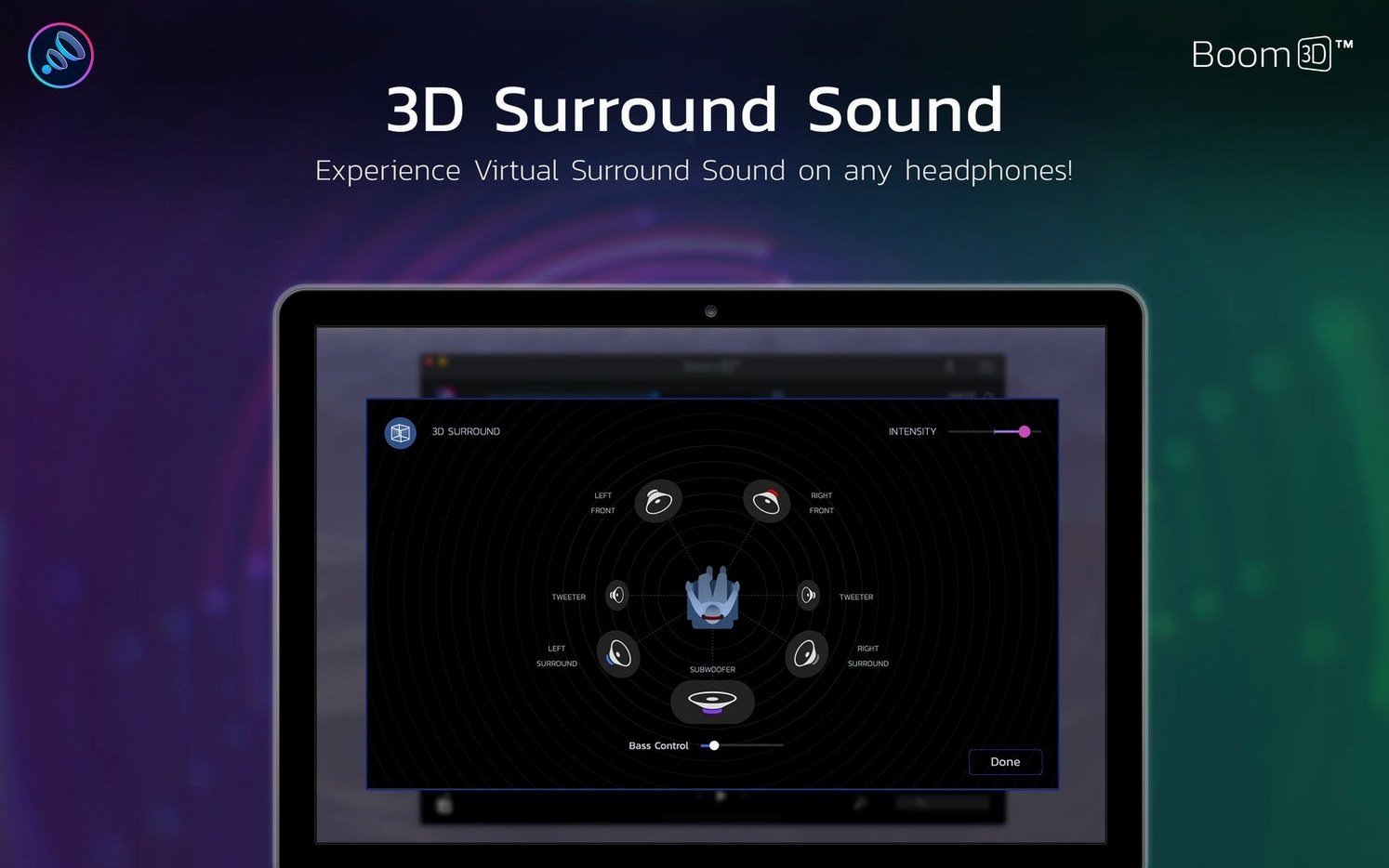
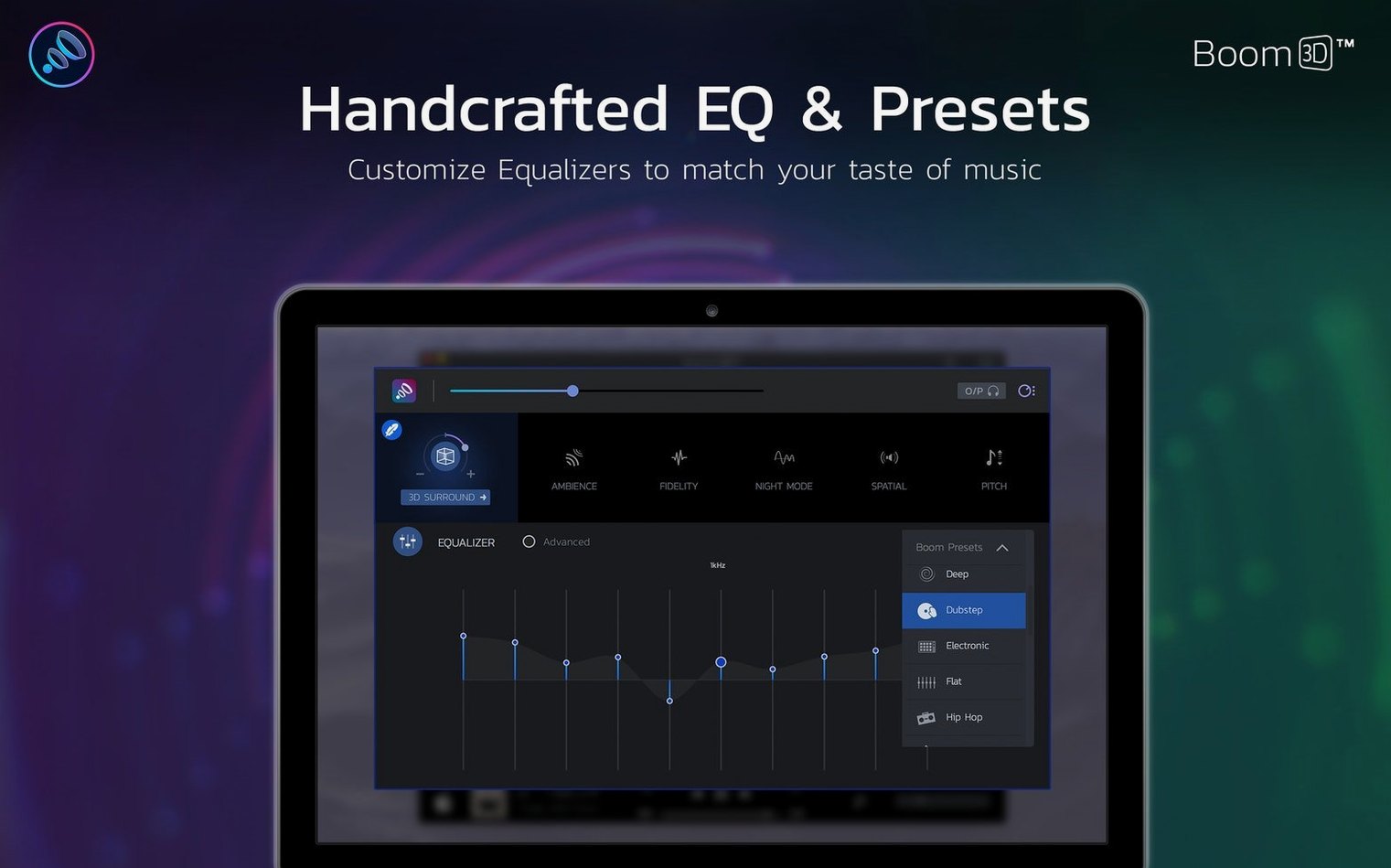
It applies its processing across every application on the Mac—not just a music player or a browser tab. The volume booster lifts output beyond the system maximum, a surround sound engine remaps stereo into a wider virtual space, and the equalizer lets you shape frequencies to compensate for dull headphones or boomy rooms.
Can I control the volume for individual apps?
Yes. Per-app volume control lets you keep your video editor at a steady reference level while a game or a music stream sits lower, all without touching each application's own faders.
The per‑app EQ that gives every headphone its own profile
What the 2.2.6 release quietly fixed
Earlier versions of Boom 3D on Apple Silicon carried a small but persistent annoyance: the virtual audio device would occasionally vanish after waking a Mac from sleep, requiring a manual toggle in the app preferences. The 2.2.6 update addressed that handoff, and in daily use the driver now holds steady across sleep-wake cycles on both M-series and Intel machines. Less visible but equally welcome is a tighter memory footprint when the equalizer runs alongside a DAW or a video editor—something you feel rather than measure when a Premiere render doesn't stutter because the audio layer is holding too many cycles.
Global Delight also smoothed out the per-app volume detection for apps that spawn sub-processes. Browsers were the usual culprit: a single Safari window playing a video would register, but a second tab playing a different stream could confuse the old logic. Version 2.2.6 sorts that routing more reliably, so the volume slider you set for your browser stays consistent across tabs.
A kernel‑level driver with surprisingly little CPU hunger
Boom 3D installs a kernel-level audio driver, which means it sits between macOS and your output hardware. That position can invite latency, but in practice the processing overhead is modest. On a base M1 MacBook Air, the app idles at around 4–6% CPU with the equalizer active and the 3D surround engine engaged; disabling the surround effect drops it closer to 2%. Memory use hovers near 120 MB, which is negligible on a machine with 8 gigs of RAM or more. You notice the cost most when stacking effects—running the full Boom 3D chain while also hosting a system-wide audio unit like SoundSource can introduce occasional dropouts, though muting one of the two layers resolves it instantly.
Stability has been uneventful in the best sense. Over weeks of use across Logic Pro sessions, long gaming stretches in Disco Elysium, and the usual shuffle of video calls, the driver hasn't crashed once. The only meaningful caveat is that macOS point updates occasionally break the audio routing, which is less a Boom 3D problem and more a reality of any software that hooks this deeply into Core Audio. Global Delight tends to ship a compatibility patch within days, and 2.2.6 appears built with that resilience in mind.
Alongside other Mac audio tools
Boom 3D occupies a niche that sits between a simple volume booster and a full parametric EQ. Compared to eqMac, which also provides system-wide equalization, Boom 3D adds the surround engine and the per-app volume matrix that eqMac lacks. EqMac feels lean and developer-focused; Boom 3D leans cinematic, favouring immersion over surgical precision. If your main need is flattening a headphone curve with reference measurements, eqMac's built-in AutoEQ integration is hard to beat. If you want a film's soundstage to open up on the same headphones, Boom 3D pulls ahead.
SoundSource from Rogue Amoeba handles per-app routing and volume with far more granularity, including the ability to insert Audio Unit plugins per application. What SoundSource doesn't offer is the 3D spatialisation or the specific loudness curve that Boom 3D's booster applies—Rogue Amoeba's tool is an audio router with DSP slots, not a listening enhancement suite. Many people run both: SoundSource for routing and AU hosting, Boom 3D for the final sweetening stage before the signal hits the output device.
On the more affordable end, Hear from Prosoft Engineering shares some DNA with Boom 3D—system-wide EQ, a virtual subwoofer, and a spatializer—but hasn't seen the same cadence of Apple Silicon-native updates, and its surround effect feels narrower in direct comparison. For anyone who has searched for a boom 3d mac full experience specifically for headphone listening, the Global Delight app remains the most polished single-package option in its class.
Living permanently in your menu bar as a selectable audio device
Boom 3D integrates through a single menu bar icon and an optional floating controller, both of which feel unobtrusive enough to live permanently in the corner of the screen. The app registers itself as a selectable output device in the macOS Sound menu, so you can switch to it when you want processing and back to the raw hardware output when you don't—no need to quit the application. That toggle becomes second nature within a day: Boom output for headphones, internal speakers for a quick reference check.
Shortcut support ties into the built-in equalizer presets, letting you assign key combinations to switch between a flat profile for editing, a vocal-forward curve for podcasts, and a bass-heavy preset for late-night action scenes. These shortcuts work globally, so you can cycle profiles while focused inside Final Cut or DaVinci Resolve without breaking your editing flow. For anyone mixing down a short film on headphones late at night, the ability to punch up dialogue frequencies without nudging the overall volume is quietly indispensable.
It is designed specifically for Mac headphones, where the surround effect and equalizer make the most noticeable difference.
- macOS 10.14 or later
- Intel 64-bit or Apple Silicon processor
Questions from the booth
The interface is available in Russian, English, German, Spanish, Italian, Traditional Chinese, Simplified Chinese, Korean, Dutch, Portuguese, French, and Japanese.
It runs on both Intel 64-bit and ARM-based Apple Silicon Macs.