Up to 512 additional channels of loopback audio sit alongside 128 MIDI input hardware and loopback devices in a single application that costs nothing to evaluate for a full 60 days. The current version, 7.4.8, keeps one codebase across every group of users — from foley editors assembling a film's ambience to composers layering sampled orchestras — so the toolset you open is identical whether you're synthesizing a drone, arranging a pop track, or mastering a live recording.
Check the Mac requirements first
The build runs natively on Apple Silicon and Intel Macs with macOS 10.15 or newer. You pick the universal binary for Apple Silicon and Intel, or the x86_64 image if you know your machine is Intel-only.
Record and route anything your hardware sees
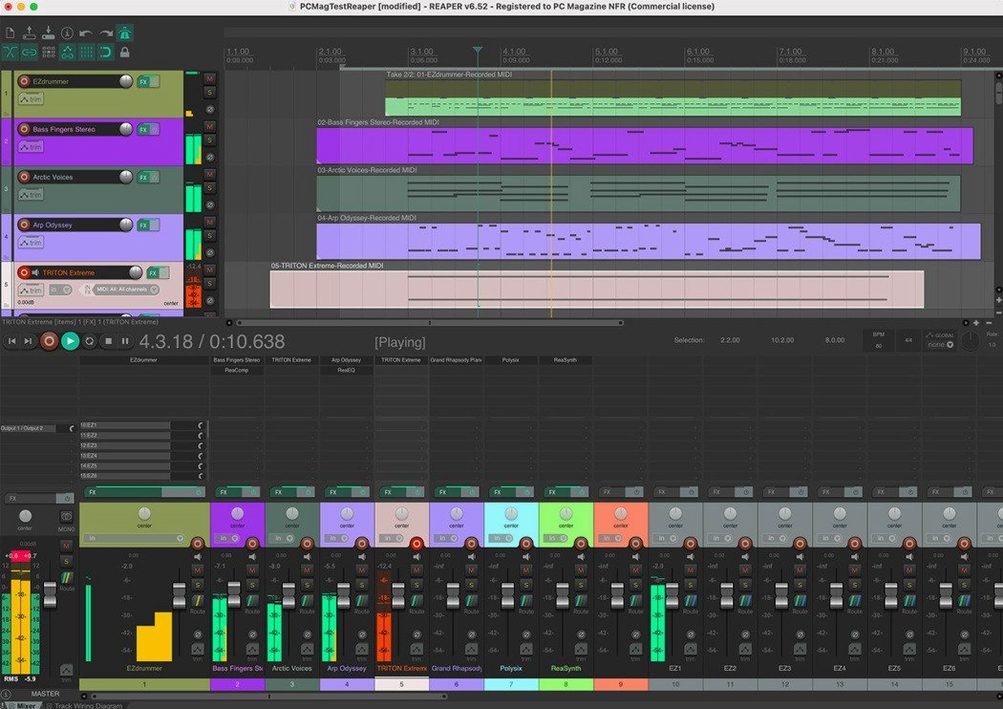
Multitrack audio and MIDI recording lands alongside tools for editing, processing, mixing and mastering. The routing matrix gives you up to 512 remappable channels of hardware input and output, so patching an outboard compressor or a second headphone cue feels like wiring a patchbay rather than clicking through a menu.
Shape the software to the project, not the other way around
REAPER imports audio and MIDI, synthesizes and samples, and can be extended or scripted far beyond the stock feature set. The same application that comps a vocal take also runs a custom Lua script that renames every region on the timeline to match a scene-and-take log from set.
A foley session that never leaves the timeline
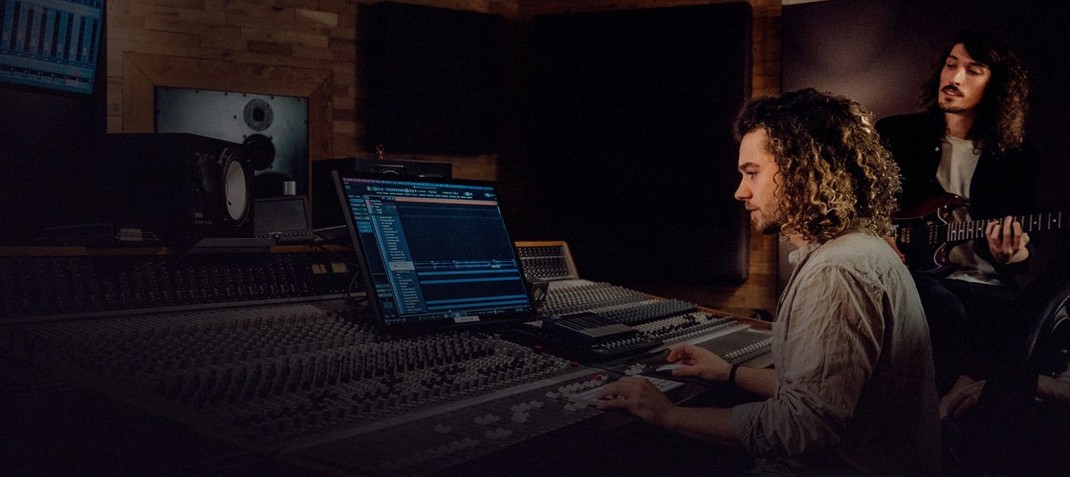
Picture a sound designer on a Tuesday evening, spotting footsteps for a short film. The video window is docked above the arrange view, a single folder track labelled "Footsteps" holds a dozen child tracks — concrete, wood, gravel, cloth — and each child track feeds a hardware output that routes to a Neumann KU 81 mounted in the centre of the room. She records a pass, drops the take onto the timeline, then slices and nudges transients so the heel strike lands exactly two frames before the door closes on screen. No export, no round-trip to another application. The entire session — video playback, routing, recording, editing — stays inside the same project tab, and the folder track lets her freeze a stem with one right-click whenever the director asks for a quick preview.
Option-drag edge to stretch media without a dialogue
A few things you might not stumble across until months in: hold Option and drag the edge of a media item to stretch it without opening a dialogue. Right-click the solo button on any track and you get exclusive solo — one click mutes everything else, another click restores the previous solo state. The track manager, tucked under the View menu, lists every track in the project with checkboxes for TCP visibility, mixer visibility, and record-arm state; during a dense mix session, unchecking a dozen percussion tracks from the mixer panel clears screen clutter without touching the routing underneath.
Another gem: the dry run render. Open the render window, check "Dry run (no output)" and REAPER runs through the entire bounce, measuring peak levels and possible clips, but writes nothing to disk. Useful when you suspect a reverb tail is running hot three minutes into a cue and you don't want to waste a full bounce to find out.
Tempo changes as ordinary timeline points that keep MIDI locked to picture
Composers working to picture benefit from the way REAPER treats tempo and time-signature changes as ordinary points on the timeline — drop a marker, change the BPM, and the grid reflows without nudging MIDI items off their SMPTE positions. Sound editors and dialogue mixers lean on the spectral peaks view, which draws a full spectrogram inside each media item, making mouth clicks and low-frequency thumps visible before you reach for an EQ. Anyone who maintains a large template — orchestral mock-up artists, post-production supervisors — will find the track-preset and FX-chain systems worth learning early, because they let you recall a full string-section routing with one drag from the Media Explorer.
Users who gravitate toward reaper torrent or reaper mac torrent searches often come from other DAWs and are testing whether the customisation curve fits their workflow. Those who stick around tend to be the ones who enjoy building their own environment: toolbars that trigger custom actions, screensets that switch between recording and mixing layouts, and a right-click context menu that grows over time.
Flat meters when your interface is not selected as the audio device
The first hurdle is almost always the audio device settings. You plug in an interface, REAPER still routes to the built-in output, and the meters stay flat. The fix lives under Options > Settings > Audio > Device: select your interface explicitly, then click "ASIO" (on Windows) or "Core Audio" (on Mac), and check that the input and output ranges cover the channels you intend to use. On a Mac, granting microphone access in System Preferences is a separate step people overlook — REAPER won't prompt for it, it will simply show no incoming signal.
Another recurring snag: a cockos reaper torrent installation might skip the SWS Extension. Without it, a significant chunk of community actions — loudness normalisation, auto-colouring tracks by name, label processors — won't appear in the action list. The remedy is straightforward: download the SWS installer from the standingwaterstudios site, run it, restart REAPER, and the new actions show up under "Extensions" in the main menu. If the extension installed correctly but actions still throw errors, check that ReaPack is also present and that the SWS repository is indexed; a quick "Synchronize packages" from the ReaPack menu usually resolves it.
MIDI timing drift during playback is another culprit that sends people hunting for reaper daw torrent links, expecting a different version to fix it. The cause is typically a misconfigured PDC (plug-in delay compensation) chain on a folder track that contains both audio and MIDI children. The workaround: either disable PDC on the folder, or move the MIDI instrument to a track outside the folder and route audio back via a send. That keeps the instrument's timing tight while the folder still sums the audio children as intended.
- macOS 10.15 or later
- Apple Silicon or Intel processor
Questions from the booth
You can evaluate the full, unrestricted application for 60 days.
Yes, the universal binary runs natively on both Apple Silicon and Intel Macs from macOS 10.15 onward.