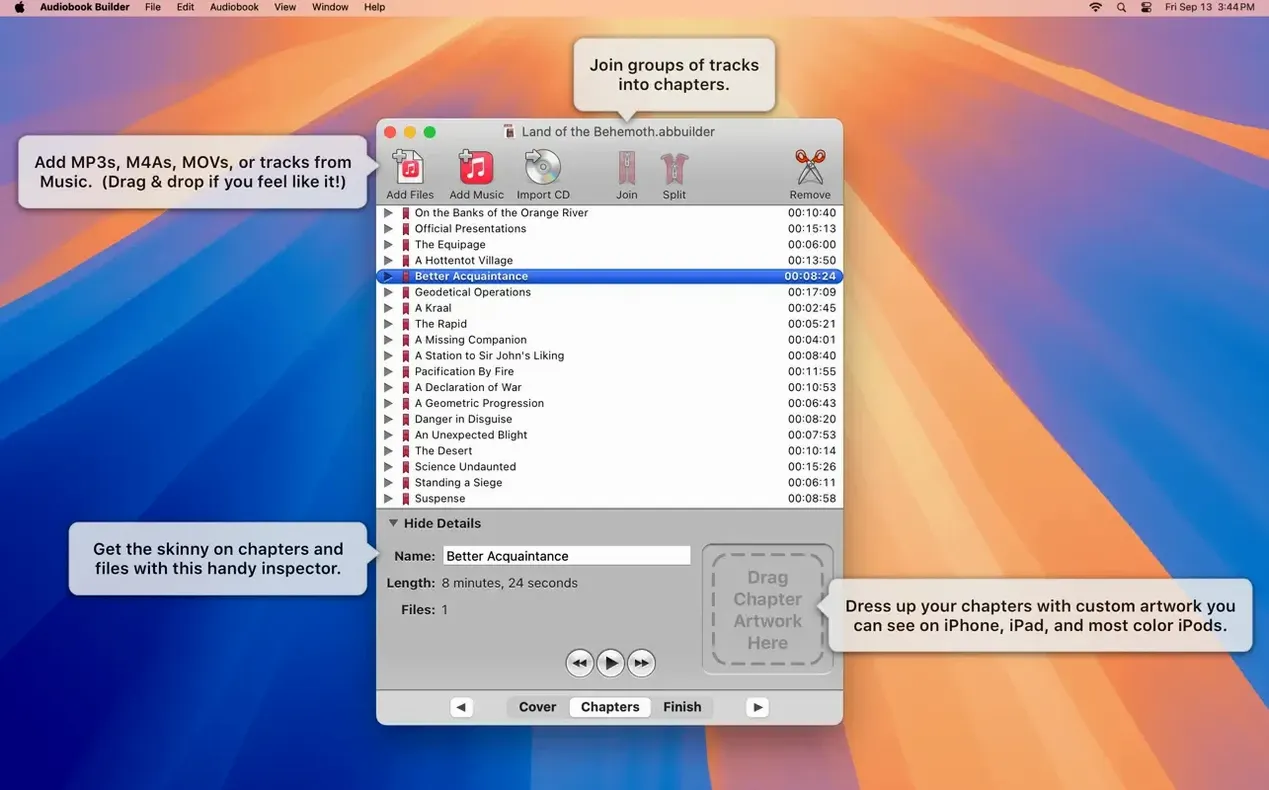
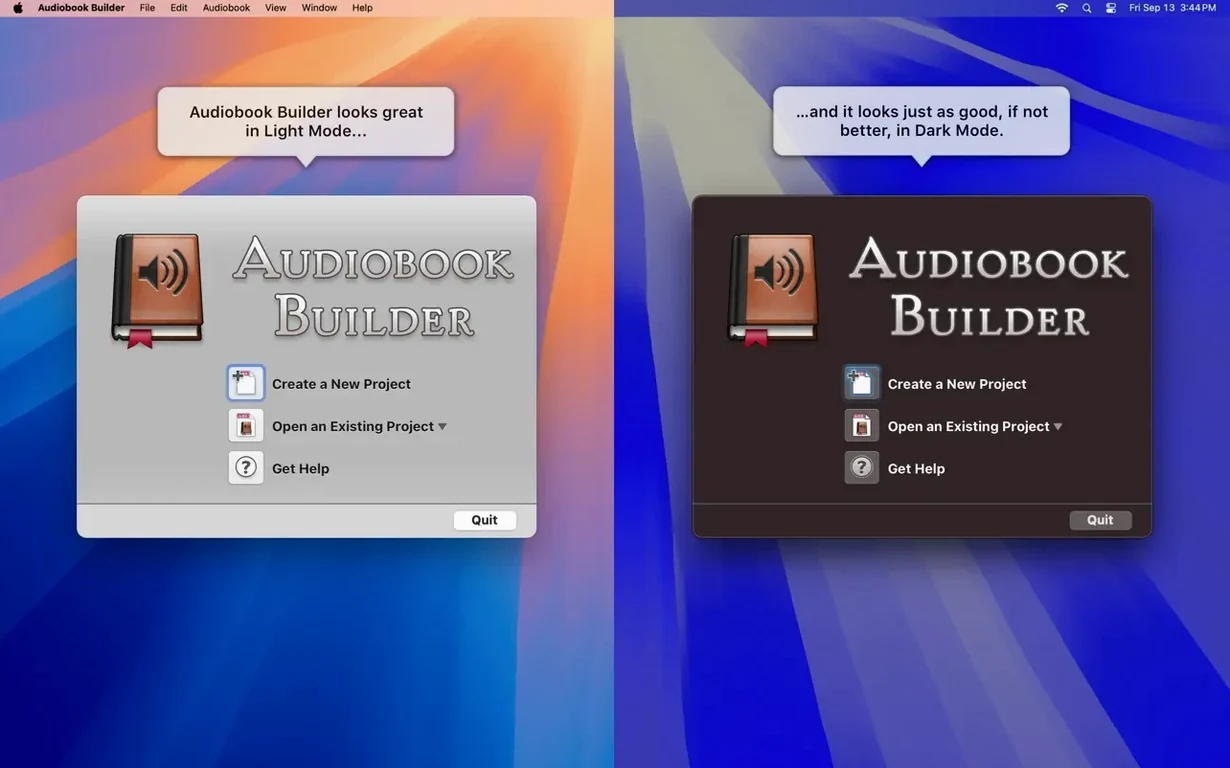
Two hundred hours. That is roughly how much spoken-word audio a single-chapter audiobook builder mac free project can hold before the join button even lights up. Audiobook Builder does not stream or play — it assembles. The window is a quiet, deliberate construction site where folders of WAVE files, MP3s, or CD rips become a single m4b with persistent chapter markers and embedded cover art.
A workflow counted in steps
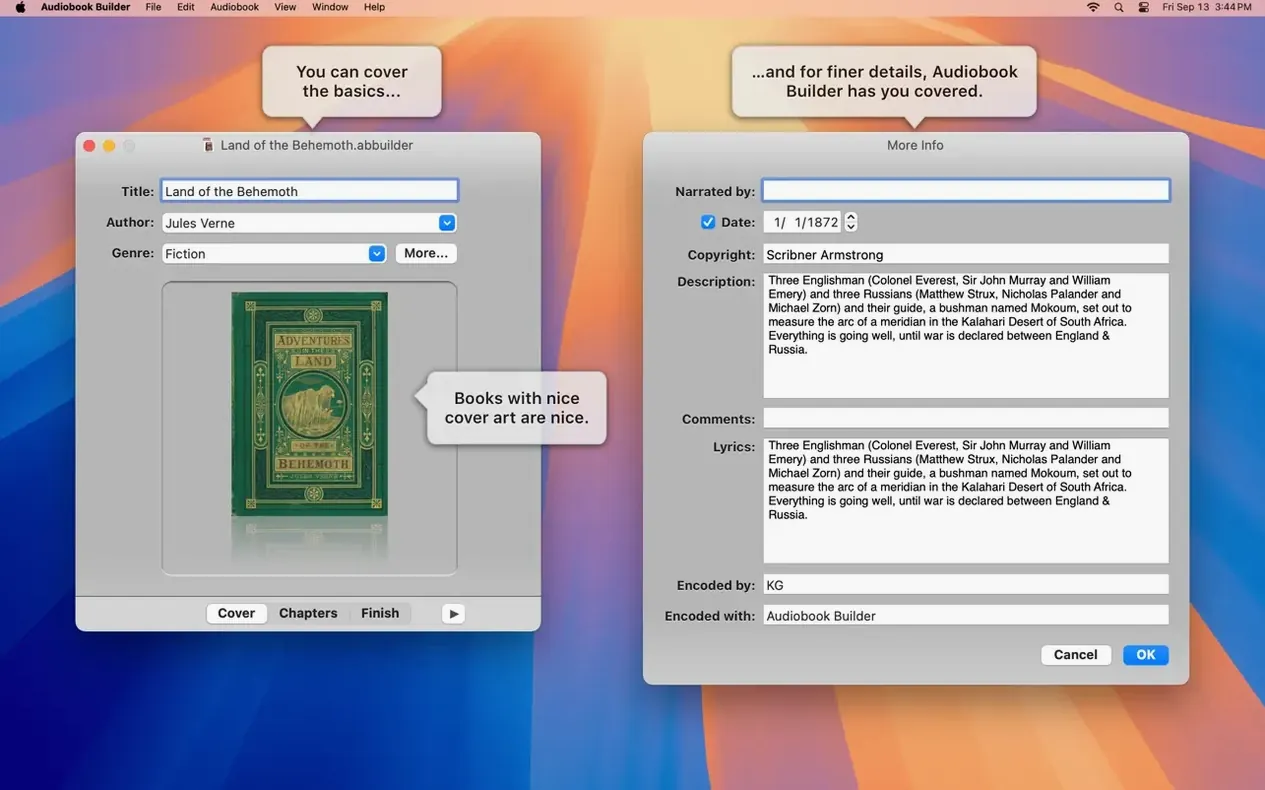
1. Name the book before any audio touches the timeline. Title, author, and cover art are part of the project setup, not an afterthought. Dropping a square image here writes it into the finished file so it appears on the lock screen, the Books app, or the monochrome display of a classic iPod.
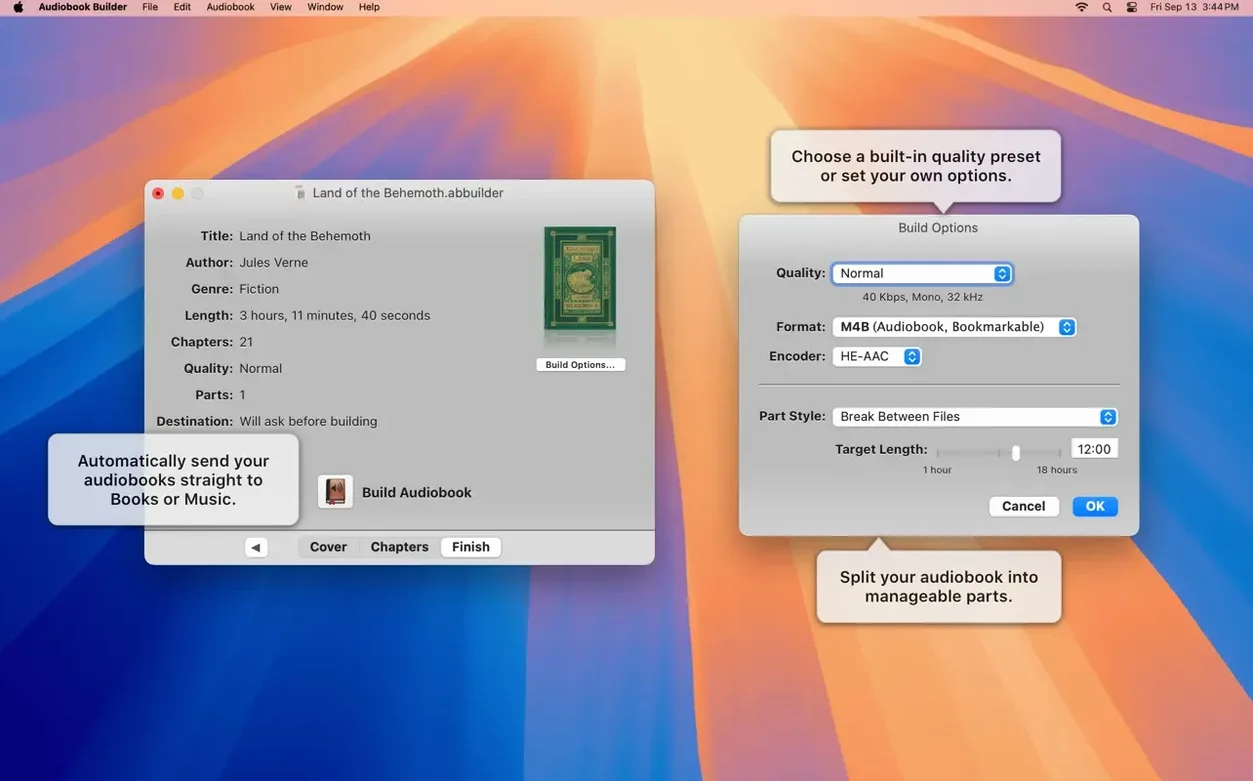
2. Choose a quality preset that matches the source. Audiobook Builder ships with sensible defaults — spoken-word optimised bitrates that keep file sizes small — and a custom pane for sample rate and channel control when the source demands it. The preset does not lock anything; it is a starting point you can push aside.
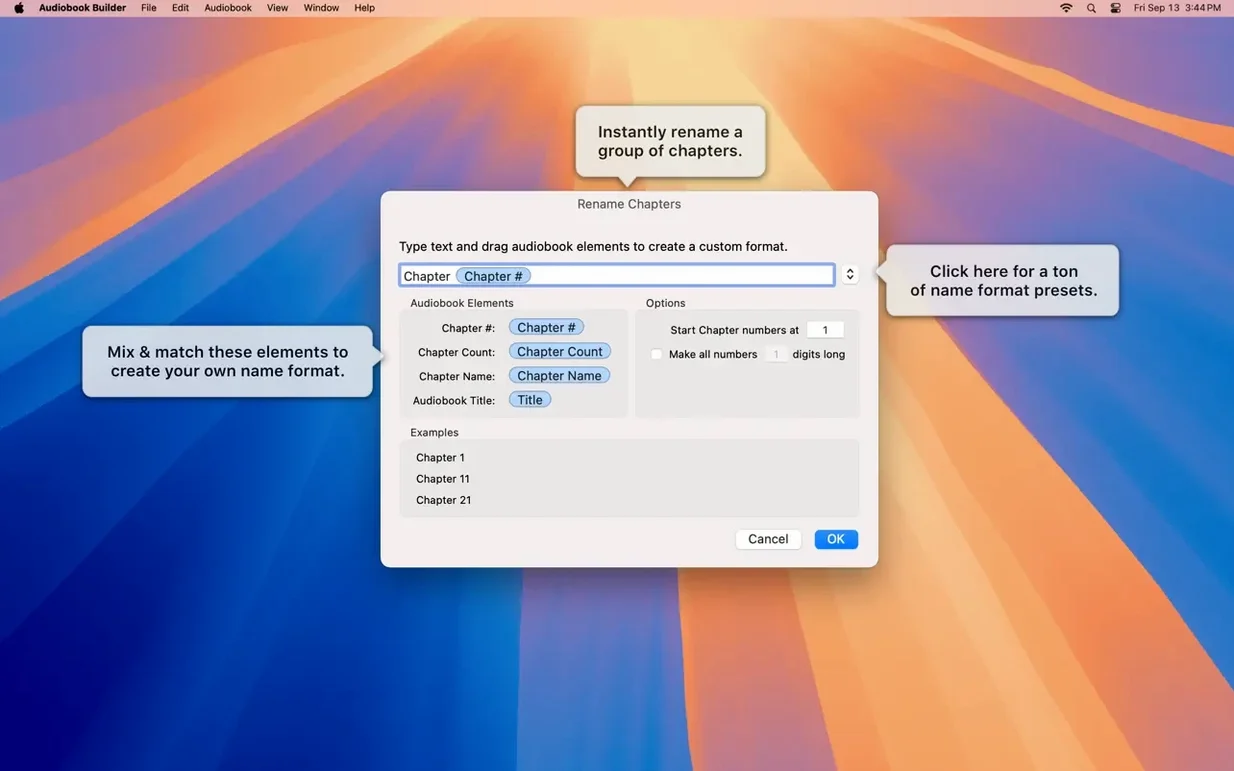
3. Build chapters as you listen. The chapter editor lets you merge three short sections into one, split a long recording at a natural pause, and name each stop so the table of contents reads like a proper book. No silence detection required — just drag the dividers where they belong.
4. Send it home. A finished build lands in the Books app, Music, or an old iTunes library depending on the Mac it sits on. The integration is a single send action, not a sync service, and it works the same on an Apple Silicon desktop running Sonoma as it does on an Intel machine still booting El Capitan.
The interface languages — Russian, German, Spanish, Portuguese, Swedish, and English — hint at how quietly this tool has spread. Version 2.2.9 fixes a long-standing annoyance where WAVE files containing MP3 data falsely reported no audio, and it restores the Description tag for iPods that still spin a click wheel.
What the Sequoia-ready update quietly fixed
Version 2.2.9 is not a feature drop — it is a stability release that smooths out cracks people had lived with for years. The most welcome change for anyone who rips spoken-word CDs is the end of the “no audio in file” error on WAVE files with MP3 data tucked inside. Before this fix, a perfectly good rip would sit dead in the project window, refusing to join. Now those files behave like any other audio source, which means fewer trips back to a ripping tool and fewer orphaned chapters.
On macOS 13 Ventura, cover and chapter artwork stopped appearing in some builds — a regression that the update resolves completely. If you dropped a square author photo or a custom chapter image into a project, it now lands where it belongs: on the lock screen, in the chapter list, on the home screen of a phone. And for anyone still docking a classic iPod, the Description tag is back. It had gone missing in an earlier build, leaving the metadata field blank on older devices. Version 2.2.9 restores it without extra steps.
Confirming it runs natively on your Apple Silicon Mac
The most common hesitation is whether Audiobook Builder works on a modern Mac. It runs natively on Apple Silicon and Intel, from El Capitan all the way to Sequoia. There is no Rosetta fallback, no separate download — the same build handles both architectures. That breadth of compatibility is rare for a niche tool, and it means an audiobook binder download today will open just as well on a ten-year-old iMac as on an M3 MacBook Air.
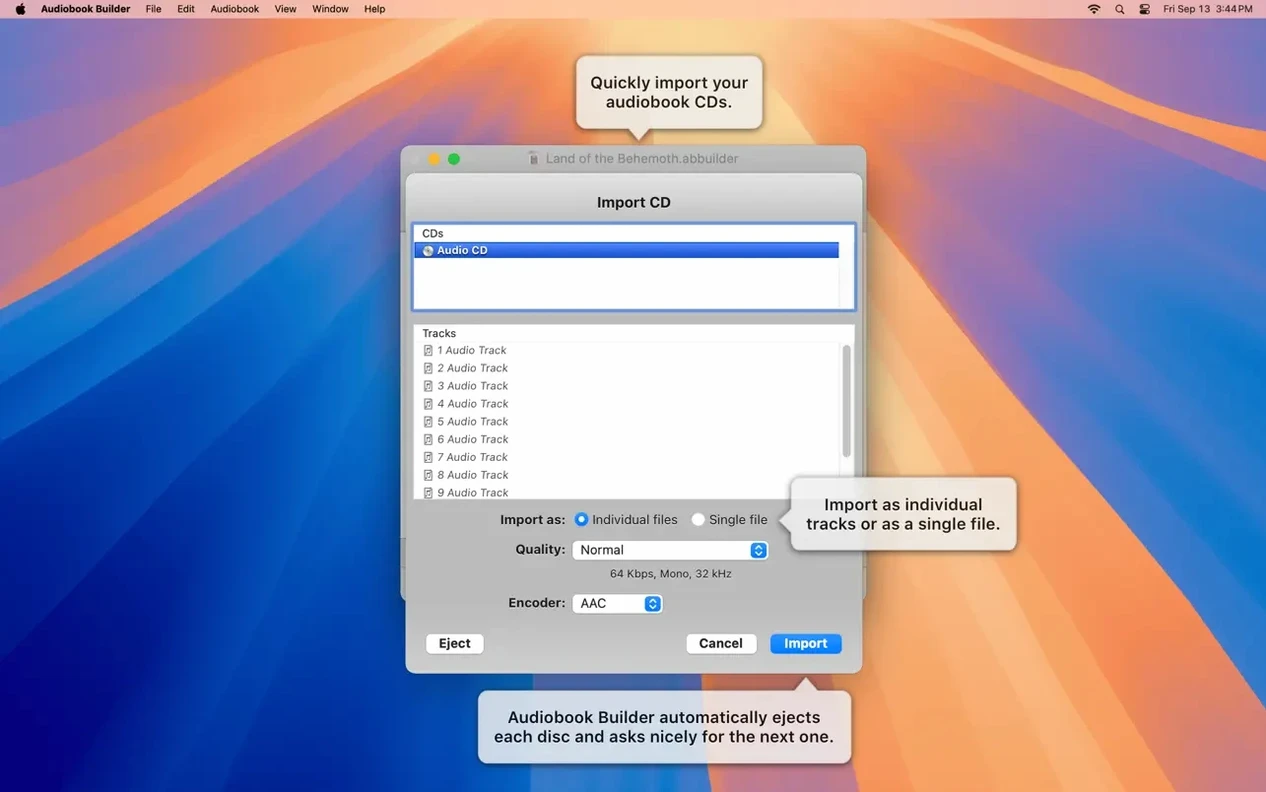
People also ask about source limits. The app joins MP3, M4A, WAV, AIFF, and even FLAC files when QuickTime recognises the codec. A single project can hold over two hundred hours of audio split across as many files as you care to drag in. Chapter markers are entirely manual — there is no auto-silence splitting — which gives you precise control over where a section ends and the next begins. The trade-off is time, but the result is a table of contents that reads like a book, not a waveform guess.
Another recurring question is file size. The spoken-word presets land somewhere around 64 kbps mono, which turns a ten-hour novel into roughly 280 MB. The custom pane lets you push that down to 32 kbps or up to stereo if the source contains music or field recordings. You can adjust the sample rate and channels before the build runs, and the estimated size updates immediately in the project window.
Matching the sample rate to your spoken-word source files
The default quality preset is a sensible midpoint, but three settings reward a quick visit. First, open the custom audio pane and check the sample rate against your source material. Many spoken-word files arrive at 44.1 kHz, and downsampling to 22.05 kHz cuts the file size nearly in half without noticeable loss on voice — a quiet savings that adds up across a long listening queue.
Second, decide whether your chapters carry artwork. The option lives in the project setup, not the global preferences. A chapter image appears as a small square in the Books app when someone scrubs through the timeline, and it is worth setting even if you only use the same cover art repeated. Blank squares in a chapter list feel unfinished.
Third, if you build audiobooks from CD rips, check the join mode. Audiobook Builder can merge an entire disc into one chapter or treat each track as its own. The default favours one chapter per disc, but for short story collections or multi-speaker recordings, track-per-chapter is the cleaner choice. You set it once per project, and the chapter editor reflects the split immediately.
- OS X 10.11 or later
- 64-bit Intel or Apple Silicon processor
Questions from the booth
It runs on OS X 10.11 El Capitan through macOS 14 Sonoma, on both Intel and Apple Silicon processors.