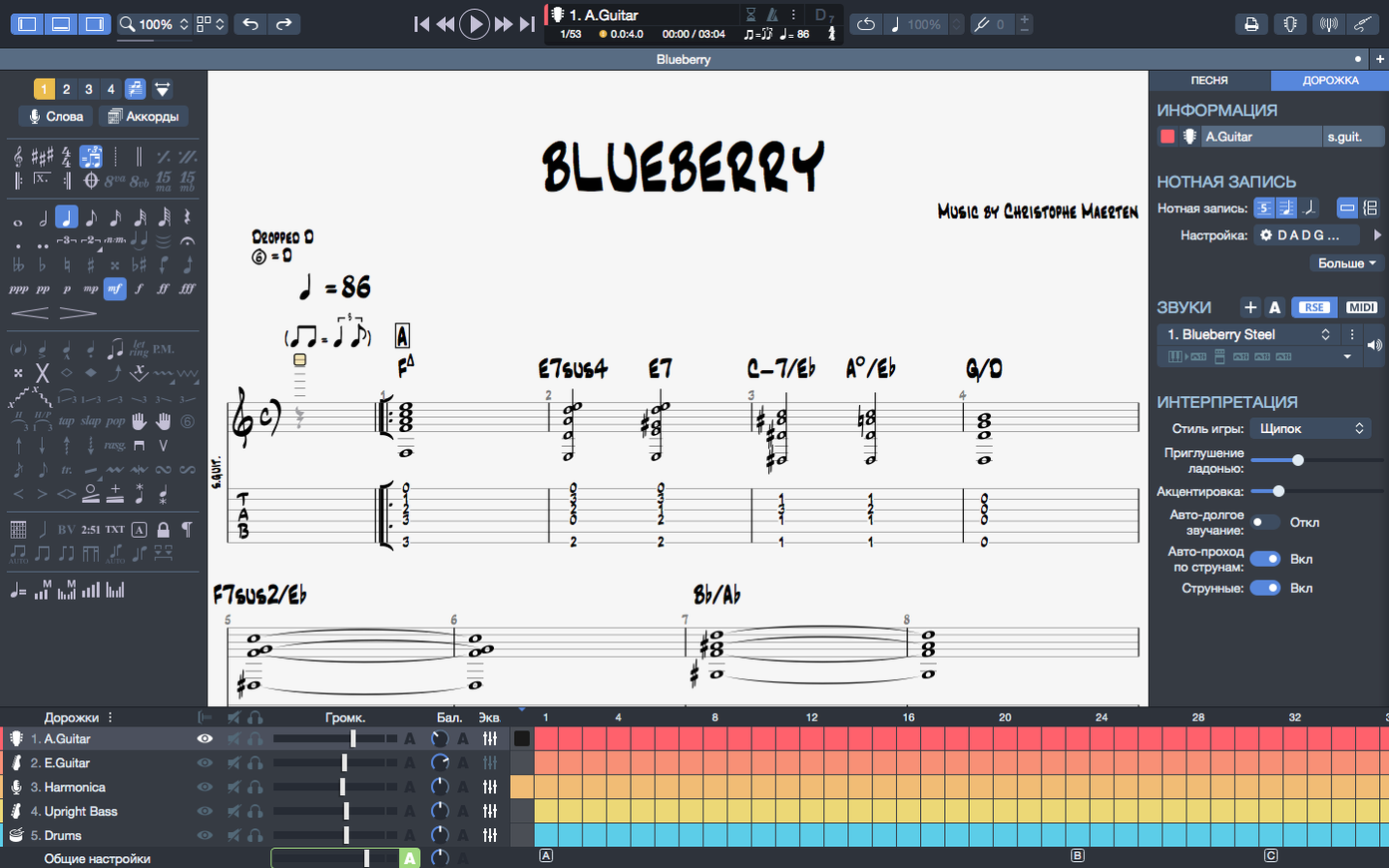
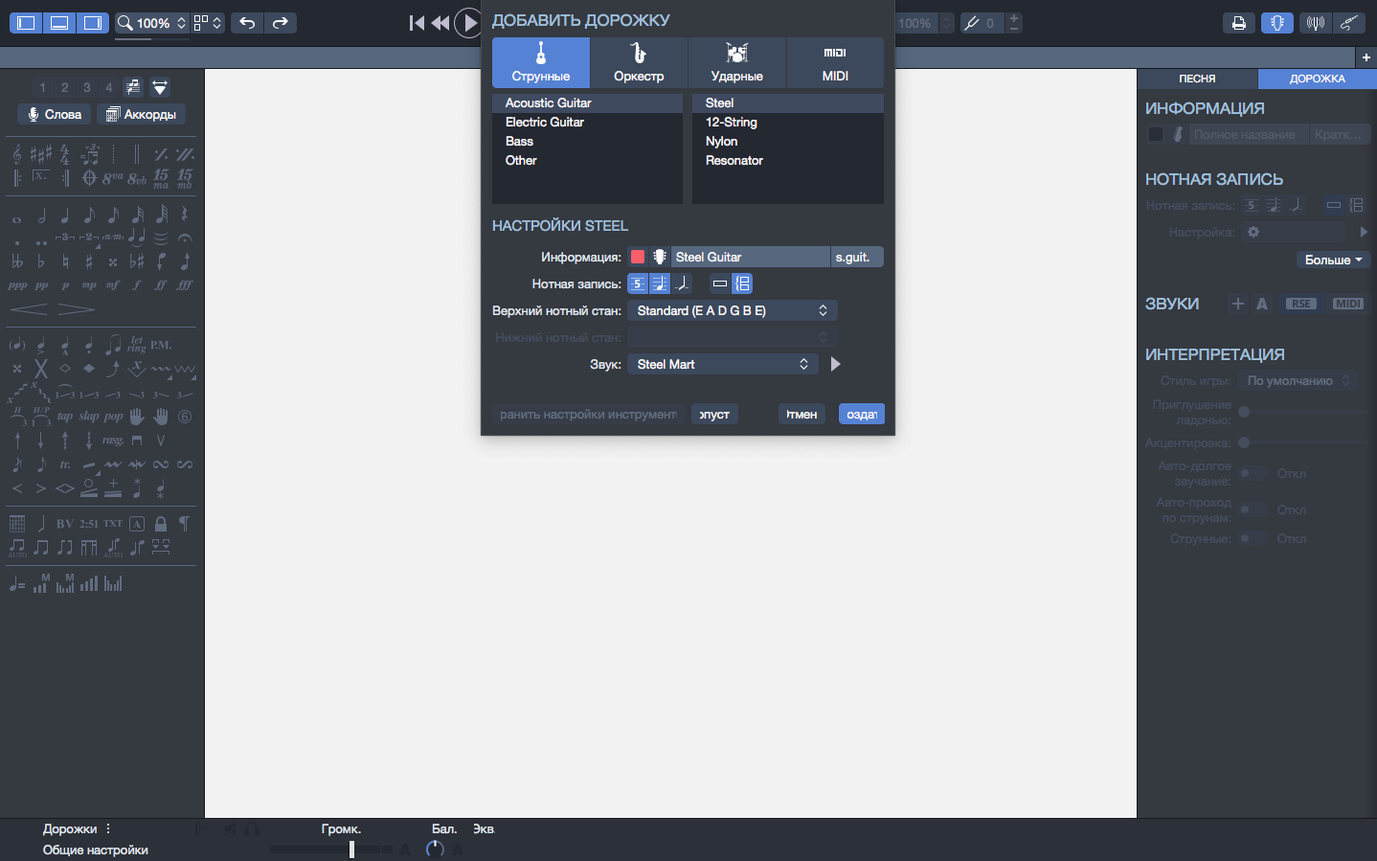
Version 8.1.5 is a quiet, practical update that tidies a few rough edges on macOS. Arpeggios placed at the very start of a score used to stumble on playback; they now ring out exactly as written. Stem direction adjustments that stubbornly refused to stick in certain passages have been sorted, and the app no longer hesitates when you plug in or unplug an audio interface mid-session — playback continuity holds steady, which matters when you are running through a dense arrangement and cannot afford a dropout.
Beyond the fixes, the score engine has grown into something that thinks in more than just guitar. The built-in MIDI editor lets you write and refine parts without leaving the window, so a synth line or a drum pattern can be shaped with the same precision as a fingerpicked passage. When a chord voicing feels elusive, the chord builder offers a grid and a library of fingerings — drag a shape onto the staff and it slots into the harmony with the right fret numbers already placed.
Export options have become genuinely useful for designers and educators. Scores can be saved as SVG for crisp, scalable print layouts, or as PNG with a transparent background, which slips cleanly into lesson sheets, video overlays or album art. Back on the home screen, the recent files section now supports pinned items, so a working set of scores stays anchored no matter how many projects you cycle through during a week of arranging.
Fix playback stuttering by nudging the buffer, not the bug list
Playback stuttering on older Intel machines is usually a buffer setting, not a bug. Open the audio preferences and nudge the buffer size up to 512 or 1024 samples — the latency bump is barely perceptible for notation work, and it stops the crackles that happen when a score with six instrument tracks tries to push through a modest audio interface. If you are running Guitar Pro on Apple Silicon under Rosetta because an older plug-in demands it, switch to the native ARM build instead; the difference in CPU draw is immediate, especially on scores with long sustained MIDI piano parts.
The chord builder occasionally shows fingerings that make sense on paper but feel absurd on a real fretboard. The grid defaults to a wide position span, and a C-sharp minor voicing might land across five frets when a compact barre shape exists two clicks away. Use the voicing dropdown inside the builder to cycle through alternatives — the tighter voicings are usually further down the list, and once you land on one that sits naturally under the fingers, you can save it as a custom shape so the next score pulls it in without the hunt.
Stem direction changes that still misbehave after the 8.1.5 patch tend to involve beams crossing between voices. When two voices share a staff — say, a held bass note under a moving melody — select the note head directly rather than the beam group, then apply the stem direction from the note palette. If the beam flips back on the next bar, check whether the time signature change is pulling a default style rule; toggling the "manual" flag in the bar properties panel locks your choice across the section.
MIDI export lands every instrument on its own lane in Logic or Ableton
Guitar Pro sits comfortably in a wider production chain. MIDI export sends each track as a separate channel, so dragging a score into Logic Pro or Ableton Live lands every instrument on its own lane — drums on channel 10, lead guitar on channel 1, bass on channel 2, exactly as laid out in the track list. The tempo map carries across intact, and if you have used the built-in metronome to set a gradual ritardando in the last four bars, the DAW respects the curve. For quick demos, the audio export renders the RSE sound engine directly to WAV or MP3, which is enough to send a bandmate a rough mix without opening a separate recorder.
Spotlight indexes .gp files by default, so Command-Space followed by a song title pulls up every version you have saved across the system. The pinned files on the home screen sync nicely with Finder tags — tag a score folder as "arrangements-in-progress" and the sidebar in the open dialog mirrors that set. Universal Clipboard between Mac and iPad is not supported natively, but copying a few bars of tab as text and pasting into Notes on the phone works for jotting a riff idea down during a soundcheck.
With PNG export on a transparent background, dropping tablature into Final Cut or Motion for a tutorial video leaves no white box around the notation — the notes float over whatever backdrop the timeline has. For printed materials, the SVG output scales cleanly in Affinity Publisher or InDesign, and the text remains selectable, so a chord name can be restyled in a different font without re-exporting the entire page.
Point audio output to your practice rig before the first playback glitch
Start by pointing the audio output to the device you actually use for practice, not the system default. The preferences panel lists every connected interface, and the first playback glitch people hear is often Guitar Pro routing to a monitor speaker while the headphones sit silent. Once the output is set, load a song you know intimately — something with bends, slides and a tempo change — and let it play through once. Listen for timing; the default swing feel is zero, and if the original recording has a lazy shuffle, dial in about fifteen percent swing from the playback panel before you start adjusting individual notes.
Set up one custom soundbank early. The RSE engine ships with a broad palette, but the stock acoustic guitar preset has a bright attack that tires the ear after an hour. Swap it for the nylon-string model, lower the reverb to about twenty percent, and save the bank under a name you will remember. Do the same for bass — the fingerstyle preset cuts through a dense mix better than the picked default. These small timbral shifts make long editing sessions less fatiguing and bring the playback closer to what the arrangement will actually sound like when a person plays it.
Pin your current project folder to the home screen immediately. The pinning feature is easy to overlook during setup, but once a dozen files cycle through the recent list, the one you are actively arranging disappears unless you anchor it. Right-click any file in the recent section and choose pin; it stays visible even after a week of opening other people's scores for reference.
Laying down a fingerpicked verse at 90 bpm with the bass root movement sketched
The metronome clicks in at 90 bpm, a cautious tempo for a fingerpicked verse that will eventually sit around 110. The bass track is already sketched — whole notes following the root movement, nothing adventurous — so the focus lands on the acoustic guitar staff. A blank bar twelve sits between the second chorus and the bridge, and the idea is a descending line that walks from the fifth fret down to the open strings over four beats.
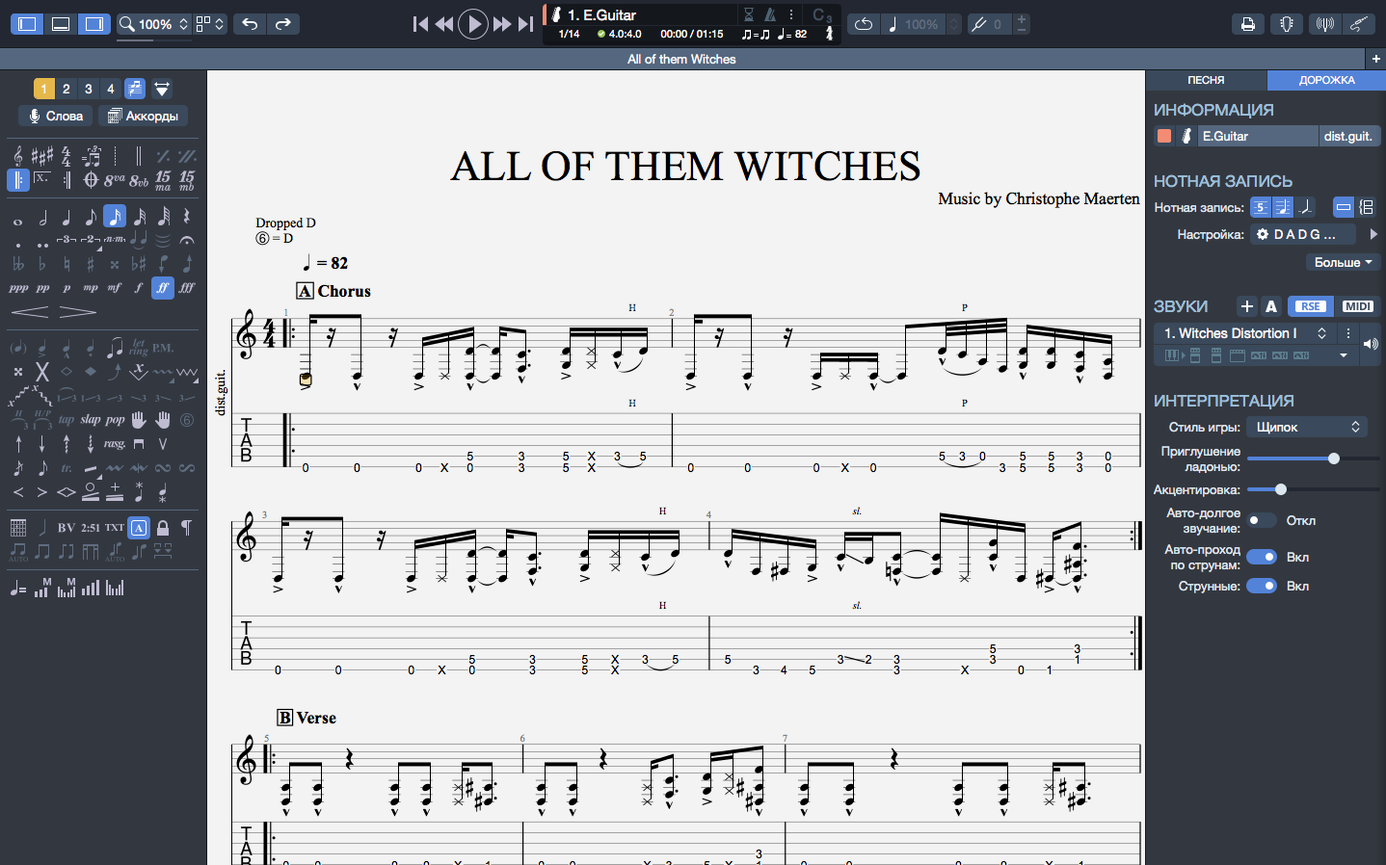
Tab entry is keyboard-driven. The number keys place fret values on the currently selected string, and the arrow keys hop between strings and beats without reaching for the mouse. Beat one: fifth fret on the high E, typed with a tap of the 5 key. Beat two: third fret, the ring finger already hovering there in the mind. The third beat moves to the B string, open, a breath of air before the low E rings out on beat four. The MIDI editor sits in the lower pane, showing the notes as piano-roll blocks, and a quick glance confirms the velocities are too uniform — the open string hits harder than the fretted notes, which sounds mechanical. A drag on the velocity bar for beat three pulls it down to match the surrounding plucks.
Playback loops the four bars while the chord builder is open in a side panel. The harmony at bar twelve is a D major over an F-sharp bass, and the builder suggests a voicing that requires a thumb wrap. It is accurate but impractical at tempo. Cycling through the alternatives lands on a triad with the F-sharp on the fourth string, reachable with a small barre at the second fret, and the shape drops onto the staff in one click. The loop plays again, and the transition into the bridge finally breathes the way it was supposed to.
Before closing, the score is exported as a PNG with transparency, destined for a lesson handout. The export dialog remembers the last settings, so the file lands on the desktop in seconds. A quick listen to the full arrangement — drums, bass, two guitar tracks, a sparse piano pad — confirms nothing drifted out of sync during the editing session. The file gets pinned, and the Mac goes to sleep.
Apple Silicon launches a twenty-track RSE score at 8–10% CPU with silent fans
On an Apple Silicon machine, Guitar Pro 8.1.5 launches in under three seconds and idles at a fraction of a CPU core. A twenty-track score with RSE sounds enabled across all instruments sits around 8–10% CPU, and the fan stays inaudible even after two hours of looped playback while editing. Memory usage hovers between 400 and 600 MB for moderately complex arrangements, which leaves ample headroom for a browser full of reference tabs and a DAW running alongside. On older Intel hardware, the same score pushes closer to 25% CPU, and swapping the sound engine to MIDI-only output drops that figure by roughly half — useful when you are on battery and need every watt to count.
Stability has been uneventful in the best sense. Crashes are rare and tend to involve third-party Audio Units rather than the host itself, particularly older amp simulators that have not been updated for Apple Silicon. When a crash does occur, the auto-save recovery brings back the score at the last saved state, and the backup interval can be tightened to every two minutes in preferences for the paranoid. Some users hunting for a Guitar Pro 8 torrent or an older Guitar Pro 7 torrent will want to check that their build includes the latest playback fixes; the 8.1.5 update in particular solves the arpeggio timing bug that plagued early Guitar Pro 8 releases, and a cracked version without that patch will trip over the very first downbeat of a score that opens with a flourish. The same goes for anyone pulling a Guitar Pro Mac torrent from an unverified source — ensuring the build carries device hot-plugging fixes means yanking a headphone cable mid-session won't have to be a coin toss for audio dropout.
Export operations are swift. A fifteen-page score rendered to SVG completes in under a second, and the transparent PNG export handles dense notation without introducing compression artefacts around small note heads or ledger lines. Batch exporting is not a native feature, but dragging multiple .gp files onto the app icon opens them in separate windows, and the export shortcut can be run on each in quick succession without the app slowing down under the load.
Arpeggios at the start of a score now trigger properly on playback, and a handful of stubborn stem direction cases have been corrected. On macOS, the app handles device connections more gracefully — plugging in or removing an audio interface no longer interrupts the playback stream.
- macOS 10.13 or later
- 64-bit dual-core Intel, AMD, or Apple Silicon processor
- 4 GB RAM
- 2 GB free disk space
- Administrator rights required