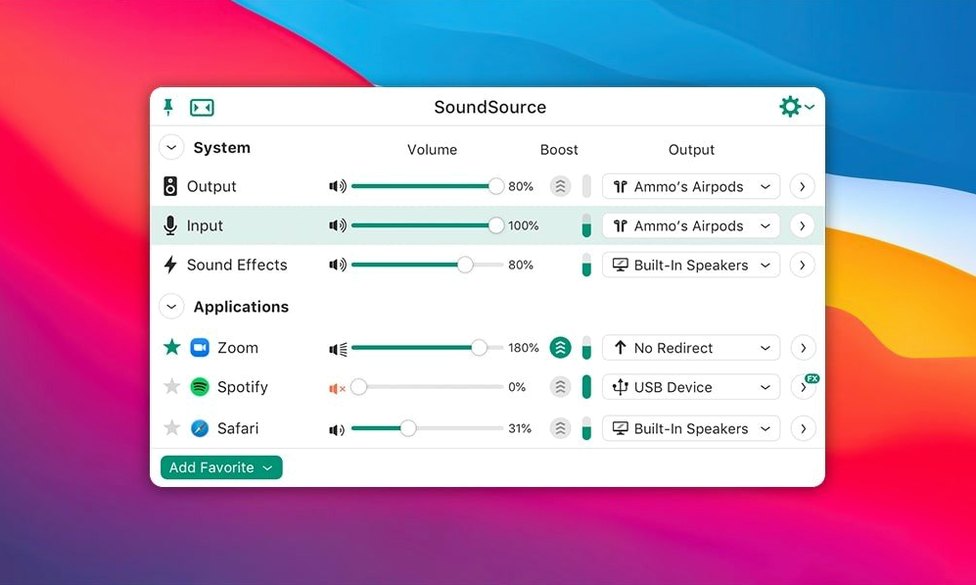
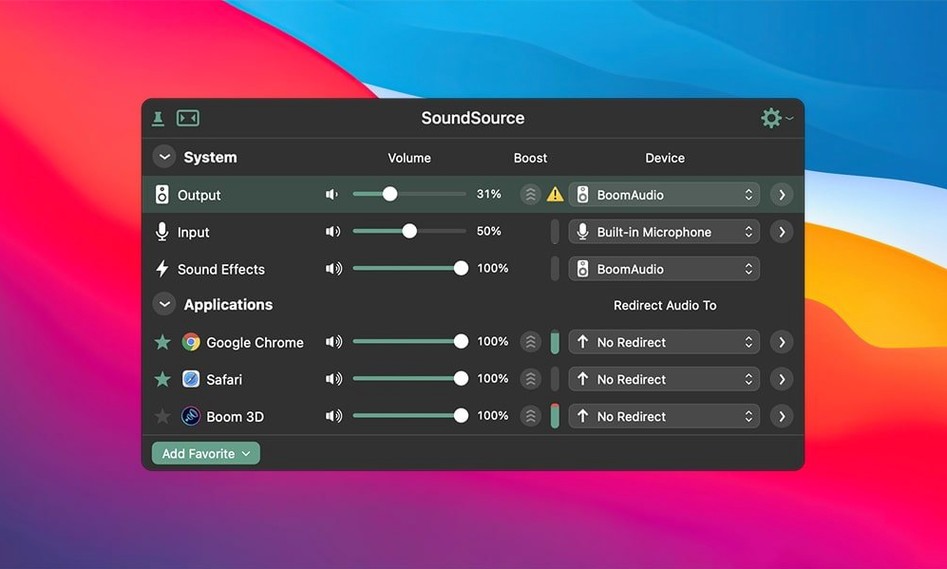
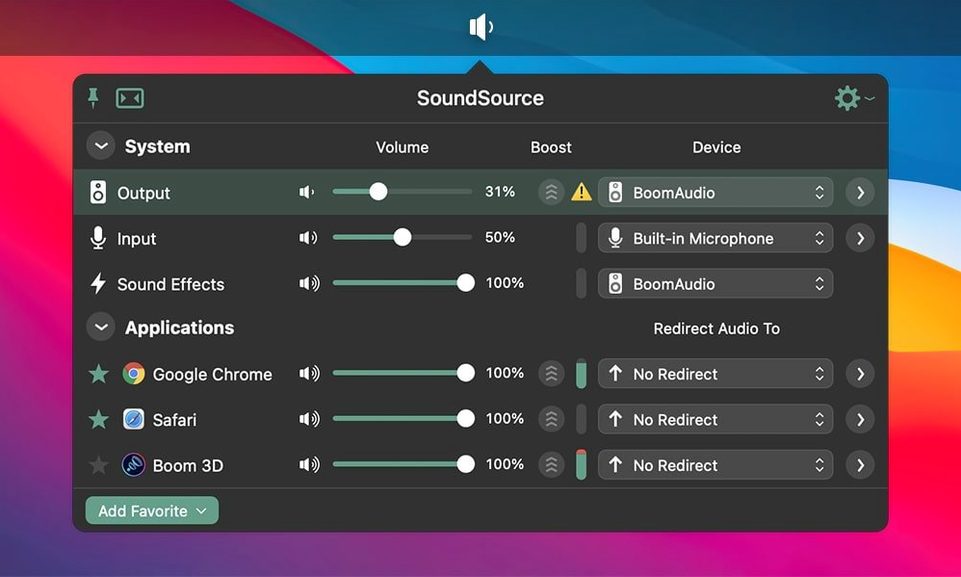
SoundSource appeals to people who route podcast mics through one interface, game audio through another, and still want the Mac's volume keys to feel predictable. A Rogue Amoeba utility at heart, it lives in the menu bar and reaches into places macOS keeps closed.
Give an app its own output
Open the main window and click an application's name. You can send Safari to the built-in speakers while a DAW plays through an interface, without touching System Settings.
Set a Headphone EQ per app
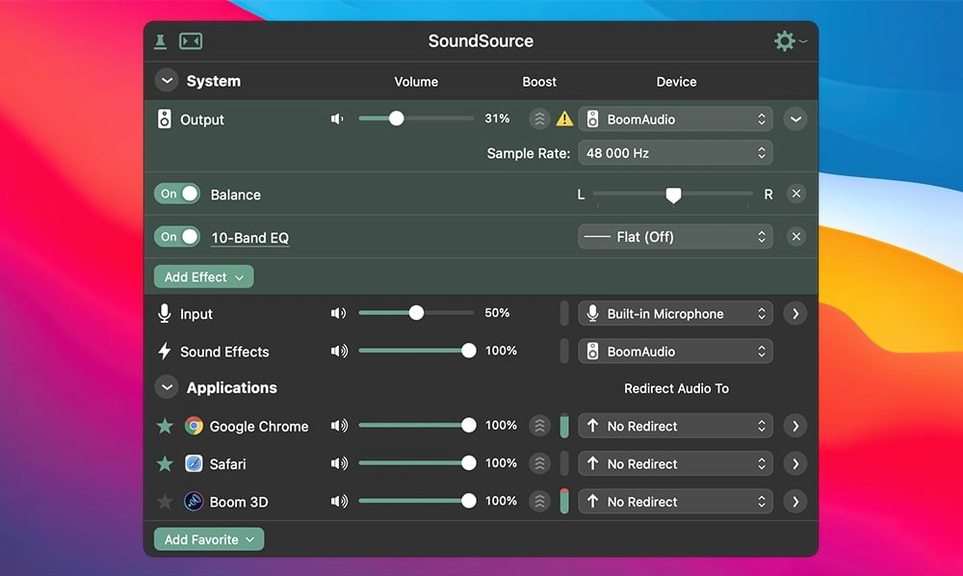
SoundSource includes a built-in Headphone EQ effect you can apply to specific applications only. Voice calls can stay flat while music gets a gentle correction curve.
Save the whole setup
A session with SoundSource, step by step
It is just past ten in the evening. A short film edit sits open in DaVinci Resolve, referencing a scratch VO track recorded that afternoon. The Mac is still set to the Scarlett 2i2 from the voice session — monitors quiet, headphones plugged into the interface. You want to spot-check a mix cue in the living room over AirPlay, but you also have a Discord call in twenty minutes and the caller should not hear the timeline playback. This is the kind of tangle SoundSource untangles in under a minute.
You click the menu bar icon. The compact panel shows three sections: System Output, System Input, and Sound Effects. The Scarlett is listed as the active output. Below it, every open application with audio activity appears in its own row — DaVinci Resolve, Safari with a reference track on YouTube, and Discord already sitting idle. Each has a volume slider and an output selector.
You leave the system-wide output on the Scarlett for now and click the output button next to DaVinci Resolve. A menu drops down with available devices. You pick the living room Apple TV from the AirPlay section. Instantly, Resolve's timeline audio moves to the television speakers, while every other app stays on the headphones. The transition is silent — no pop, no routing hiccup. You glance at the living room doorway and hear the cue playing across the room.
Next, Discord. You click its row, select the Scarlett as the output, and pull its volume down a notch relative to the system level. The built-in mic on the MacBook stays as the input. A quick check with the level meter in SoundSource confirms the mic is not picking up the AirPlay bleed. You tap the Headphone EQ button on the system output row — not for correction tonight, just to verify the flat profile is engaged — and close the panel. The whole routing change took three clicks and no trips into Audio MIDI Setup.
Forgetting to set a system fallback device after routing an app
The most common one is setting per-app output without realising the system output still governs the master stream. Someone sends Music to a Bluetooth speaker then wonders why Safari plays through the MacBook speakers. They forgot to set a fallback — or they set the per-app routing but left the system output on a different device. SoundSource treats the system output as the default; per-app overrides only affect the apps you explicitly assign.
Another early stumble is piling effects onto the system output and then blaming the app for latency. A ten-band EQ, a compressor, and the Magic Boost plugin stacked on the master bus will add a small but noticeable delay, especially over Bluetooth where the buffer is already high. The fix is simple: apply processing only where it matters. Put the Headphone EQ on the Music app, not the entire system, and leave the system output chain empty unless you are mixing a live stream.
New users sometimes forget that Output Groups need the constituent devices to be available. Building a group with a USB interface and an AirPlay speaker works beautifully until the interface is unplugged. SoundSource flags the missing device, but the group stays silent until you either reconnect the hardware or edit the group to remove it. If you tend to dock and undock a MacBook throughout the day, keep the groups simple — two devices that are usually both present.
The final classic mistake is hiding the menu bar icon and then not remembering which global shortcut summons the window. SoundSource does not pin itself to the Dock by default; it runs as a menu bar utility. If you clear the icon via System Settings without setting a hotkey first, the app is still running but invisible. The installer even prompts you to set a keyboard shortcut during setup for exactly this reason, yet plenty of people skip that step.
It layers over Core Audio instead of replacing Audio MIDI Setup
The question that comes up most often is whether SoundSource replaces Audio MIDI Setup. It does not replace it — it sits on top of the same Core Audio routing layer and makes the common operations accessible without opening a separate utility. Audio MIDI Setup is still there for aggregate device creation and sample rate locking. SoundSource reads those configurations and lets you switch between them. If you have already built a complex aggregate device for a multi-mic podcast rig, SoundSource sees it immediately.
Another frequent hesitation is about system stability. People remember audio kexts and kernel panics from older macOS eras. SoundSource uses Rogue Amoeba's ARK plugin framework, which runs entirely in userspace — no kernel extensions, no low-level patching. The ARK update in version 6.1.4 specifically addressed Bluetooth buffer handling on macOS 27, which is the kind of edge-case polish that long-time users expect from the developer.
Some ask whether per-app volume control interferes with an app's own volume slider. It stacks. If Music is at 50% internally and you pull SoundSource's slider to 80%, the effective gain is the product of both. The practical advice is to set the app's internal volume to maximum and manage level entirely from SoundSource, which gives you a single place to adjust everything without hunting through individual app preferences.
A smaller group wants to know if the app phones home or requires an online check. SoundSource is a local utility. It does not need network access to function, and the audio processing happens on the machine. The menu bar icon updates instantly because it reads Core Audio states directly — no cloud round-trip, no account sign-in.
Per-app output and AU plug-in chains go beyond Background Music’s scope
Background Music is the open-source alternative most people encounter first. It also offers per-app volume and a basic system-wide limiter. Where Background Music stops, SoundSource continues: per-app output routing, full effects chains with AU plugin hosting, Headphone EQ profiles, and Output Groups for multi-device playback. Background Music works for straightforward volume management, but the moment you need to send a single app to a different output while keeping everything else routed normally, SoundSource is the tool that was built for that exact scenario.
BlackHole and its sibling Loopback sit in a different category — they create virtual audio devices for routing between apps. Loopback excels at building complex pass-through pipelines, like combining a mic, a music player, and a browser into a single virtual input for a streaming encoder. SoundSource does not create virtual devices; it controls where existing physical and virtual devices receive audio. The two complement each other well. A common setup uses Loopback to craft a virtual aggregate device, then SoundSource to assign specific apps to it and apply EQ on the way in.
Audio Hijack, also from Rogue Amoeba, is a recording and processing environment built around a signal-chain canvas. It can capture, process, and record audio from any source. SoundSource handles live monitoring and convenience routing. If you need to record a processed stream to disk, Audio Hijack is the tool. If you just want to hear Music through your studio monitors while the rest of the system stays on the internal speakers, SoundSource is the lighter, always-there companion.
Bluetooth dropouts often trace back to mismatched buffer size
A Bluetooth device that stutters or drops out after a few minutes of playback is often fighting an incorrect buffer size. Version 6.1.4 specifically fixed a crash and performance regression for Bluetooth devices on macOS 27, but if you are on an earlier macOS 15 build and the problem persists, opening Audio MIDI Setup and forcing the device to a 44.1 kHz sample rate with a 512-sample buffer often stabilises it. SoundSource then reads that configuration and passes audio cleanly.
An app not appearing in the per-app list is almost always because it has not produced any audio since SoundSource was launched. Open the app, play something — even a second of silence — and it should populate immediately. If it still does not show, check that the app is not routing audio through a helper process. Some Electron apps spawn separate audio subprocesses; the parent app name may not match the audio source name. SoundSource usually labels these clearly once audio flows.
Output Groups can drift out of sync between wired and wireless devices. HDMI to a display and AirPlay to a HomePod will never be sample-accurate in sync, and no software can fully compensate for network jitter. If lip-sync matters, keep Output Groups to devices that share a clock — two USB interfaces, or the built-in output plus a USB DAC. Mixing wired and wireless in a group is best reserved for background music across rooms where a few milliseconds of offset does not ruin the experience.
When the Headphone EQ effect does not seem to change the sound, the most likely culprit is a mismatch between the selected profile and the actual headphones. SoundSource ships with curves tuned for specific models — applying the HD 650 correction to a pair of closed-back Sony monitors will not produce the intended result. The effect also disables itself when the output device changes, as a safety measure, so check that the effect is still engaged on the current output row before adjusting the curve.
If you are looking for a soundsource download that does not trip Gatekeeper, the disk image includes a terminal helper that registers the app cleanly. Some searches for soundsource torrent or soundsource mac torrent lead to older builds that lack the Bluetooth fixes from 6.1.4, and a soundsource mac crack that modifies the ARK plugin can introduce the very kernel-level instability the official ARK framework was designed to avoid. A soundsource crack that tampers with the plugin bundle will break the effects engine silently — the app may launch, but Headphone EQ and Magic Boost will either not load or will crash on device switch. The version available here is the complete 6.1.4 build with the TNT activation applied cleanly and the ARK plugin intact.
Once inputs, outputs, and effects are arranged, save the configuration. Switching between a recording desk and a late-night headphone setup becomes one click.
SoundSource 6.1.5 brings Rogue Amoeba’s latest round of small corrections and under‑the‑hood tuning.
- macOS 15 or later
- Apple Silicon or Intel 64-bit
Questions from the booth
Yes, version 6.1.4 runs as a 64-bit application on both Intel and Apple Silicon Macs with macOS 15 or later.
Yes, the built-in Headphone EQ effect can be assigned to specific applications rather than the entire system output.