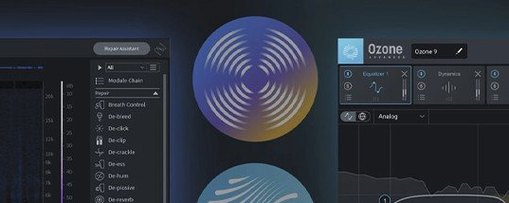
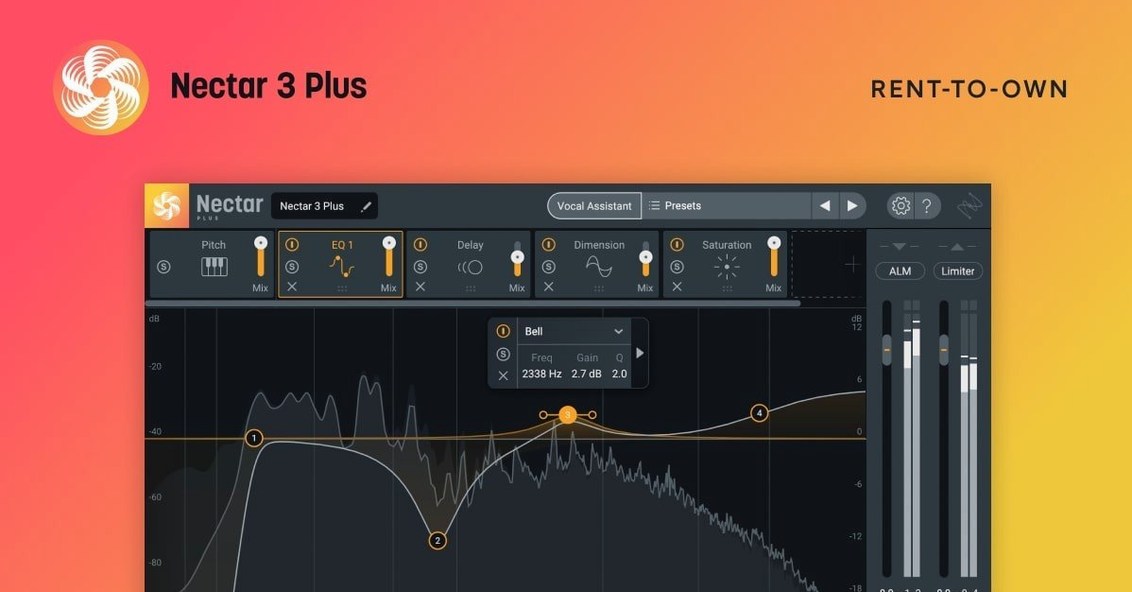
Nectar 4.1.0 runs as a complete vocal chain in one window, and the first thing that stands out is how much happens before you touch a fader. Breath control, loudness levelling, de-essing, compression — the modules stack like a small console built around a single voice. The AI assistant listens to a phrase and suggests starting points for tone and dynamics, which shortens the gap between a raw take and something that sits in a mix.
The real character comes from the newer modules. Auto-Level smooths uneven performances without squashing the natural rise and fall of a line. Voices can generate harmony or doubled layers from a single lead, and Backer fills out the space behind a vocal with controlled, mixable texture. Together they turn a dry recording into something with depth and width, while keeping the original performance intact.
Apple Silicon and Intel Macs are both supported, with macOS Ventura 13.7.4 as the current minimum. The interface stays in English across Elements, Standard, and Advanced editions. For detailed control, the tone, compression, echo, and width sections respond more like a mixing desk than a preset machine — each move audible, each module bypassable.
Setting up a vocal in twelve minutes
You drop Nectar 4 onto a lead vocal track in Logic, arm the Vocal Assistant, and let it listen to the loudest part of the performance — usually the chorus. The analysis takes about six seconds, then it hands you a curve for EQ, a compression threshold, and a suggestion for de-essing intensity. I rarely keep the Assistant's settings untouched, but they give you a centre of gravity. From there, the session becomes a series of small decisions: how much breath noise to pull back in the Breath Control module, whether the plate reverb should lean dark or bright, where the doubled layers from Voices sit in the stereo field.
The Auto-Level module — Advanced edition only — works like an invisible hand on the fader. You set a target loudness, and it rides the gain before the signal hits compression. That means the compressor receives a more consistent level and doesn't have to work as hard on the peaks. For a vocalist who moves between a whisper and a belt in the same take, this changes the tone of the compression entirely. It stops grabbing, and starts breathing.
By the time the harmony lines are printed and the Backer module has added a soft, diffused presence under the lead, the track sounds like a session that took half a day. In reality, you've been working for under fifteen minutes. That speed matters when you're tracking vocals for a short film score at 11pm and the mix needs to ship by morning.
Building a vocal atmosphere from a single take
A dry voice recorded in a treated room can feel too close, too isolated. The goal here is to place it inside a space without drowning it in obvious reverb, and to give it enough width that it holds the centre of the stereo image without sounding narrow.
Start with the Compressor module set to a gentle ratio — 2:1, medium attack, release timed to the tempo of the track. Dial the threshold until the gain reduction needle moves on the loudest syllables, then back it off a touch. This is about glue, not squash. Next, open De-ess and target the sibilance region: somewhere between 5k and 8k, depending on the singer. Nectar's visualiser shows you the problem frequencies as they happen, so you can set the threshold while the vocalist is still audible in the timeline.
Now the spatial part. Insert the Voices module and choose a unison doubling preset. Pull the level down until you feel the width more than you hear it — around -12 dB below the lead. Pan the doubled voices slightly left and right, but keep them narrow, maybe 15% off centre. Then open Backer and select a long, diffuse texture with the low-cut filter set around 300 Hz. Push the send into Backer until it fills the silence between phrases, not during them. The effect is a vocal that feels alone but not lonely — present, surrounded, and strangely intimate.
The assistant suggests, you dispose
Does the Vocal Assistant replace actual mixing decisions? No, and it doesn't try to. It analyses the signal and suggests a baseline for EQ and compression. You can accept, tweak, or scrap it entirely. Think of it as an assistant engineer who throws up a rough mix while you're making coffee — useful, but you're still the one who finishes the track.
Will Nectar 4 work on an older Intel Mac? The 4.1.0 update raised the minimum to macOS Ventura 13.7.4, so anything running that or newer is fine. It supports both Apple Silicon and Intel processors natively, and the 64-bit build loads without Rosetta on M-series machines.
What's the difference between the editions? Elements gives you the Vocal Assistant and core processing: compression, de-essing, tone, and some basic reverb. Standard adds Voices and Backer. Advanced unlocks Auto-Level, full module control, and the ability to unmask vocals against other tracks in a mix — useful if you're working on dense arrangements.
Does it work as a standalone application? No. Nectar 4 runs as a plug-in inside a DAW or NLE — AU, VST3, and AAX formats are included.
Let the assistant teach you its listening habits
Start with the Vocal Assistant on every track you process, even if you plan to ignore its results. The analysis teaches you what the plug-in hears, and after a few sessions you'll begin to recognise the patterns in its suggestions — which voices get a midrange lift, which ones need a low-mid cut. That familiarity speeds up your own decisions later.
Bypass modules constantly. Nectar's signal flow is modular, and the only way to learn what Backer actually adds is to mute it mid-playback. The difference is often subtle until you take it away, then the vocal suddenly feels bare.
Save your own presets early. The factory library covers a lot of ground, but your voice, your microphone, and your room are a unique combination. Once you've dialled in a chain that works for a particular singer, store it. Next session, you'll be three clicks away from a solid starting point.
Watch the gain staging between modules. Because Nectar chains effects internally, it's easy to drive the next stage too hot without realising. Keep an eye on the output meter inside each module and use the trim controls to keep levels healthy as they pass through the signal path.
A podcaster's first afternoon with Nectar
Mira runs a narrative interview podcast out of her apartment in Montreal. Her recordings are clean — a treated corner and a large-diaphragm condenser — but her voice tends to dip during long sentences, and the room still carries a faint boxiness around 400 Hz. She's not a mixing engineer; she needs results during the edit, not after a tutorial.
She drops Nectar Elements onto her vocal bus in Reaper and runs the Vocal Assistant on a short monologue. It pulls down the boxy band, adds a little air above 10k, and sets a compressor that holds the level without sounding processed. She adds the Breath Control module manually, dragging the reduction slider until the sharp inhales between questions soften but don't disappear. The whole process takes about four minutes. She exports the episode, listens back on her phone, and notices for the first time that she isn't riding the volume knob during the quieter passages. The voice just sits where it should.
When Mira searches for a way to manage her vocal chain without breaking her editing flow, she might look for a nectar torrent or an izotope nectar torrent to find the full version. A search for izotope nectar 4 torrent or izotope nectar mac torrent often leads people to the latest build, while nectar 4 mac torrent specifically points Mac users toward the Apple Silicon-compatible release. For Mira, the draw isn't the features she won't use — it's the handful she'll use every single day.
Version 4.1.0 brings Windows HiDPI support, fixes an iLok authorization issue for Nectar Standard, updates supported DAW and NLE versions, and moves the Mac minimum to macOS Ventura 13.7.4.
- macOS Ventura 13.7.4 or later
- Apple Silicon or Intel Mac
- Interface language: English
Questions from the booth
Yes, Nectar 4 supports both Apple Silicon and Intel Macs, with macOS Ventura 13.7.4 as the minimum supported version in 4.1.0.
Voices adds harmony and layered vocal parts from a single take, while Backer creates controlled background vocal texture. Both are included in Standard and Advanced editions.
Yes, breath control is built into the module set, alongside loudness levelling, de-essing, and AI-based analysis that suggests settings for a recording.