Where does the Smart Play scale engine actually live?
It lives inside the plug-in itself. Loading Komplete Kontrol in your DAW gives you access to over a hundred scales and modes, chord voicings and arpeggiator settings that remap incoming MIDI — whether that MIDI comes from a mouse-clicked on-screen keyboard, a standard MIDI controller, or a connected NKS keyboard. You never leave the single window to change the harmonic rules.
What can I drag straight to the timeline?
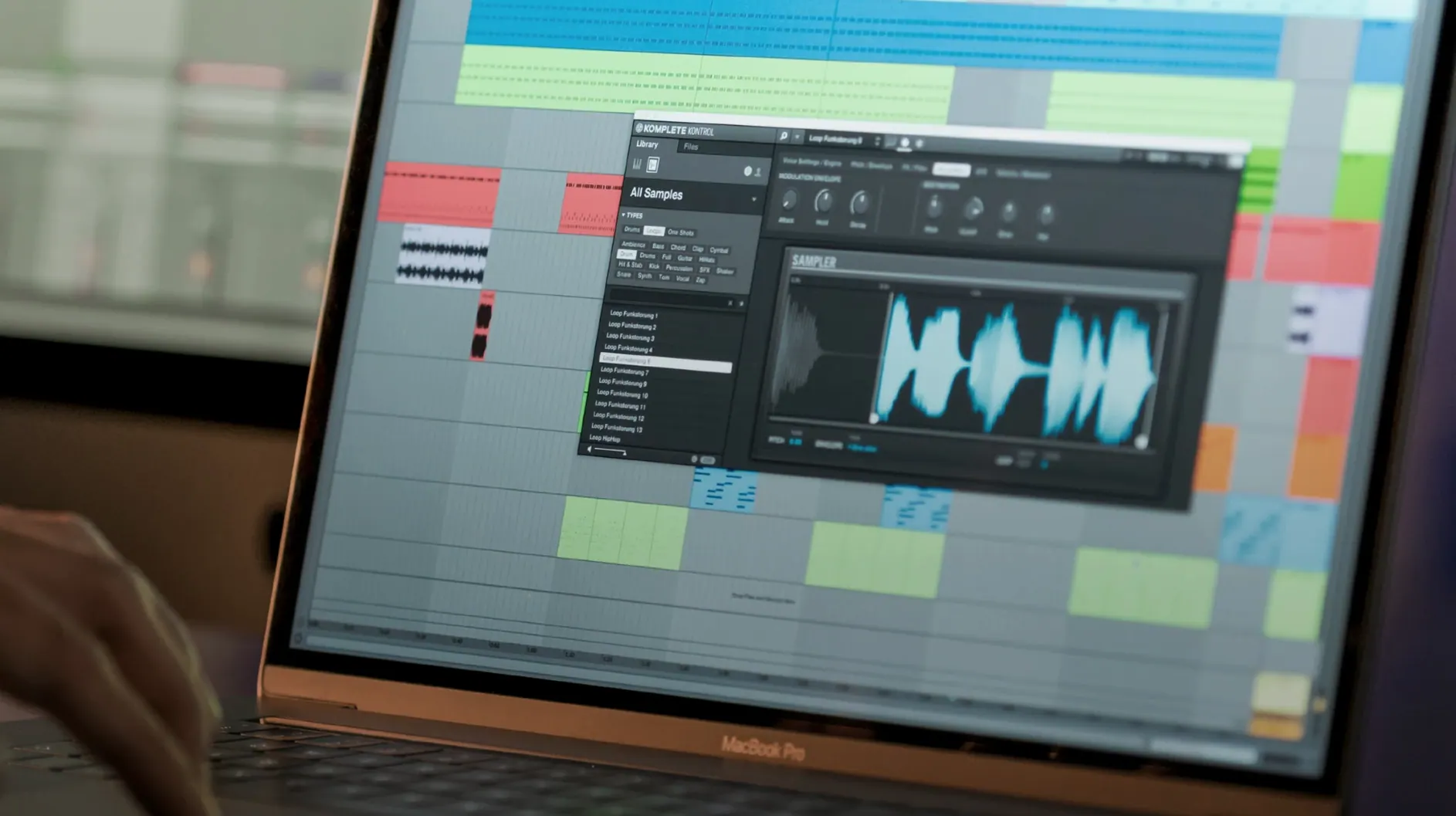
Loops and one-shots. The unified browser indexes instruments, effects, presets, loops and samples together, so you can audition a percussive one-shot in the context of your track, then drag its waveform directly onto a DAW lane. The built-in sampler also lets you play any loaded audio file chromatically from your controller without opening a separate sampler plug-in.
Which hosts and controller setups are actually supported?
Any DAW that hosts VST, AU or AAX plug-ins. The software is designed to pair tightly with Native Instruments hardware that supports NKS, but it works entirely with mouse and keyboard too — the browser and transport controls are all on screen. Version 3.5.4 adds NKS Mode integration for compatible NKS Connect controllers, so recent hardware sees your library without additional mapping steps.
Building a bass line from a tagged search to a DAW arrangement
Say you need a round, muted bass that sits under a drifting synth pad. Open Komplete Kontrol in your DAW, hit the browser magnifying glass and type muted bass. The unified index scans instruments and presets across your NKS library — including third-party plug-ins from 90 developers — and returns a short, tagged list. Audition three or four candidates with the arrow keys while the transport runs; you hear each sound in context, not in isolation, which changes how you judge the attack. Once you settle on a patch, the Smart Play scale engine is already active. Set it to D minor pentatonic, enable chord mode with a tight three-note voicing, and play the progression with one finger on your controller. The MIDI data goes to your DAW exactly as heard. Still inside Komplete Kontrol, search for a sub-bass one-shot tagged short 808, audition it alongside the bass line, then drag the waveform straight to a new audio track. The whole process — searching, playing, layering, dragging — happens without closing the plug-in window.
Quiet conveniences that change the daily rhythm
Several details vanish into muscle memory but shape how fast you move. Typing a few letters into the browser while holding only the Command key limits the search to user-tagged content, skipping factory presets entirely — useful when you have spent an afternoon categorizing your own go-to sounds. Right-clicking any preset in the results list offers “Find in Filesystem,” which opens the actual .nksf or plug-in preset in Finder; this saves you from hunting through nested developer folders when you want to copy a patch to a collaborator. On any S-Series keyboard, the Light Guide doesn’t just indicate scales — it colour-codes active key zones for chord voicings, so the root, third, fifth and extensions each glow a distinct hue. And the arpeggiator’s swing parameter responds to mouse-wheel nudges while a note is held, letting you hear timing shifts before committing a value — a small thing that makes programming hi-hat rolls feel more like performance than data entry.
How it breathes in an actual session
In daily use on a machine running macOS 12 or later, Komplete Kontrol 3.5 leans toward the lighter end of the resource spectrum for what it carries. Loading an instance with a multi-sampled acoustic piano and three insert effects typically adds 280–340 MB of RAM; switching to a wavetable synth patch drops the memory footprint noticeably. The plug-in window redraws quickly when toggled between the browser, the macro controls and the scale editor — on Apple Silicon there is no perceptible lag, and on Intel machines the interface stays fluid as long as the DAW buffer sits at 256 samples or lower. Version 3.5.4 addressed a specific performance hiccup where parameter changes from a Kontrol S-Series MK3 could cause brief UI freezes, and that particular roughness is now gone. Loading a project with sixteen Komplete Kontrol instances across different instrument tracks adds about three seconds to the total session open time compared to the same arrangement with stock DAW instruments, which is acceptable for the recall detail you get — every macro mapping, scale setting and tagged search result is restored exactly as you left it.
Controller feedback that goes deeper than transport lights
NKS Mode integration, expanded in the 3.5.4 release, means compatible NKS Connect controllers now mirror browsing state, not just playback state. Scrolling through presets with the hardware knob lights the corresponding encoder ring immediately; loading a patch that exposes eight macro parameters maps them to the first eight physical knobs without any MIDI-learn steps. The Light Guide on S-Series keyboards tracks your scale selection in real time — switch from C major to B-flat harmonic minor and the illuminated keys reconfigure before your fingers land. For anyone working with third-party NKS instruments, the mapping consistency is the quiet backbone of the session. A reverb tail length assigned to the fourth encoder on one developer’s plug-in will appear on the same encoder when you switch to a synth from another developer, which means you stop looking at the screen for basic sound-shaping moves.
Komplete Kontrol 3.5.4 introduces NKS Connect support, letting the plug-in talk directly to compatible NKS Connect controllers. NKS Mode integration arrives for those same controllers, making library navigation feel immediate. The update also smooths out performance when changing plug-in parameters from Kontrol S-Series MK3 keyboards.
- macOS 12 or later
- Apple Silicon and Intel Macs
Questions from the booth
Yes. The plug-in loads in any DAW and you can browse, audition and play sounds with a mouse, a standard MIDI keyboard, or the on-screen controls — an NKS controller is not required.