You have a lead vocal take that feels close but not finished — the sibilants bite a little hard on the monitors, the pitch wavers on one held note, and the verse sits too dry against the arrangement. The LANDR Vocal Bundle is four plugins that move through a session in the order problems appear: correction first, then tone, then space.
Track cleanup and pitch
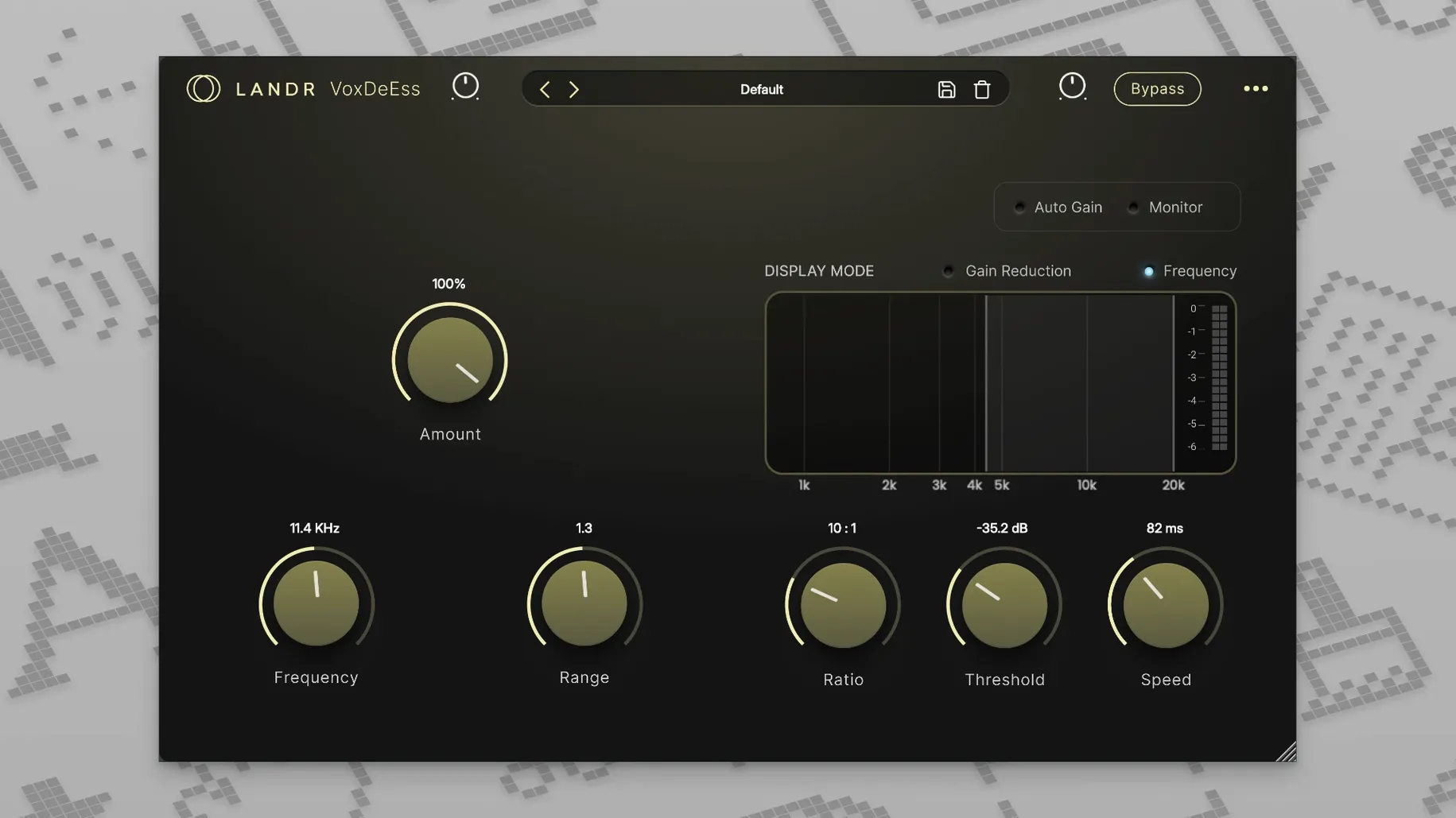
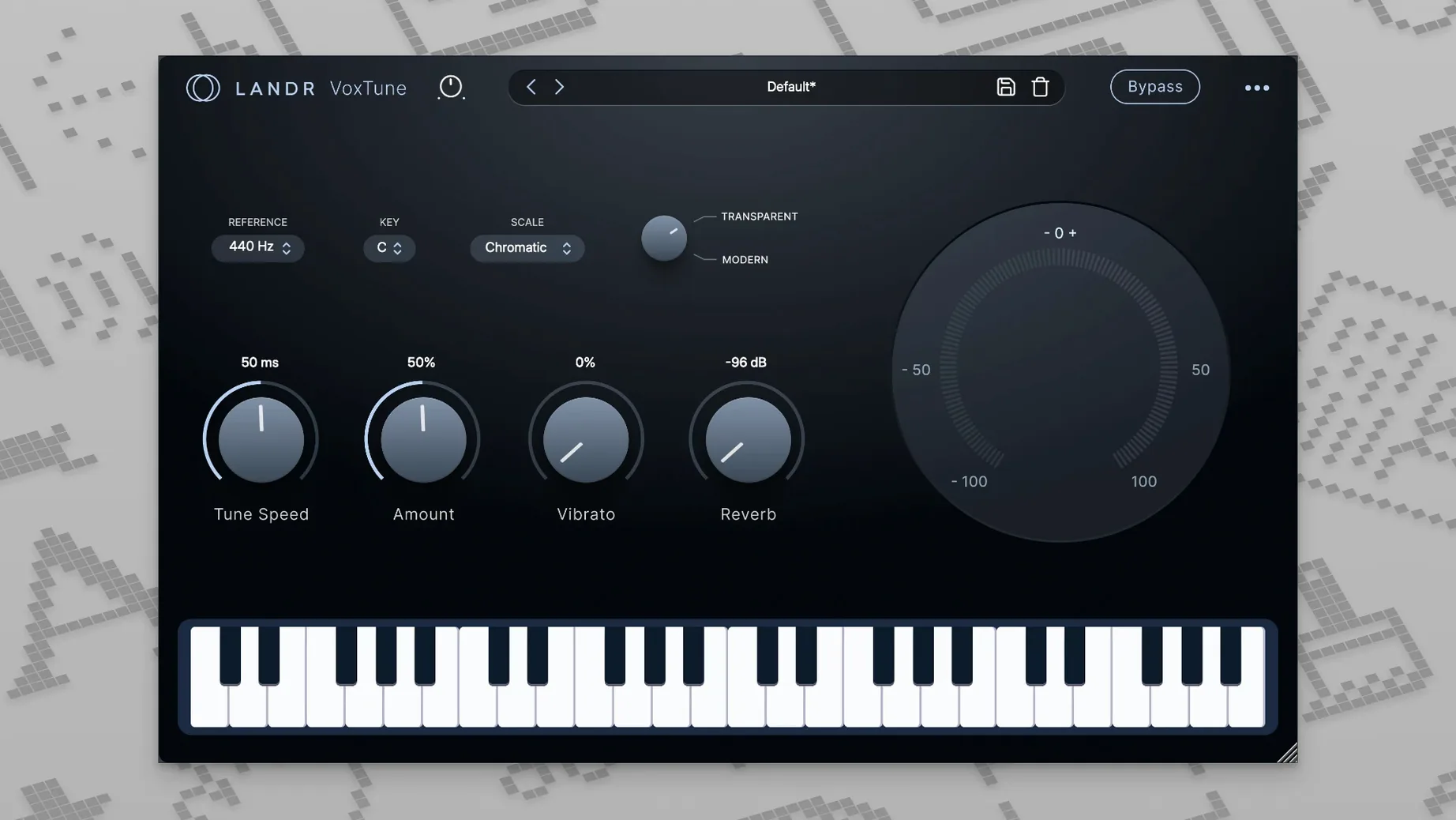
Drop VoxDeEss on the raw track and pull down the s and sh edges before they hit the compressor. Follow it with VoxTune for zero-latency pitch nudges and subtle vibrato control without printing a new take.
Channel tone on a bus
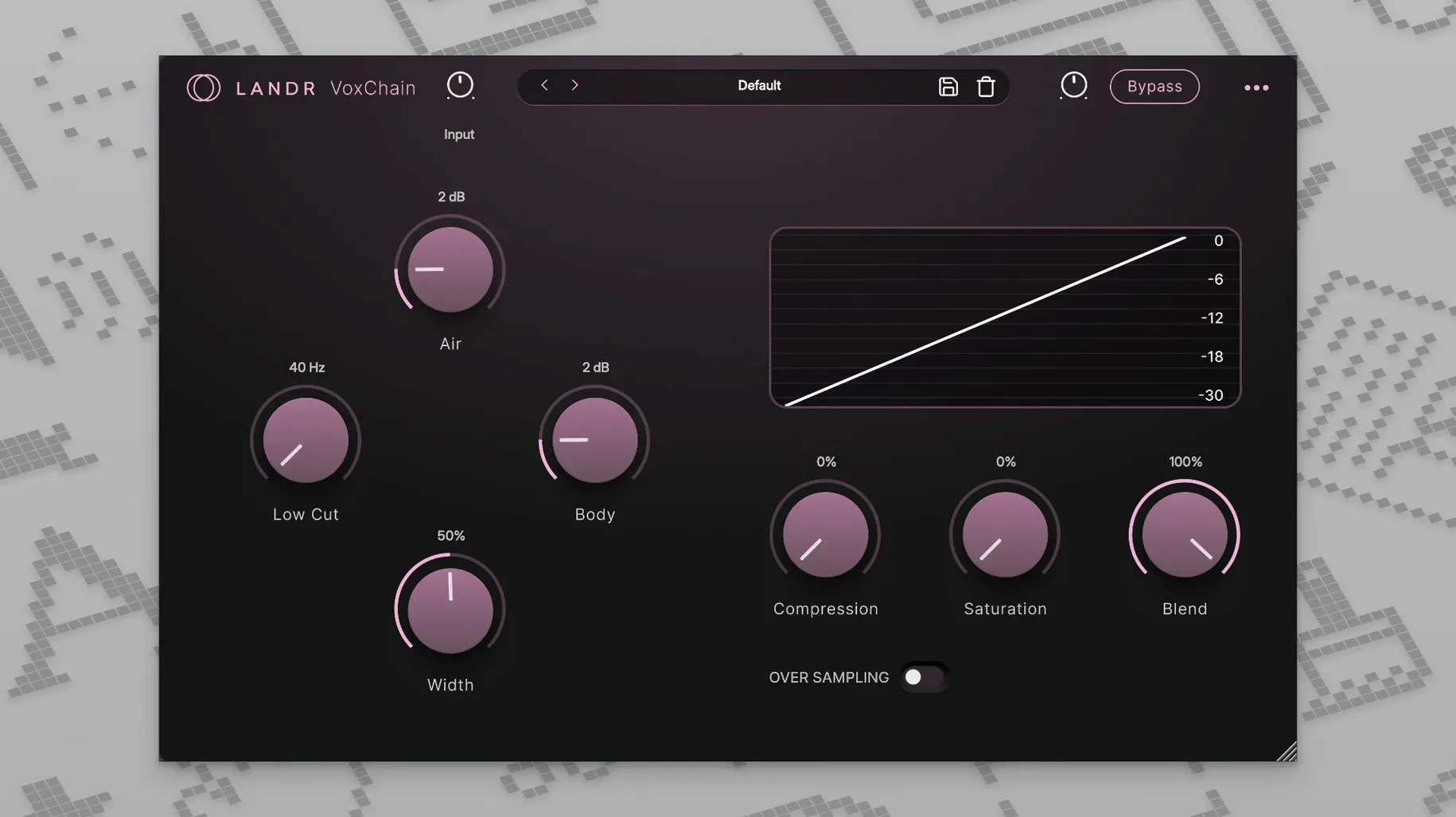
Route your vocal group through VoxChain when you need EQ, compression and saturation in one window. The strip is built for quick shaping — push the mids forward or soften the top end while the saturation keeps the body of the voice present.
Spatial finish
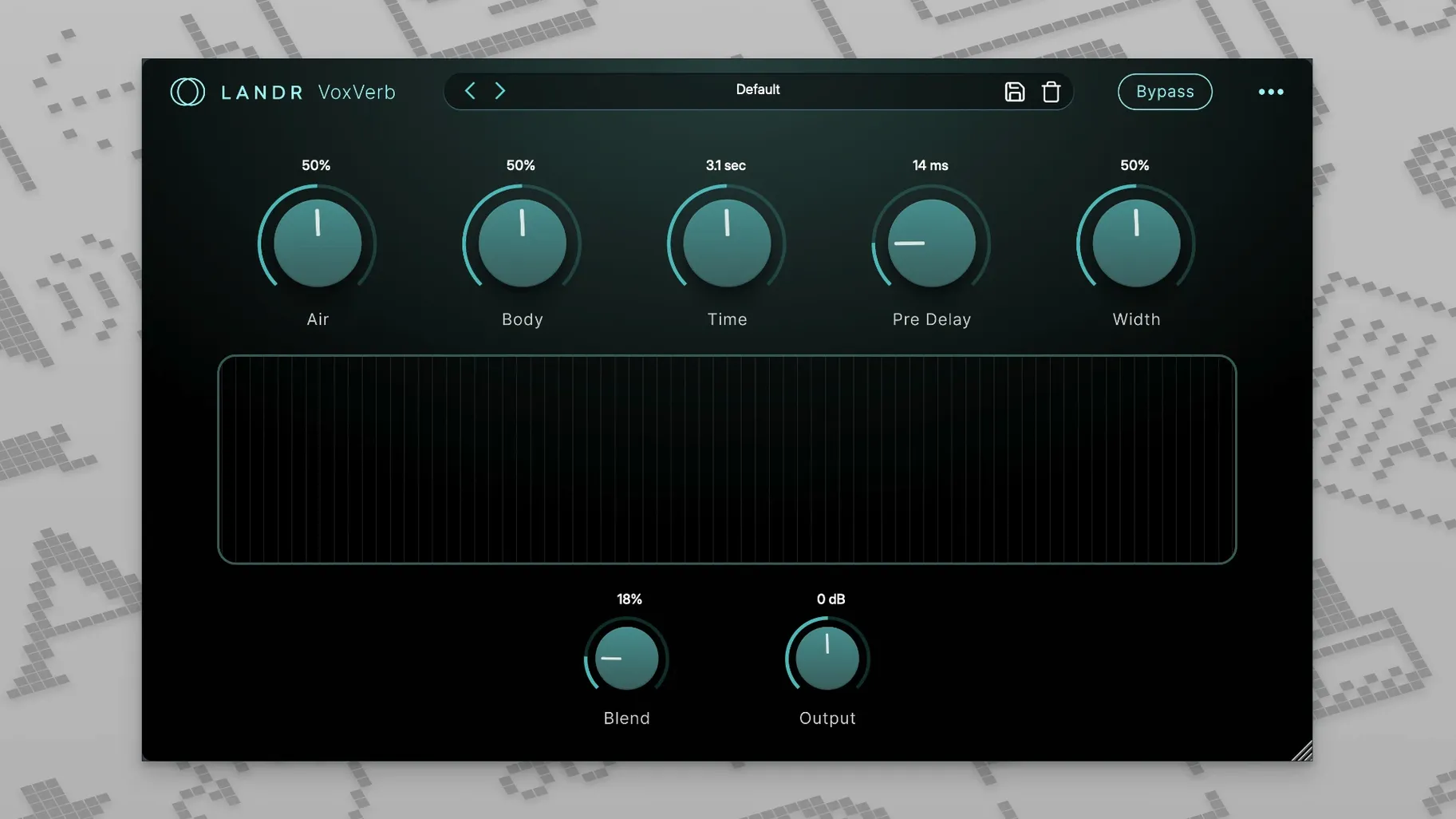
On an aux send, the reverb plugin places the vocal in a room that suits the production without washing out the consonants VoxDeEss already cleaned. The whole chain covers the vocal workflow from first pass to final ambience, and it stays responsive enough for live use when you track with effects committed.
Where emphasis lands versus iZotope Nectar and Waves
There are a handful of vocal-focused plugin sets on the Mac that aim to cover the same ground, and the differences come down to where they place their emphasis. iZotope Nectar gives you a unified window with modules for pitch, EQ, compression, de-essing and reverb arranged as a single chain — more of a one-stop mixing assistant with a guided workflow. It leans harder into automatic analysis and presets that adapt to the source material, which suits someone who wants a suggested starting point before they touch a single control. The LANDR bundle splits the same tasks across four separate plugins, so you drop each one where it belongs in your routing rather than committing to a combined interface.
Waves offers a few bundles that pair pitch correction with channel processing, but they tend to pull the reverb and de-essing into separate purchases. With the LANDR set, the four tools arrive together and cover the vocal path from pre-comp cleanup to the spatial tail. There is no crossover installer or shell plugin — just four insert-ready units that load quickly and stay focused on one job each.
Antares Auto-Tune Access is the obvious comparison for VoxTune. Auto-Tune Access gives you the core pitch engine with a simplified control set and a lower CPU footprint than the full Antares suite. VoxTune operates with similarly low latency and matches the basic natural-to-hard correction range, but it adds vibrato and voice colour controls that sit outside the Auto-Tune Access feature set without stepping up to a more expensive tier. For a track that needs slight stabilising on a held phrase, both plugins get the work done; when you want to shape the character of the tuning itself, VoxTune offers a couple more parameters without leaving the simple front panel.
A session from rough take to seated vocal
I pulled up a session with a fingerpicked acoustic arrangement and a vocal take that was emotionally right but technically patchy — a few esses cutting through the guitar, the bridge drifting flat in two spots, and the whole thing feeling disconnected from the room the mics captured. The raw track sat on its own channel with nothing inserted yet.
First step was VoxDeEss, placed at the top of the insert chain before any dynamics. I looped the chorus, where the sibilance was worst, and brought the threshold down until the esses softened without dulling the top of the voice. A quick A/B with the bypass switch confirmed the consonants were still there — just no longer poking out of the guitar bed. With that cleaned, the compressor that followed in VoxChain would be reacting to the voice, not to stray high-frequency spikes.
Next came VoxTune on the next insert slot. I set it to the key of the song — D major — and kept the speed moderately fast for a natural feel. The bridge phrase that had bothered me locked into pitch without a warble, and bumping the vibrato depth just slightly on that section gave the held note a touch of motion that matched the live-room character of the recording. The voice colour control stayed near neutral; the plugin was doing correction work, not creating an effect.
With pitch and sibilance handled, I dropped VoxChain onto the same channel after VoxTune. The EQ got a gentle high-shelf cut to tame some of the air the condenser mic had added, the compressor caught the remaining dynamics with a soft ratio, and the saturation stage — driven just enough to warm the low-mids — gave the vocal a little more weight against the fingerpicked guitar. Everything happened in one window, so I could adjust the relationship between EQ and compression without flipping between separate plugins.
Finally, I created an aux track with VoxVerb and sent the vocal to it post-fader. The reverb time stayed short — a wooden room that matched the studio the guitar mics had implied — and the clarity control kept the tail from masking the consonants VoxDeEss had already shaped. With the other instruments muted, the vocal and its verb felt like they belonged to the same acoustic moment, not like a dry take pasted onto a digital hall. The whole process from first listen to rough mix took under fifteen minutes, and each plugin handled one clear task in the chain.
Individual AU plugins that drop straight into Logic or Live templates
The bundle works as Audio Units inside Logic Pro, GarageBand, Ableton Live and any other AU host, so it slots into existing template sessions without a separate wrapper. Because the four plugins are individual units rather than a monolithic suite, you can save channel strip presets that combine one or two of them with your favourite third-party EQs or delay throws — VoxTune and VoxDeEss often end up in my default vocal tracking preset next to a stock Logic compressor, with VoxChain reserved for mixing and VoxVerb on a send that stays muted during recording.
On the macOS side, the plugins respond to native Mission Control and Spaces workflows like any floating AU window — spread VoxChain to one desktop and your arrangement view to another if you like to mix away from the timeline. Audio Unit validation under macOS 12 and later has been uneventful, with all four passing Logic's plugin scanner on both Intel and Apple Silicon machines without requiring Rosetta. The low latency of VoxTune also makes it usable for direct monitoring through your interface when you arm a track for recording — arm the channel, enable input monitoring in your DAW, and the pitch correction arrives in your headphones in real time.
Catch sibilance first by slotting VoxDeEss before EQ
A few habits make the first week smoother. Start by inserting VoxDeEss before anything else on your vocal chain — it is tempting to place it after EQ, but catching sibilance early prevents downstream compressors from reacting to highs that will get tamed later anyway. Listen to a phrase with hard consonants, bypass the plugin, and set the threshold so the difference is audible but not drastic.
With VoxTune, spend ten minutes learning how the speed knob interacts with your voice. A fast setting suits staccato phrases and quick runs; a slower response preserves natural scoops and slides on held notes. Test both on the same short phrase and keep a note of what worked — you will reach for the right speed faster on the next session. The vibrato control is subtle enough that small moves go a long way, so start at noon and nudge rather than cranking it.
For VoxChain, try building a preset that does almost nothing — a flat EQ, a compressor with a high threshold, and saturation at a low setting — and save it as a starting point. A neutral chain lets you hear what the vocal needs in context before you reach for drastic EQ curves. When you do start shaping, bypass the saturation section periodically to check that the warmth is adding presence and not just harmonic clutter.
With VoxVerb, set up two aux sends from the start: one short room and one longer plate or hall. Assign the short room to your main vocal and use the longer one as a parallel send you automate for choruses or ad-libs. Having both available from the template saves you from rebuilding the spatial picture every time a new project begins, and VoxVerb's clarity control keeps the tails distinct from each other even when both sends are active on the same track.
- macOS 12 or later
- Apple Silicon native or Intel processor
Questions from the booth
Yes, the official page lists native support for both Apple Silicon and Intel Macs running macOS 12 or later.